
Best Laptops for Computer Science Students in 2026: 5 Picks for Coding, VMs & College


The best laptop for a computer science student is not simply the fastest laptop you can afford. It should run the software your department actually uses, stay comfortable through long coding sessions, provide enough memory for an IDE, browser, containers or virtual machines, and remain portable enough for classes and the library. For most students in 2026, 16GB of RAM and a 512GB SSD are a practical starting point, while 32GB and 1TB become more useful for heavier virtualization, local datasets, Android development, large Docker environments, or local AI work.
Operating-system compatibility matters just as much as processor speed, especially when courses depend on Windows-only software, Linux workflows, Xcode, x86 virtual machines, or NVIDIA CUDA. This guide explains the features that matter, then narrows the market to five current laptop configurations whose Amazon U.S. listings were live during this October 2026 update.
Best Laptops for Computer Science Students (2026)
Our 5 picks at a glance: rating, price, who each laptop suits and the specs that matter for coding, VMs and college.
| Laptop | Our Rating | Price | Best For | Key Specs | Quick Verdict |
|---|---|---|---|---|---|
| Apple MacBook Air 13 (M5, 16GB/512GB) | 9.4/10★★★★★★★★★★ | $1,256🛒 Buy Now | macOS & iOS dev, all-day battery | Apple M5, 16GB, 512GB SSD, 13.6″, up to 18 hr, ~2.7 lb | Best Overall Light, silent and long-lasting; x86 VMs can be tricky on ARM. |
| Lenovo ThinkPad X1 Carbon Gen 13 Aura (32GB/512GB) | 9.2/10★★★★★★★★★★ | $2,399🛒 Buy Now | Linux, VMs & typing | Core Ultra 7 258V, 32GB, 512GB SSD, 14″ 2880×1800, ~2.17 lb | Best for Linux Best keyboard and 32GB for VMs; the priciest pick. |
| ASUS Zenbook 14 OLED UX3405 (Core Ultra 7, 16GB/512GB) | 9.1/10★★★★★★★★★★ | $1,199🛒 Buy Now | Most Windows CS students | Core Ultra 7 255H, 16GB, 512GB SSD, 14″ OLED touch, ~2.8 lb | Best Windows Pick Great all-rounder with OLED, WSL support and good ports. |
| ASUS Zenbook S 16 UM5606 (Ryzen AI 9 365, 24GB/1TB) | 8.9/10★★★★★★★★★★ | See price🛒 Buy Now | Multitasking on a big screen | Ryzen AI 9 365, 24GB, 1TB SSD, 16″ 3K OLED 120Hz, ~3.31 lb | Best Large Screen Room for code, docs and browser side by side. |
| Acer Swift Go 14 SFG14-72 (Core Ultra 5, 16GB/512GB) | 8.6/10★★★★★★★★★★ | $759🛒 Buy Now | Students on a budget | Core Ultra 5 125H, 16GB, 512GB SSD, 14″ OLED 90Hz, ~2.91 lb | Best Budget Best value with a sharp OLED; older-generation CPU. |
Key Takeaways
The original model name matters less than the exact configuration. Two laptops sold under the same family name can have different memory, displays, storage, processors, ports, and upgrade options, so I verify the listing rather than buying from the badge alone.
- Check your department’s operating system, software, virtualization, and hardware requirements before buying.
- Start with 16GB RAM for most CS tasks, or choose 32GB for heavier virtual machines and multitasking.
- Choose a 512GB SSD to accommodate projects, development tools, virtual machines, datasets, and SDKs.
- A dedicated GPU is usually unnecessary unless you need CUDA, machine learning, game development, 3D work, or GPU-accelerated AI.
- Prioritize keyboard comfort, battery life, and portability for everyday student use.
- Choose Windows, macOS, or Linux based on coursework requirements, using WSL, containers, virtual machines, or remote environments when needed.
- Amazon prices, sellers, and stock can change, so verify current listings before purchasing.
The safest buying decision is to match the laptop to your next two or three years of likely coursework, not to an imagined maximum workload that may never happen.
How I Test Laptops at GearVerdicts
I am Aizaz Shahid, founder and editor-in-chief of GearVerdicts. When I have a laptop in hand, I use it for the kinds of work a student or developer actually performs: long browser sessions, code editors, terminals, package installs, compilation, local servers, multitasking, video calls, file transfers, sleep and wake cycles, and sustained CPU or GPU workloads. I also check the keyboard, touchpad, display, ports, wireless stability, webcam, speakers, battery behavior, fan noise, thermals, and how the laptop feels after several hours rather than a five-minute benchmark run.
I also keep testing claims separate from research. If I have not physically tested a specific configuration, I do not pretend that I have. For those models I verify current manufacturer specifications, processor architecture, memory and storage configuration, port selection, current Amazon U.S. listing availability, and software compatibility, then compare that evidence with laptops and platforms I have personally used. That distinction follows GearVerdicts’ editorial policy and makes the final recommendation more useful than a fabricated “hands-on” claim.
- Programming workload. I run an IDE or editor, multiple browser tabs, terminals, local development servers, package managers, databases, and normal background apps together.
- Virtualization and containers. Where the platform supports it, I evaluate Docker, WSL, Linux VMs, or other virtualization workflows and watch memory pressure, heat, and responsiveness.
- Keyboard and ergonomics. I pay attention to key travel, layout, palm-rest comfort, touchpad accuracy, screen readability, and whether the laptop remains comfortable during long coding sessions.
- Battery and mobility. I look beyond a manufacturer battery figure and consider the real student pattern of browsing, coding, video calls, standby, brightness, and moving between classes.
- Ports and external displays. I check whether you can realistically connect a monitor, storage, phone, microcontroller, Ethernet adapter, or classroom projector without carrying an excessive dongle kit.
- Repairability and ownership. I factor in soldered memory, replaceable SSDs where applicable, warranty support, charging options, build quality, and whether the configuration can survive a multi-year degree.
For more detail on the distinction between hands-on testing and research-based recommendations, see the GearVerdicts Editorial Policy.
How to Choose a Laptop for Computer Science

I would choose a computer science laptop by starting with the courses and tools, then working backward to the hardware. A first-year programming class may run comfortably on modest hardware, while Android Studio, several containers, local virtual machines, large data projects, or GPU-accelerated machine learning can change the requirement dramatically.
I also think about how the laptop will be used between assignments. A student who carries the laptop across campus every day should value weight, battery life, and keyboard comfort more than a small benchmark win. Someone who works mostly at a desk can prioritize a larger display, more ports, or stronger sustained performance.
Key Laptop Features for Computer Science Students
The following features matter more than brand reputation alone. I treat each as part of the complete student workflow, because a fast processor cannot compensate for insufficient memory, a poor keyboard, or incompatible software.
Processor (CPU)
A modern Apple M-series, Intel Core Ultra, or AMD Ryzen processor is more than sufficient for normal programming, compilers, databases, web development, and everyday coursework. I would prioritize a balanced current-generation chip over paying heavily for a flagship CPU that will spend most classes idle.
Memory (RAM)
I consider 16GB the practical starting point for a new CS laptop in 2026. Move to 32GB if you expect several local virtual machines, large Docker stacks, Android Studio plus emulators, data-science notebooks, local AI tools, or heavy multitasking.
SSD Storage
A 512GB SSD is workable for most students, while 1TB is more comfortable if you keep VM images, Docker images, large datasets, games, or media locally. Check whether storage is replaceable, because many thin laptops have soldered memory even when the SSD can still be serviced.
Display Quality and Size
A 13- or 14-inch display is easier to carry, while a 16-inch panel provides more code, documentation, terminals, and browser content on screen at once. Sharp text, comfortable brightness, and a good anti-reflection treatment matter more to me than chasing the highest refresh rate for ordinary coding.
Keyboard and Touchpad
You may type thousands of lines of code on this machine, so keyboard comfort is a genuine performance feature. I prefer a stable layout, clear key travel, accurate touchpad, useful function keys, and enough palm-rest space for long sessions.
Battery Life
Manufacturer ratings are useful for comparison but not a guarantee. IDEs, compilers, VMs, screen brightness, video calls, and browser workloads can reduce runtime, so I prefer a laptop with enough battery headroom to survive a full class day even when the workload is not light.
Weight and Portability
Around 2.5 to 3.3 pounds is an excellent range for a daily student laptop, while larger gaming or workstation models can become tiring in a backpack. The charger matters too, so USB-C charging and compact adapters can improve the total carry experience.
Ports and Connectivity
At minimum I want modern USB-C or Thunderbolt/USB4, plus enough connectivity for storage, phones, monitors, and classroom peripherals. HDMI and USB-A reduce dongle dependence, while Wi-Fi 6E or Wi-Fi 7 helps in crowded campus networks when the infrastructure supports it.
Operating System Compatibility
Windows offers broad compatibility and WSL for Linux workflows. macOS provides a Unix-like environment and is required for Xcode/iOS development, while Linux can be excellent for systems work. Verify course instructions before choosing, especially if the curriculum expects a specific VM image or x86-only software.
Virtualization and CPU Architecture
Virtual machines are not only about RAM. Apple Silicon and Windows-on-Arm systems use ARM architecture, so older x86 virtual-machine images or niche software may need translation, alternative images, or remote access. Verify architecture requirements if virtualization is central to your program.
Graphics (GPU)
Most programming courses do not need a dedicated GPU. NVIDIA graphics becomes much more important for CUDA, some machine-learning frameworks, local GPU compute, 3D rendering, and game development, so specialized students should buy for that requirement intentionally.
Upgradeability and Repairability
Thin laptops increasingly use soldered memory, which means the amount you buy is the amount you keep. If a four-year lifespan matters, I look closely at SSD serviceability, battery replacement options, warranty support, and whether the chosen RAM capacity will still be comfortable later.
Recommended Laptop Specs for Computer Science Students in 2026
The feature explanations above are more useful than a rigid checklist, because departments and specializations differ. Still, a few practical targets can prevent an underpowered purchase without pushing every student into an expensive workstation.
I would first meet the department’s published minimum, then add headroom for normal multitasking. If you know you will run several VMs, Android emulators, local databases, or large development environments, spend on RAM and storage before paying for a premium display or luxury chassis.
- General CS and software engineering. 16GB RAM, 512GB SSD, modern current-generation processor, integrated graphics, and a comfortable 13- to 14-inch display are a strong baseline.
- Heavy virtualization and data work. 32GB RAM and 1TB SSD make multiple VMs, containers, datasets, and long-lived development environments easier to manage.
- CUDA, 3D, or game-development path. Add a current NVIDIA RTX GPU and accept the extra cost, weight, heat, and battery trade-offs.
- Long-term four-year purchase. Prioritize enough non-upgradable RAM from day one, reliable charging, a durable keyboard, and service support.
| Component | Practical Target | When to Go Higher / What to Check |
|---|---|---|
| RAM | 16GB recommended starting point | 32GB for heavy VMs, containers, data science, local AI |
| Storage | 512GB SSD | 1TB if keeping VMs, datasets, games, or large SDKs locally |
| CPU | Modern Apple M-series, Intel Core Ultra, or AMD Ryzen class | Higher tiers help sustained compile/compute workloads, but are not required for most courses |
| GPU | Integrated graphics for general CS | NVIDIA RTX for CUDA, ML, game development, or 3D workflows |
| Display | 13–14 in for portability; 16 in for more workspace | Sharp text and comfortable brightness matter more than gaming-grade refresh rate |
| Battery | Enough for a class day under realistic use | Higher headroom is useful because compilers, VMs, and calls reduce runtime |
| Ports | At least modern USB-C/TB/USB4 | HDMI and USB-A reduce adapter dependence |
| OS | Match course software and department support | Use WSL, Linux, VMs, containers, or remote environments as appropriate |
These targets are deliberately practical. A department requirement always overrides a general buying guide, and specialized GPU or architecture needs should be confirmed before purchase.
Windows, macOS, or Linux: Which OS Is Best for Computer Science?

I start with the platform the department supports. Windows is the safest general-purpose choice for broad commercial software and offers WSL for a strong Linux command-line workflow. macOS is excellent for Unix-based development and is required if you plan to build iOS or macOS applications with Xcode. Linux is ideal for many programming, networking, cybersecurity, and systems courses when the school supports it directly.
The main compatibility question in 2026 is not only Windows versus Mac. Processor architecture matters too. Apple Silicon and Windows-on-Arm systems can be excellent student machines, but an old x86 VM image, kernel module, driver, or niche course package may not behave exactly as it would on a conventional x86 Windows laptop.
- Choose Windows for broad compatibility, WSL, mainstream engineering tools, and the safest path when course requirements are unclear.
- Choose macOS for Xcode/iOS work, a Unix-style terminal environment, excellent mobility, and strong battery life, provided required course software supports Apple Silicon.
- Choose Linux when your program explicitly supports it or your focus is systems, networking, security, open-source development, or server tooling.
- Avoid platform debates without course context. A laptop that runs your exact coursework reliably is better than the platform that wins an abstract internet argument.
If you are deciding between ChromeOS and a conventional laptop, read Chromebook vs. Windows Laptop: Which Is Better in 2026? before relying on a browser-first machine for a full CS degree.
Best Laptops for Computer Science Students: 5 Picks

I selected these five models to cover the most common student priorities: macOS development and battery life, balanced Windows compatibility, Linux-friendly premium portability, lower-cost value, and a larger screen for multitasking. I checked the exact configurations rather than assuming every laptop sold under the same model name has identical hardware.
Each chosen configuration had a live Amazon U.S. listing during the October 12, 2026 research update. That is a snapshot, not a promise of future stock, so verify the seller, return policy, memory, storage, display, and processor before ordering. If your curriculum specifically requires CUDA or a discrete GPU, use these as general-CS picks and compare current RTX-equipped laptops separately.
5 Best Laptops for Computer Science Students Compared
Specs from manufacturer and Amazon listings, October 2026. Scroll sideways on mobile to see every laptop.
| Best OverallApple MacBook Air 13 (M5)9.4/10 | Best for LinuxLenovo ThinkPad X1 Carbon Gen 13 Aura9.2/10 | Best Windows PickASUS Zenbook 14 OLED UX34059.1/10 | Best Large ScreenASUS Zenbook S 16 UM56068.9/10 | Best BudgetAcer Swift Go 14 SFG14-728.6/10 | |
|---|---|---|---|---|---|
| OS | macOS | Windows 11 | Windows 11 | Windows 11 | Windows 11 |
| Processor | Apple M5 (10-core CPU) | Intel Core Ultra 7 258V | Intel Core Ultra 7 255H | AMD Ryzen AI 9 365 | Intel Core Ultra 5 125H |
| RAM | 16GB unified | 32GB LPDDR5X | 16GB LPDDR5X | 24GB LPDDR5X | 16GB LPDDR5X |
| Storage | 512GB SSD | 512GB SSD | 512GB SSD | 1TB SSD | 512GB SSD |
| Display | 13.6″ Liquid Retina, 2560×1664 | 14″, 2880×1800 | 14″ OLED touchscreen | 16″ 3K OLED touch, 120Hz | 14″ OLED, 2880×1800, 90Hz |
| Graphics | Apple integrated | Intel Arc 140V | Intel Arc | AMD Radeon | Intel Arc |
| Battery | Up to 18 hr video | Not stated | Not stated | Not stated | 65Wh |
| Weight | ~2.7 lb | ~2.17 lb | ~2.8 lb | ~3.31 lb | ~2.91 lb |
| Ports | 2× Thunderbolt 4 | Check listing | 2× Thunderbolt 4, USB-A, HDMI 2.1 | USB4, USB-A, HDMI | 2× USB4, USB-A, HDMI, microSD |
| Wi-Fi | Check listing | Wi-Fi 7 | Wi-Fi 7 | Wi-Fi 7 | Check listing |
| Linux / VMs | ARM: x86 VMs and some tools are harder | Strong Linux support, 32GB for VMs | WSL-friendly; 16GB limits heavy VMs | 24GB handles several VMs | 16GB tight for heavy VMs |
| Best for | macOS & iOS dev, battery life | Linux, typing, premium travel | Most Windows CS students | Multitasking on a big screen | Students on a budget |
| Watch out for | Not upgradable, 2 ports | High price, soldered RAM | Configs vary by listing | Bigger footprint, no CUDA | Older-gen CPU, check seller warranty |
| Price | $1,256 | $2,399 | $1,199 | See price | $759 |
| Buy | 🛒 Buy Now | 🛒 Buy Now | 🛒 Buy Now | 🛒 Buy Now | 🛒 Buy Now |
Our rating (out of 10) is GearVerdicts’ editorial score, not an Amazon customer rating. “Not stated” and “Check listing” mean the spec isn’t confirmed in the manufacturer listing we used; configurations can vary, so check the exact model before buying. Prices change often.
As an Amazon Associate, GearVerdicts earns from qualifying purchases at no extra cost to you.
1. Apple MacBook Air 13-inch (M5, 16GB/512GB) – Best Overall for macOS, Battery Life & Portability
★ Best Overall for macOS, Battery Life & Portability
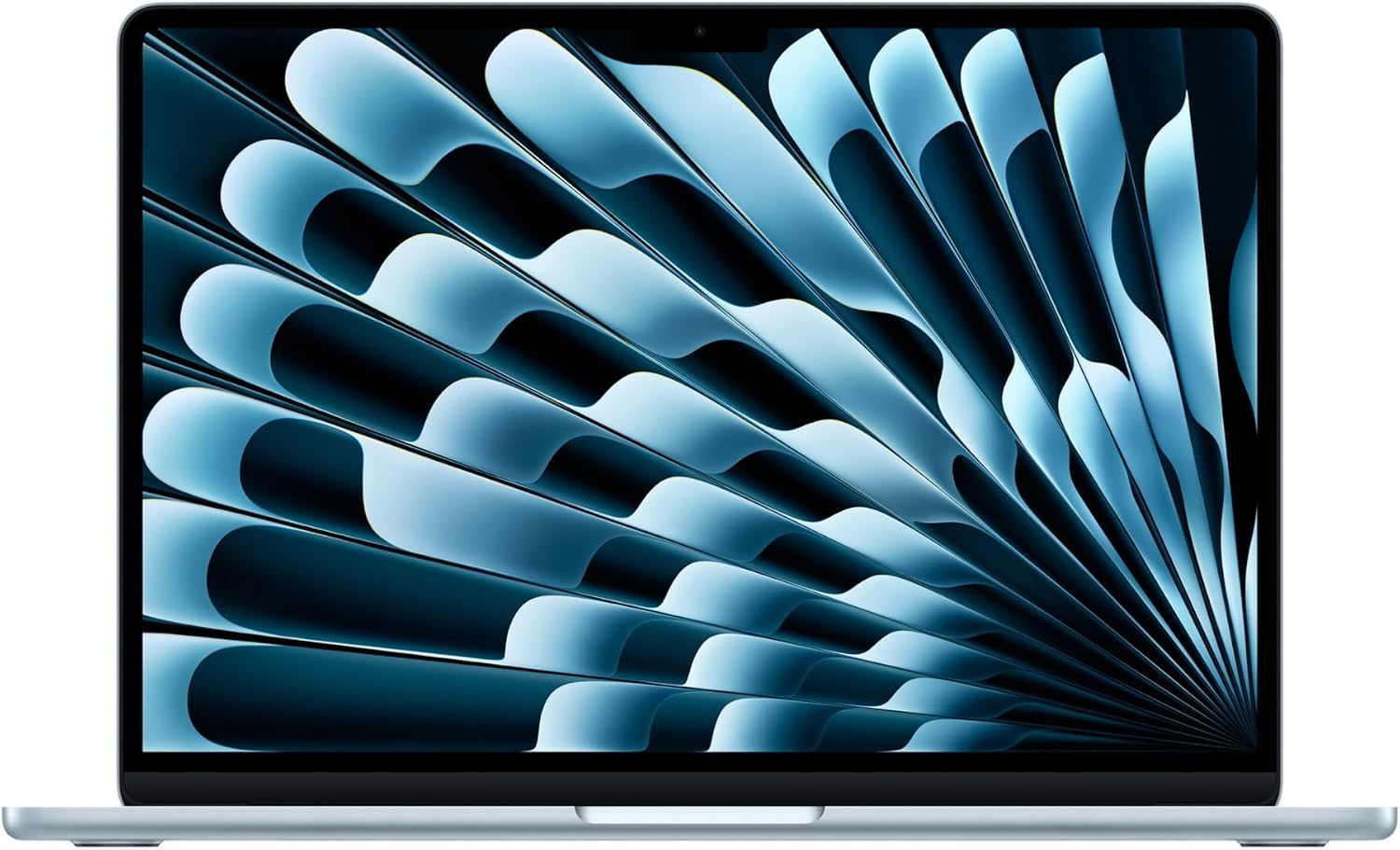
Apple MacBook Air 13-inch (M5, 16GB/512GB)
A light, silent, all-day laptop that’s ideal for coding on the go and the go-to choice for iOS and macOS development.
- Apple M5 chip, 16GB unified memory, 512GB SSD
- 13.6″ Liquid Retina display (2560 × 1664)
- Up to 18 hours of video playback
- About 2.7 lb, fanless and silent
$1,256Amazon price, Oct 2026
🛒 Buy Now on AmazonRating is GearVerdicts’ editorial score, not an Amazon customer rating. Prices can change. As an Amazon Associate, GearVerdicts earns from qualifying purchases.
The 13-inch MacBook Air M5 is my first choice for a student who knows macOS fits the curriculum and wants a laptop that is easy to carry every day. The base 2026 configuration finally starts with a 512GB SSD, while 16GB unified memory is enough for mainstream programming, web development, terminals, databases, Xcode, moderate containers, and everyday multitasking. Its fanless design also keeps library and classroom use silent.
The biggest reason not to buy it is software architecture rather than performance. Apple Silicon is ARM-based, so older x86 VM images, Windows-only engineering tools, or course-specific drivers may require alternative images, virtualization software, remote lab access, or a different laptop. If you plan to build iPhone or Mac apps, however, macOS and Xcode make the Air the most logical pick in this list.
Key Specs
These are the configuration details I would verify on the listing before buying, because memory, storage, display, and processor options can vary inside the same product family.
- Processor: Apple M5 with 10-core CPU; GPU varies by configuration
- Memory: 16GB unified memory
- Storage: 512GB SSD
- Display 13.6-inch Liquid Retina, 2560 x 1664, 500 nits
- Battery/weight: Up to 18 hours of video playback; about 2.7 lb
- Ports: MagSafe 3, 2 x Thunderbolt 4, 3.5mm headphone jack
Pros
What I like most about this model for computer science students:
- Excellent portability. At roughly 2.7 pounds, it is one of the easiest full-size development laptops to carry every day.
- Strong battery headroom. Apple rates up to 18 hours of video playback, giving useful margin for real student workloads.
- Fast, quiet daily performance. The M5 chip handles coding, compilers, browsers, Xcode, and normal multitasking without a fan.
- Good base memory and storage. 16GB/512GB is a much more practical long-term starting point than older 8GB/256GB base configurations.
- Best path for iOS and macOS development. Xcode requires macOS, so Apple-platform developers do not have a realistic Windows substitute.
These strengths matter most when they match your actual course workload and how often you carry the laptop.
Cons
The trade-offs I would understand before buying are:
- Architecture compatibility needs checking. ARM-based Apple Silicon can complicate x86 virtual machines or Windows-only course tools.
- Only two Thunderbolt ports. A hub may be needed for USB-A, HDMI, Ethernet, SD cards, or several peripherals at once.
- Memory and storage are not user-upgradable. Choose enough capacity at purchase because unified memory and internal storage configuration are effectively fixed.
Final Verdict: For a student whose coursework supports macOS, the M5 MacBook Air is the easiest all-day machine to recommend because it combines strong development performance, excellent mobility, and long battery life. I would choose something else only when Windows/x86 compatibility or NVIDIA GPU compute is a known requirement.
2. ASUS Zenbook 14 OLED UX3405 (Core Ultra 7, 16GB/512GB) – Best Windows Laptop for Most CS Students
★ Best Windows Laptop for Most CS Students

ASUS Zenbook 14 OLED UX3405 (Core Ultra 7, 16GB/512GB)
A compact Windows laptop with a sharp OLED touchscreen, strong Intel CPU and the ports most CS students need, plus easy WSL support.
- Intel Core Ultra 7 255H, 16GB RAM, 512GB SSD
- 14″ OLED touchscreen
- 2× Thunderbolt 4, USB-A, HDMI 2.1
- Wi-Fi 7, about 2.8 lb
$1,199Amazon price, Oct 2026
🛒 Buy Now on AmazonRating is GearVerdicts’ editorial score, not an Amazon customer rating. Prices can change. As an Amazon Associate, GearVerdicts earns from qualifying purchases.
The Zenbook 14 OLED is my most balanced Windows recommendation because it gives students mainstream x86 Windows compatibility without the size and weight of a gaming notebook. The current Amazon configuration I checked pairs a Core Ultra 7 255H with 16GB LPDDR5X memory, a 512GB SSD, integrated Intel graphics, and a 14-inch OLED touchscreen, which is a strong mix for IDEs, WSL, databases, containers, office work, and normal university multitasking.
Its port selection is another advantage for students who connect monitors, storage, phones, development boards, or classroom displays. You get Thunderbolt 4, USB-A, and HDMI, so it is much less dongle-dependent than some premium ultraportables. The main limitation is that 16GB is the ceiling of the exact value configuration I am recommending here, so heavy VM users should choose a 32GB variant if budget and availability allow.
Key Specs
These are the configuration details I would verify on the listing before buying, because memory, storage, display, and processor options can vary inside the same product family.
- Processor: Intel Core Ultra 7 255H
- Memory: 16GB LPDDR5X
- Storage: 512GB NVMe SSD
- Display: 14-inch OLED touchscreen; exact resolution can vary by UX3405 configuration
- Graphics: Integrated Intel Arc graphics
- Connectivity: 2 x Thunderbolt 4, USB-A, HDMI 2.1, audio, Wi-Fi 7 on the checked configuration
Pros
What I like most about this model for computer science students:
- Excellent Windows compatibility. x86 Windows plus WSL covers a very wide range of programming and university software.
- OLED display. Sharp text, strong contrast, and a compact 14-inch footprint work well for coding and reading.
- Useful port mix. Thunderbolt 4, HDMI, and USB-A reduce the need for an everyday dongle.
- Strong modern CPU. The Core Ultra 7 255H provides more than enough CPU performance for mainstream student development work.
- Portable without feeling cramped. It strikes a good balance between backpack size and usable coding workspace.
These strengths matter most when they match your actual course workload and how often you carry the laptop.
Cons
The trade-offs I would understand before buying are:
- 16GB exact configuration may limit heavy VM users. Students running several virtual machines or very large local workloads should seek a 32GB configuration.
- Integrated graphics are not a CUDA solution. Machine-learning students who require NVIDIA CUDA need a different laptop.
- UX3405 variants differ. Display resolution, touch support, processor, memory, and wireless hardware can vary, so the exact Amazon listing must be checked carefully.
Final Verdict: For the widest range of computer science programs, this is the Windows model I would start with because it balances x86 compatibility, strong CPU performance, portability, OLED quality, and useful ports. Choose a 32GB configuration or an RTX laptop if your specialization is significantly heavier than general software engineering.
3. Lenovo ThinkPad X1 Carbon Gen 13 Aura Edition (32GB/512GB) – Best for Linux, Typing & Premium Portability
★ Best for Linux, Typing & Premium Portability

Lenovo ThinkPad X1 Carbon Gen 13 Aura Edition (32GB/512GB)
A feather-light business laptop with a legendary keyboard, 32GB of memory for VMs and strong Linux support.
- Intel Core Ultra 7 258V, 32GB RAM, 512GB SSD
- 14″ 2880 × 1800 display
- Wi-Fi 7, Intel Arc 140V graphics
- Only about 2.17 lb
$2,399Amazon price, Oct 2026
🛒 Buy Now on AmazonRating is GearVerdicts’ editorial score, not an Amazon customer rating. Prices can change. As an Amazon Associate, GearVerdicts earns from qualifying purchases.
The ThinkPad X1 Carbon Gen 13 is the premium choice I would make for a student who values keyboard quality, very low weight, business-grade build, Linux friendliness, and 32GB of memory from the start. The current configuration I checked uses an Intel Core Ultra 7 258V, 32GB LPDDR5X, 512GB SSD, Intel Arc 140V graphics, Wi-Fi 7, and a high-resolution 14-inch display, giving it enough memory for serious multitasking and virtualization without turning into a heavy workstation.
ThinkPads remain attractive for computer science because they are common in professional engineering environments and generally have strong Linux community support. I still verify the exact distribution, fingerprint reader, sleep behavior, camera, and power-management support before installing Linux, because “ThinkPad” does not guarantee that every component works perfectly on every kernel from day one.
Key Specs
These are the configuration details I would verify on the listing before buying, because memory, storage, display, and processor options can vary inside the same product family.
- Processor: Intel Core Ultra 7 258V
- Memory: 32GB LPDDR5X
- Storage: 512GB NVMe SSD
- Display 14-inch high-resolution display; checked Amazon configuration listed 2880 x 1800
- Graphics: Intel Arc 140V integrated graphics
- Mobility/wireless: About 2.17 lb class; Wi-Fi 7 on the checked configuration
Pros
What I like most about this model for computer science students:
- Excellent keyboard reputation. Long coding sessions benefit from the ThinkPad layout, key feel, and business-laptop ergonomics.
- 32GB memory out of the box. This is the most VM-friendly memory configuration in the five-laptop shortlist.
- Extremely light for a 14-inch laptop. It is easier to carry daily than many machines with similar business-grade capability.
- Strong Linux-oriented appeal. ThinkPads have broad developer adoption and good community documentation for Linux.
- Professional port and security ecosystem. Business features, docking, and modern wireless make it useful beyond graduation as well.
These strengths matter most when they match your actual course workload and how often you carry the laptop.
Cons
The trade-offs I would understand before buying are:
- High purchase price. You pay a premium for the low weight, ThinkPad chassis, business positioning, and 32GB configuration.
- Memory is soldered. The 32GB choice is generous, but you cannot add more RAM later.
- Integrated GPU only. It is excellent for development and VMs but not the right pick for serious CUDA or gaming workloads.
Final Verdict: The X1 Carbon Gen 13 is the laptop I would choose for a CS student who types constantly, runs heavier multitasking or VMs, and wants a premium machine that almost disappears in a backpack. It is expensive, but the 32GB configuration and low weight make the value more defensible for a four-year degree and early professional use.
4. Acer Swift Go 14 SFG14-72 (Core Ultra 5, 16GB/512GB) – Best Budget Pick
★ Best Budget Pick
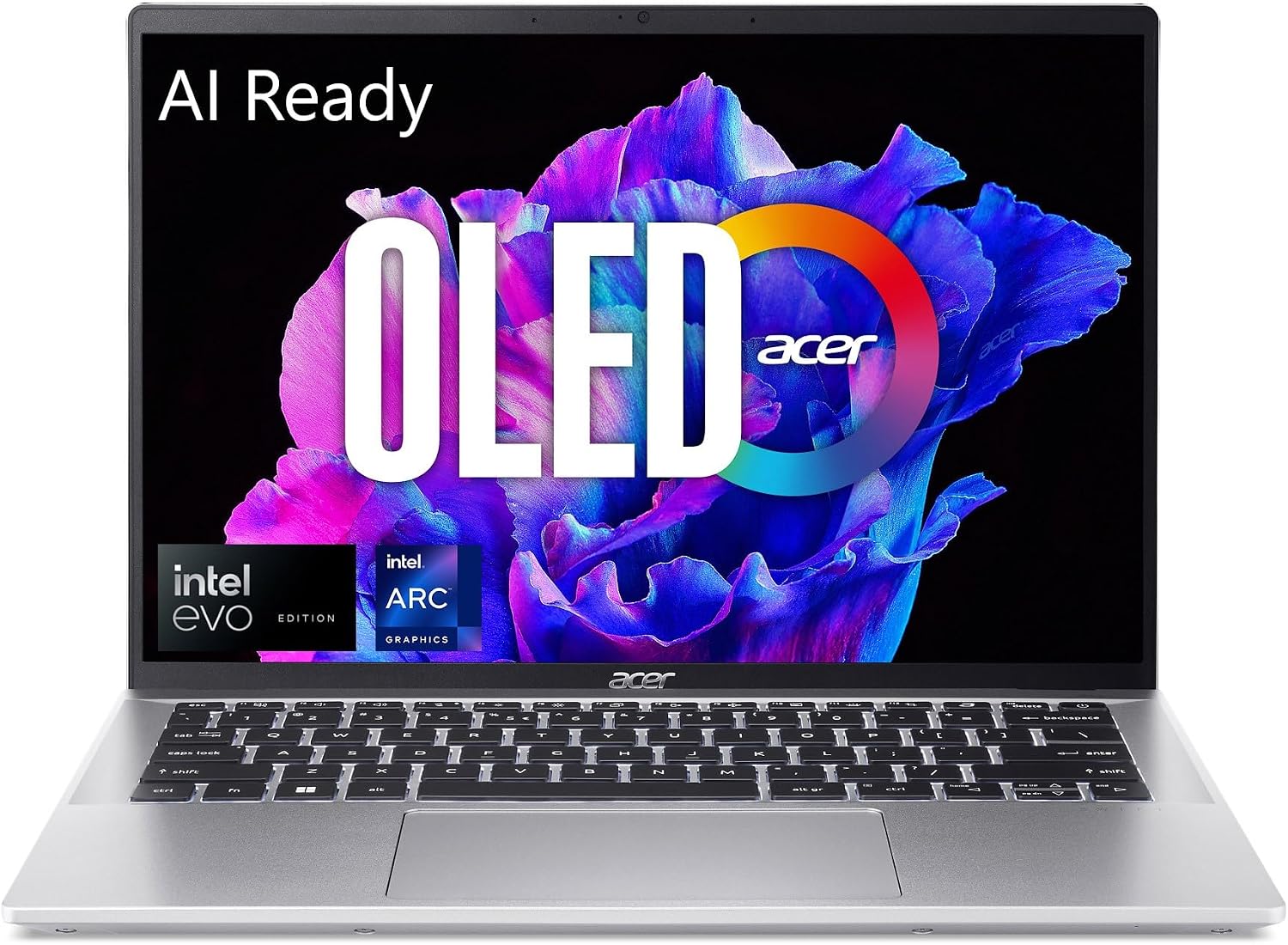
Acer Swift Go 14 SFG14-72 (Core Ultra 5, 16GB/512GB)
The best value here: a sharp 90Hz OLED screen, practical ports and enough power for mainstream coursework at a budget price.
- Intel Core Ultra 5 125H, 16GB RAM, 512GB SSD
- 14″ 2880 × 1800 OLED, 90Hz
- 2× USB4, USB-A, HDMI, microSD
- 65Wh battery, about 2.91 lb
$759Amazon price, Oct 2026
🛒 Buy Now on AmazonRating is GearVerdicts’ editorial score, not an Amazon customer rating. Prices can change. As an Amazon Associate, GearVerdicts earns from qualifying purchases.
The Acer Swift Go 14 is the value pick because it puts the essentials for a computer science degree into a much lower price class than the premium ultrabooks. The SFG14-72-53BP configuration I checked combines a Core Ultra 5 125H, 16GB memory, 512GB NVMe storage, a sharp 14-inch 2880 x 1800 OLED 90Hz display, Intel Arc graphics, and modern USB4 connectivity.
For general programming, web development, databases, WSL, office work, moderate Docker use, and normal coursework, that is enough hardware for most students. The trade-off is that you get an older Core Ultra generation and less premium chassis positioning than the ThinkPad or Zenbook, but that can be a sensible compromise if the money saved goes toward tuition, a monitor, backup storage, or other school costs.
Key Specs
These are the configuration details I would verify on the listing before buying, because memory, storage, display, and processor options can vary inside the same product family.
- Processor: Intel Core Ultra 5 125H
- Memory: 16GB LPDDR5X
- Storage: 512GB NVMe SSD
- Display 14-inch 2880 x 1800 OLED, 90Hz
- Graphics: Integrated Intel Arc graphics
- Mobility / ports About 2.91 lb, 65Wh battery, 2 x USB4, USB-A, HDMI, microSD
Pros
What I like most about this model for computer science students:
- Strong value. It provides a modern CPU, 16GB RAM, OLED display, and 512GB SSD without premium-ultrabook pricing.
- Excellent display for the class. The 2.8K OLED panel gives sharp text and plenty of workspace in a 14-inch body.
- Good port selection. USB4, HDMI, USB-A, and microSD are practical for students and peripherals.
- Portable weight. At roughly 2.9 pounds, it is realistic to carry every day.
- Enough power for mainstream CS coursework. The Core Ultra 5 and 16GB memory are well suited to coding, WSL, databases, and moderate containers.
These strengths matter most when they match your actual course workload and how often you carry the laptop.
Cons
The trade-offs I would understand before buying are:
- Older processor generation than premium picks. It remains capable, but the newer Zenbook and ThinkPad configurations offer more current silicon.
- 16GB may become tight for heavy virtualization. Students planning several local VMs or large Android/data workflows should consider 32GB.
- Check the Amazon seller carefully. The live listing I found was marketplace stock, so seller reputation, return terms, and warranty handling deserve extra attention.
Final Verdict: The Swift Go 14 is the laptop I would buy when budget matters but I still want a proper 16GB/512GB student configuration and a good screen. It is not the most luxurious choice, but it protects the parts of the experience that matter most for everyday CS coursework.
5. ASUS Zenbook S 16 UM5606 (Ryzen AI 9 365, 24GB/1TB) – Best Large-Screen Laptop for Multitasking
★ Best Large-Screen Laptop for Multitasking
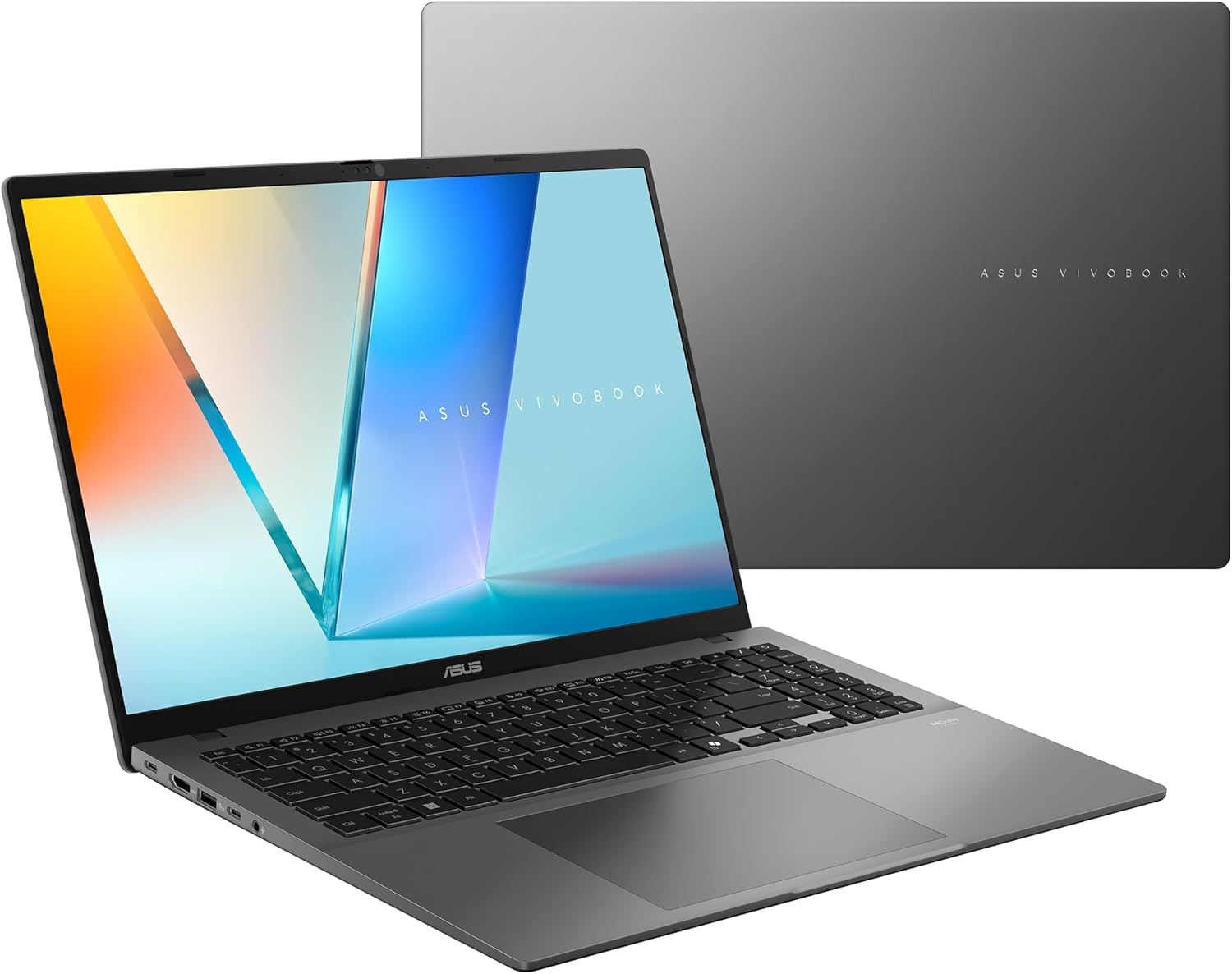
ASUS Zenbook S 16 UM5606 (Ryzen AI 9 365, 24GB/1TB)
A big 16″ 3K OLED screen for side-by-side code, docs and browser, with 24GB of memory and 1TB of storage.
- AMD Ryzen AI 9 365, 24GB RAM, 1TB SSD
- 16″ 3K OLED touchscreen, 120Hz
- Wi-Fi 7, USB4, USB-A, HDMI
- About 3.31 lb, light for a 16″
See today’s pricePrices change often on Amazon
🛒 Buy Now on AmazonRating is GearVerdicts’ editorial score, not an Amazon customer rating. Prices can change. As an Amazon Associate, GearVerdicts earns from qualifying purchases.
The Zenbook S 16 is my large-screen pick for students who want more code, documentation, terminals, dashboards, and browser content visible at once without moving to a bulky gaming laptop. The Amazon configuration I checked combines a Ryzen AI 9 365, 24GB LPDDR5X, 1TB SSD, 16-inch 3K OLED 120Hz touchscreen, integrated AMD Radeon graphics, Wi-Fi 7, and a chassis that stays around 3.3 pounds.
That extra screen area is especially useful for split-window work, database tools, data notebooks, remote desktop sessions, and programming with documentation beside the editor. The 24GB memory capacity sits nicely between 16GB and 32GB, although students planning multiple heavy VMs may still prefer 32GB. The biggest compromise is backpack size rather than raw weight: a 16-inch laptop simply occupies more physical space in class.
Key Specs
These are the configuration details I would verify on the listing before buying, because memory, storage, display, and processor options can vary inside the same product family.
- Processor: AMD Ryzen AI 9 365
- Memory: 24GB LPDDR5X
- Storage: 1TB SSD
- Display: 16-inch 3K OLED touchscreen, 120Hz
- Graphics: Integrated AMD Radeon graphics
- Mobility/connectivity: About 3.31 lb, Wi-Fi 7, USB4, USB-A, HDMI, audio
Pros
What I like most about this model for computer science students:
- Excellent multitasking screen. The 16-inch 3K OLED panel makes side-by-side coding, documentation, and data work much easier.
- 24GB memory and 1TB storage. The configuration has more breathing room than typical 16GB/512GB student laptops.
- Strong modern AMD CPU. The Ryzen AI 9 365 is well suited to compilation, multitasking, and demanding general development.
- Surprisingly light for 16 inches. Around 3.3 pounds is impressive for this screen size.
- Useful port mix and Wi-Fi 7. USB4, HDMI, USB-A, and current wireless reduce docking friction.
These strengths matter most when they match your actual course workload and how often you carry the laptop.
Cons
The trade-offs I would understand before buying are:
- Larger footprint. It takes more desk and backpack space than a 13- or 14-inch laptop.
- Integrated graphics are not NVIDIA CUDA. Students with CUDA-specific machine-learning requirements should choose an RTX system.
- Soldered memory. The 24GB configuration is generous, but it cannot be upgraded later, so heavy VM users should decide carefully before buying.
Final Verdict: The Zenbook S 16 is the best choice here for students who value screen real estate and multitasking but do not want the weight of a gaming laptop. I would pick the smaller Zenbook 14 for maximum portability and the S 16 when two-window productivity matters more than compact size.
5 Best Laptops for Computer Science Students Compared
The individual reviews above explain why each laptop made the list. The comparison below is only a final shortcut for the major trade-offs, because operating-system compatibility and workload matter more than choosing the model with the largest number in one column.
I would use the MacBook Air for supported macOS/Xcode workflows, the Zenbook 14 for the safest all-round Windows path, the X1 Carbon for premium portability and Linux-oriented development, the Acer for value, and the Zenbook S 16 for a bigger coding canvas. GPU-specialized students should step outside this list and buy an NVIDIA RTX configuration deliberately.
- Best macOS / iOS path. MacBook Air M5
- Best balanced Windows pick. ASUS Zenbook 14 OLED
- Best premium Linux / typing pick. ThinkPad X1 Carbon Gen 13
- Best budget value. Acer Swift Go 14
- Best large-screen multitasking. ASUS Zenbook S 16
| Model | OS | RAM | SSD | Display | Weight | Best For |
|---|---|---|---|---|---|---|
| MacBook Air M5 | macOS | 16GB | 512GB | 13.6 in | ~2.7 lb | Battery + portability / Xcode |
| ASUS Zenbook 14 OLED | Windows 11 | 16GB | 512GB | 14 in OLED | ~2.8 lb class | Balanced Windows / WSL |
| ThinkPad X1 Carbon Gen 13 | Windows / Linux-friendly | 32GB | 512GB | 14 in | ~2.17 lb | Linux, typing, VMs |
| Acer Swift Go 14 | Windows 11 | 16GB | 512GB | 14 in 2.8K OLED | ~2.91 lb | Budget value |
| ASUS Zenbook S 16 | Windows 11 | 24GB | 1TB | 16 in 3K OLED | ~3.31 lb | Large-screen multitasking |
The shortlist intentionally avoids a one-size-fits-all winner. The best configuration is the one that supports your course software, fits your workload, and remains comfortable enough to use every day.
Do Computer Science Students Need a Dedicated GPU?

Most students do not. Programming fundamentals, web development, databases, compilers, operating-systems coursework, networking, and ordinary software engineering run well on modern integrated graphics. Paying for a gaming GPU adds weight, heat, fan noise, charger size, and often shorter battery life.
I would buy an NVIDIA RTX laptop when the requirement is specific: CUDA programming, local deep-learning training, computer vision, 3D rendering, Unreal or Unity game development, or another course that explicitly benefits from GPU acceleration. If that is your path, compare current gaming laptops rather than assuming an ultraportable can substitute for CUDA hardware.
For lower-cost GPU options, see Good Gaming Laptops Under $500. If you are considering used hardware to reach a stronger GPU tier, read Are Refurbished Gaming Laptops Worth It? first.
How Much Should a Computer Science Student Spend on a Laptop?
I set the budget after checking the course requirements. Buying too little can force an early replacement, but buying a premium workstation for introductory Python and web development is also poor value. The middle of the market is usually the sweet spot for a four-year student laptop.
- Around $600–$800. Look for 16GB RAM, 512GB SSD, a modern mid-range CPU, and a decent keyboard. The Acer Swift Go class fits here when discounted or sold through value-oriented listings.
- $900–$1,300. This is the strongest general-CS zone for better displays, battery life, build quality, and newer processors. MacBook Air and Zenbook-class systems often sit here.
- $1,400–$2,000+. Spend this when 32GB memory, an ultra-light premium chassis, a larger OLED display, business support, or specialized CPU/GPU needs have a clear purpose.
- Do not forget the total cost. A monitor, dock, external SSD, backup drive, adapters, extended warranty, or software can matter more than moving one CPU tier higher.
A laptop that stays fast enough, comfortable, and compatible for the whole degree is cheaper than replacing a bargain machine halfway through the program.
How Much RAM Does a Computer Science Student Need?
For a new 2026 laptop, I would treat 16GB as the practical starting point. It gives enough space for an IDE, browser tabs, terminal, messaging, local server, database tools, and moderate Docker or WSL use without the system immediately becoming memory-constrained.
I would choose 32GB when virtual machines, Android emulators, large datasets, local AI tools, or several heavy development environments are part of the expected workload. Because memory is soldered on many ultraportables, buying enough RAM at the beginning is often more important than choosing the fastest available processor.
Common Laptop Buying Mistakes Computer Science Students Should Avoid
Most bad student-laptop purchases are not caused by choosing the wrong brand. They happen when the buyer focuses on a headline specification and forgets software compatibility, memory, portability, or the exact configuration being sold.
- Buying from the model name alone. A “Zenbook 14,” “ThinkPad X1 Carbon,” or “MacBook Air” can exist in several configurations with materially different memory, storage, displays, and processors.
- Choosing 8GB because the first semester is light. It may work for basic coursework, but 16GB gives much better headroom for modern browsers, IDEs, containers, and a multi-year degree.
- Assuming a dedicated GPU is always necessary. Most CS programs do not need one, and the extra GPU can reduce battery life and portability.
- Ignoring CPU architecture. ARM-based Macs and Windows systems can be excellent, but old x86 VM images and niche course tools may require workarounds.
- Underestimating storage use. SDKs, Docker images, VMs, datasets, and local development environments can consume hundreds of gigabytes over time.
- Buying a gaming laptop only for “future proofing.” Extra GPU power is not free; you carry more weight, heat, fan noise, and charger bulk every day.
- Ignoring keyboard and display comfort. A laptop that is frustrating to type on for four hours is a poor coding machine regardless of benchmark scores.
- Assuming RAM can be upgraded later. Many current ultrabooks use soldered memory, so a low-memory purchase can become a permanent limitation.
- Skipping seller and return-policy checks. Amazon marketplace stock can come from third-party sellers, so verify warranty coverage, return terms, and the exact configuration before ordering.
- Not checking department requirements. Your school’s software and virtualization expectations override any general recommendation on the internet.
The easiest way to avoid these mistakes is to write down the required software, expected workload, preferred operating system, target weight, and minimum RAM before looking at brands or deals.
Frequently Asked Questions
What is the best laptop for computer science students in 2026?
There is no universal winner. For macOS-compatible programs I like the MacBook Air M5, while the ASUS Zenbook 14 OLED is the most balanced Windows pick in this guide. The correct choice depends on course software, OS requirements, memory needs, and budget.
Is 16GB of RAM enough for computer science?
Yes for many students. It is a practical starting point for IDEs, browsers, terminals, databases, WSL, and moderate containers. Choose 32GB for several VMs, heavy Android development, large datasets, or local AI workloads.
Is 8GB of RAM enough for a CS degree?
It can handle lighter introductory work, but I would not choose 8GB for a new multi-year laptop in 2026 unless budget leaves no better option and the memory can be upgraded later.
How much storage should a CS student get?
512GB is a good baseline. I prefer 1TB if you plan to keep virtual machines, Docker images, datasets, large SDKs, games, or media locally.
Do computer science students need a gaming laptop?
Usually no. General programming and software-engineering coursework runs well on integrated graphics. A gaming or RTX laptop makes sense for CUDA, machine learning, 3D, game development, or GPU-specific coursework.
Is MacBook Air good for computer science students?
Yes when the required software supports macOS and Apple Silicon. It is particularly strong for Unix-style development, web work, Python, Java, general coding, and Xcode/iOS development. Verify x86 VM and Windows-only software needs first.
Is Windows better than macOS for computer science?
Windows has the broadest general software compatibility and WSL is excellent for Linux tools. macOS is also strong for development and is mandatory for Xcode. The better platform is the one your department supports.
Is Linux good for computer science students?
Yes, especially for systems, networking, cybersecurity, servers, and open-source development. Check hardware support and whether the department expects Windows or macOS software for any course.
Do I need 32GB RAM for virtual machines?
Not always. One light VM can run on a 16GB host, but several VMs, heavier guest systems, Android emulators, or VMs alongside large development tools are much more comfortable with 32GB.
Can I use a Chromebook for computer science?
Possibly, but only if your courses work with Linux containers, browser tools, or approved remote environments. Verify required desktop software, virtualization, and offline work before making it your main degree laptop.
Should I buy a laptop with an NVIDIA GPU for machine learning?
If your coursework or projects specifically use CUDA or local GPU training, yes. For introductory ML, cloud notebooks or CPU-based work may be enough, so confirm the curriculum before paying for a heavier RTX laptop.
Is a refurbished laptop worth it for a CS student?
It can be excellent value if battery health, SSD health, warranty, Windows activation, ports, keyboard, display, thermals, and seller return policy are checked carefully. Business laptops such as ThinkPads are often especially attractive refurbished.
Final Verdict: Which Laptop Should a Computer Science Student Buy?
For most students, I would buy a current 16GB/512GB laptop with a modern processor, good keyboard, reliable battery life, and the operating system the department supports. The ASUS Zenbook 14 OLED is the safest all-round Windows choice in this shortlist, while the MacBook Air M5 is the strongest portability and macOS option when course compatibility is confirmed.
Choose the ThinkPad X1 Carbon Gen 13 when 32GB memory, Linux friendliness, typing comfort, and minimum weight justify a premium. Choose the Acer Swift Go 14 when budget matters most, and the Zenbook S 16 when a larger coding workspace and 24GB/1TB configuration are more valuable than compact size. If CUDA or game-development performance is a known requirement, step up to a current NVIDIA RTX laptop rather than compromising with integrated graphics.
The best computer science laptop is the one that stays compatible, comfortable, and responsive through your actual degree. Buy the exact configuration for the work you know you will do, leave reasonable headroom for growth, and avoid paying for specifications that solve no real problem.
Related GearVerdicts Guides: Chromebook vs. Windows Laptop • Good Gaming Laptops Under $500 • Are Refurbished Gaming Laptops Worth It? • Budget-Friendly Gaming PC Guide.