
Are Refurbished Gaming Laptops Worth It in 2026? Pros, Cons & Buying Guide

I’m Aizaz Shahid, founder of GearVerdicts, and I’ve been buying and using refurbished laptops for the past 10 years; some ran flawlessly for years, others hid a half-dead battery behind a spotless lid. You’re not alone in shopping this market: the refurbished laptop market hit $6.4 billion in 2025 and is projected to reach $11.7 billion by 2035, and the economics are pushing more buyers this way , US computer prices rose 8.4% year over year in 2026, making a good refurb deal more valuable than ever.
But “refurbished” is not a quality grade. After a decade of these purchases, my rule is simple: ignore the label, verify the condition. Exact GPU and CPU, sustained thermals under real gaming load, measured battery health (powercfg /batteryreport, not the seller’s adjective), Windows 11 support, and a return window long enough to test all of it.
This guide is that 10-year checklist — when a refurb beats buying new, and when you walk away no matter the price.
Quick Verdict: Are Refurbished Gaming Laptops Worth Buying?
Yes, a refurbished gaming laptop can be an excellent buy if the savings are real, the exact hardware still suits your games, and the seller gives you enough protection to test the machine properly. I favor clear grading and repair information, a written warranty, a meaningful return window, and a Windows 11-compatible platform. I skip listings with vague GPU details, unknown battery condition, thermal instability, BIOS or account locks, damaged ports, unsupported Windows 10-only hardware, or savings too small to justify the extra risk.
Key Takeaways
A refurbished gaming laptop is a value decision, not a category that is automatically good or bad. These are the checks that decide whether the lower price is actually worth it.
- Compare the exact CPU, GPU, display, RAM, storage, power limits, and cooling configuration, not just the laptop model.
- Choose a GPU with reliable cooling, as sustained thermal throttling can reduce real-world gaming performance.
- Check battery health because a heavily worn battery can indicate age, heat exposure, or upcoming replacement costs.
- Consider the warranty, return policy, repair coverage, and refurbishment documentation as part of the laptop’s value.
- Verify official Windows 11 compatibility because free Windows 10 support ended in October 2025.
- A refurbished previous-generation gaming laptop can offer better gaming performance than a new budget laptop with integrated graphics.
- Compare current prices with new, open-box, renewed, and used alternatives instead of relying on the original MSRP.
The safest refurbished deal is the one I can explain in one sentence: I know exactly what hardware I am getting, why it costs less, what condition it is in, and what happens if testing reveals a problem.
What Does ‘Refurbished’ Mean for a Gaming Laptop?
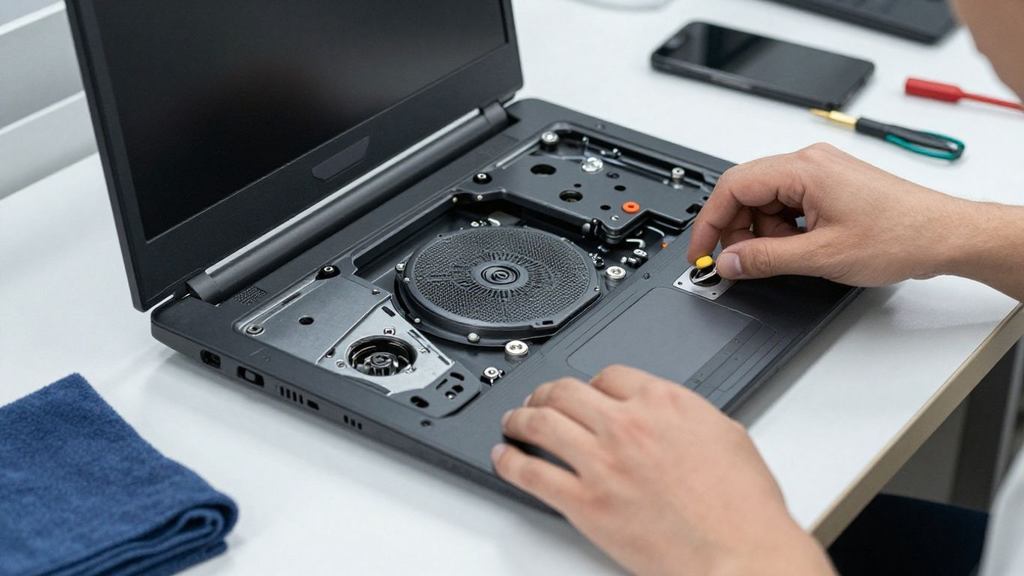
Refurbished generally means a previously sold, returned, leased, or used computer has been prepared for resale, but the process is not identical from seller to seller. One program may inspect, clean, repair, test, reset, repackage, and warranty the device; another may perform a much lighter check.
That is why I do not treat the word ‘refurbished’ as a quality grade. I want the seller to explain whether the laptop was tested under load, whether parts were replaced, whether the battery was measured, whether the original charger is included, how cosmetic grading works, and what the warranty actually covers.
Manufacturer-certified or large-retailer programs can reduce uncertainty because their refurbishment process and warranty terms are usually defined in writing. Marketplace listings can still be good, but seller history, returns, and exact condition details become more important.
Refurbished vs. Renewed vs. Open-Box vs. Used
These labels often overlap in ordinary shopping language, so I care more about the transaction than the label. A used laptop sold as-is can be perfectly healthy, while a poorly documented refurb can still be risky.
- Refurbished. Usually indicates inspection and some preparation for resale, but the scope of testing and repair varies by seller.
- Certified refurbished. Typically means a manufacturer or authorized program follows a documented refurbishment process and provides defined support or warranty terms.
- Renewed. A retailer-specific resale label that may include inspection standards, condition grading, and a defined return or guarantee policy.
- Open-box. Usually means the product was returned or opened with limited prior use, but condition can still range from nearly new to cosmetically marked.
- Used. Usually sold in its current condition with less standardized testing or warranty, though individual sellers can still provide excellent documentation.
For gaming laptops, I rank documented testing, thermal health, battery condition, warranty, and returns above the wording printed in the listing title.
If your budget is strict, compare this guide with GearVerdicts’ best gaming laptops under $500, where refurbished, renewed, sale, and open-box systems often compete directly with new budget laptops.
How I Test Laptops and Refurbished Gaming Laptops at GearVerdicts
I am Aizaz Shahid, founder of GearVerdicts, and I evaluate laptops by using them for the jobs buyers actually expect them to handle rather than judging them from the CPU and GPU names alone. For refurbished hardware, I add a second layer of testing because two units with the same model number can have very different wear, battery health, cooling condition, and repair history.
When I have a unit in hand, I start with the physical condition, charger, BIOS, Windows activation, storage health, battery report, ports, keyboard, touchpad, hinges, display, speakers, webcam, Wi-Fi, and Bluetooth. Then I run sustained CPU and GPU workloads, real games, repeated restarts, sleep and wake cycles, and longer gaming sessions so I can see whether performance drops as the laptop heats up.
- Gaming performance. I test actual games at realistic settings and watch frame-time consistency, not just one headline FPS number.
- Thermals and throttling. I compare early performance with sustained performance after the cooling system is fully heat-soaked and listen for unusual fan behavior.
- Battery health. I compare full-charge capacity with design capacity where the operating system or vendor tools expose it, then check discharge behavior during ordinary use.
- Display condition. I inspect for dead or stuck pixels, backlight issues, flicker, unusual tint, brightness problems, and physical pressure marks.
- Storage and memory. I verify installed capacity, health indicators, configuration, and whether the machine has an obvious upgrade path.
- Ports and connectivity. I test USB, audio, display outputs, charging, Wi-Fi, Bluetooth, and Ethernet where fitted because damage is easy to miss in listing photos.
- Ownership risk. I compare warranty, returns, seller reputation, replacement-part access, Windows support, and likely repair cost before I call a refurbished machine good value.
GearVerdicts separates hands-on findings from research-based verification. You can read more about how GearVerdicts reaches a verdict.
Are Refurbished Gaming Laptops Actually Worth Buying?
They can be, especially when a fixed budget would otherwise force you into weak integrated graphics or a low-power everyday laptop. A refurbished previous-generation gaming system can sometimes give you a dedicated GPU, better cooling, more upgrade access, and a higher-refresh display for the same money.
The catch is that you are buying both hardware and history. The more aggressive the discount, the more carefully I want to understand why the laptop is being resold, what was tested, whether the warranty covers important components, and how much life is realistically left in the battery and cooling system.
Pros of Buying a Refurbished Gaming Laptop
The upside is not simply paying less. The best refurbished deals move your budget into a higher hardware tier while keeping enough seller protection that the extra condition risk stays manageable.
- More GPU performance for the same budget. A dedicated older RTX- or GTX-class system can outperform a new low-cost laptop that relies on integrated graphics.
- Access to better chassis and cooling. Previous-generation gaming lines may include stronger fans, more heat-pipe capacity, higher-power CPUs or GPUs, and better port selection than a new budget notebook.
- More upgrade options. Many gaming laptops allow SSD replacement and some still provide accessible SO-DIMM memory slots, which can extend useful life.
- Lower entry cost for high-refresh gaming. A good refurb can bring 120Hz, 144Hz, or faster panels into budgets where new systems may still use basic 60Hz displays.
- Potentially lower e-waste. Extending the useful life of a capable computer can delay replacement and disposal when the refurbished unit remains reliable for several more years.
These benefits only count when the laptop is priced against the current market. A large discount from an old launch MSRP can still be a bad deal if a newer new laptop costs nearly the same today.
Cons and Risks of Refurbished Gaming Laptops
Gaming laptops operate under sustained heat and power load, so hidden wear matters more than it does on a lightly used office notebook. I treat the lower purchase price as compensation for uncertainty, not proof of value.
- Battery wear. A battery can still work while holding much less energy than it did when new, reducing unplugged runtime and creating near-term replacement cost.
- Cooling wear or contamination. Dust buildup, worn fans, dried thermal interface material, or prior overheating can reduce sustained performance and increase noise.
- Unknown repair history. A replacement motherboard, display, fan, keyboard, or storage drive is not automatically bad, but I want to know what was replaced and why.
- Cosmetic grading can hide functional risk. A clean lid does not tell me whether ports are loose, hinges are stressed, the charger is correct, or the machine throttles under load.
- Shorter remaining lifespan. A heavily used gaming laptop may have less useful life left in fans, battery, hinges, keyboard, and other wear components.
- Seller-dependent warranty. Coverage can differ dramatically between manufacturer-certified programs, large retailers, marketplace refurbishers, and individual sellers.
- Older platform support. Very old systems can run into unsupported operating systems, missing firmware updates, or limited upgrade paths.
The goal is not to eliminate every risk. It is to make sure the discount is large enough, testing is strong enough, and the return policy is long enough that the remaining risk is rational.
What to Check in a Refurbished Gaming Laptop
This is the section I would use as a pre-purchase checklist. Every feature below can change whether two visually identical refurbished laptops are actually equivalent.
GPU and VRAM
Verify the exact graphics processor, not just the laptop family or the word NVIDIA. For gaming, I prioritize the GPU first because it usually has the biggest effect on resolution, texture settings, ray tracing, and frame rate. Also confirm VRAM capacity and laptop GPU power limits where available.
CPU
Check the exact processor generation and model rather than accepting Core i7 or Ryzen 7 as enough detail. A newer mid-range chip can outperform a much older higher-tier processor, and gaming performance can be limited by both CPU speed and cooling.
RAM Capacity and Configuration
I target 16GB for a balanced gaming laptop in 2026 unless the machine is strictly for light esports or cloud gaming. Check whether memory is dual-channel, whether any RAM is soldered, and whether an open slot exists for expansion.
SSD Storage
A 512GB SSD is a practical starting point for Windows and a small game library, while 1TB is easier to live with if you install large modern games. Verify drive health, usable capacity, and whether another M.2 slot is available.
Display Resolution and Refresh Rate
For a gaming laptop, 1080p remains a sensible baseline, while 120Hz to 165Hz panels can make esports and fast games feel more responsive. Confirm the exact panel because the same laptop family may ship with very different screens.
Cooling System and Sustained Performance
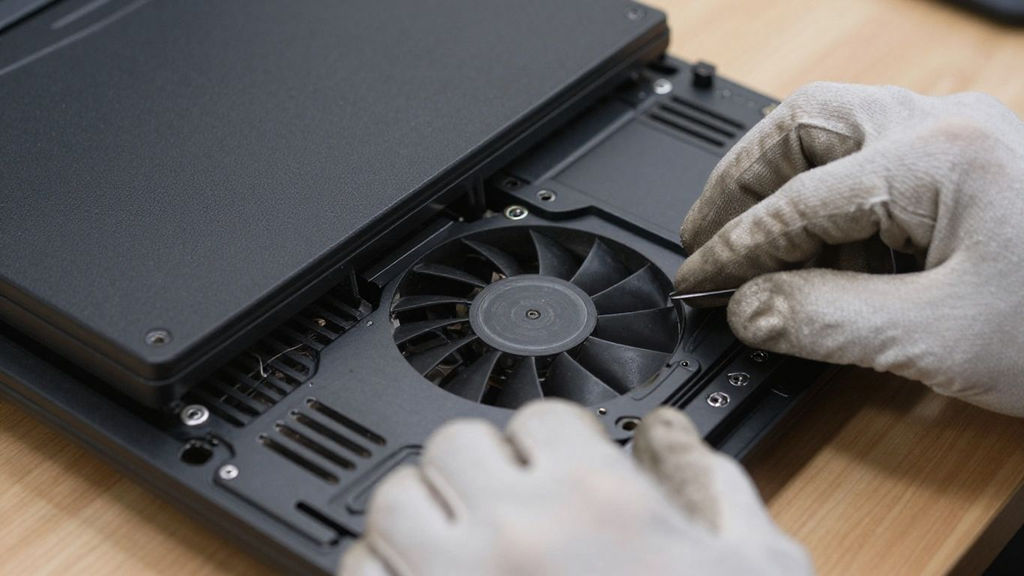
I care more about ten or twenty minutes of stable gaming than a quick benchmark spike. Check for unusual fan noise, temperature-related clock drops, hot spots, clogged vents, and whether performance stays stable once fully warmed up.
Battery Health
Ask for a battery-health report or full-charge-capacity reading when possible. I do not expect desktop-level gaming performance on battery, but a severely degraded pack can add replacement cost and may reflect heavy heat exposure.
Charger and Power Delivery
Confirm the correct-wattage original or manufacturer-compatible charger is included. An undersized replacement adapter can reduce performance, fail to charge properly under load, or prevent the laptop from reaching intended CPU and GPU power.
Keyboard, Touchpad, Hinges, and Chassis
Test every key, RGB lighting if present, touchpad clicks, hinge resistance, lid alignment, palm-rest wear, and cracks around screws or vent areas. Cosmetic wear is acceptable only when it does not hide structural damage.
Ports, Wi-Fi, Bluetooth, and Video Outputs
Test USB-A, USB-C, HDMI, DisplayPort over USB-C if supported, audio, Ethernet, charging ports, Wi-Fi, and Bluetooth. A damaged port can be expensive to repair if it is soldered to the motherboard.
Display Condition
Use full-screen solid colors and low/high brightness to reveal dead pixels, pressure marks, uneven backlight, flicker, image retention, or color problems. A worn lid is less important to me than a damaged gaming panel.
Upgradeability and Service Access
Check whether the SSD, RAM, battery, Wi-Fi card, and cooling fans can be accessed or replaced on the exact model. Soldered memory or proprietary parts are not automatically bad, but they reduce inexpensive repair and upgrade options.
Windows 11 Compatibility and Firmware Support
In 2026 I avoid buying a gaming laptop whose practical long-term plan is unsupported Windows 10. Verify official Windows 11 support, TPM 2.0 and Secure Boot capability, and whether the manufacturer still provides useful BIOS and driver updates.
Warranty, Returns, and Seller Documentation
A warranty is only useful if it covers the problems you are most likely to discover. Read the duration, exclusions, return window, shipping responsibility, refund method, and whether repairs, replaced parts, or cosmetic grade are documented.
If you are deciding between local PC gaming and cloud gaming on a cheaper system, GearVerdicts’ Chromebook vs. Windows laptop guide explains why Windows remains the better fit for native PC games and discrete GPUs.
Refurbished Gaming Laptop Specs I Would Target in 2026
The exact GPU you need depends on the games and resolution you want, so I do not use one universal minimum gaming-laptop specification. I start with the workload, then use the table below as a practical target for a balanced refurbished Windows gaming machine.
These are editorial targets, not game requirements. An esports player, student, AAA gamer, creator, or cloud-gaming buyer can reasonably choose a different balance.
| Feature | Minimum I Would Consider | Preferred Target | What to Verify |
|---|---|---|---|
| Operating system | Windows 11-compatible platform | Currently supported OS and security updates | Avoid relying on unsupported Windows 10-only hardware |
| GPU | Dedicated GPU for local gaming | Recent-enough GPU for your games and settings | Verify exact model, VRAM and laptop power limit |
| RAM | 8GB only for light use or very low budgets | 16GB preferred | Check dual-channel configuration and upgradeability |
| Storage | 256GB only if easily upgradeable | 512GB minimum; 1TB preferred | Verify SSD health and extra M.2 slots |
| Display | 1920 x 1080 | 1080p 120-165Hz for value gaming | Confirm panel SKU, brightness and condition |
| CPU | Modern supported 4-6 core class or better | Balanced CPU that does not bottleneck target GPU | Compare exact model and generation |
| Cooling | No abnormal fan noise or heavy throttling | Stable clocks through sustained gaming | Test under load, not only at idle |
| Battery | Functional and documented | Healthy enough for your mobility needs | Ask for full-charge vs design capacity |
| Charger | Correct compatible wattage | Original/manufacturer-approved adapter | Low-wattage chargers can reduce performance |
| Warranty / returns | Enough time to test thoroughly | Written warranty plus practical return window | Read exclusions and who pays shipping |
I would rather buy a slightly slower laptop that passes these health and ownership checks than a faster-looking listing with unknown cooling, an exhausted battery, unsupported software, and no meaningful return policy.
Refurbished vs. Used vs. New Gaming Laptops
The category name affects risk, but it should not override the actual deal. A well-documented used laptop can be safer than a vague refurb, and a discounted new laptop can be better value than either if the price gap is small.
- Choose refurbished when the savings are meaningful, testing is documented, warranty and returns are clear, and the exact hardware is still competitive.
- Choose used when you can inspect the unit carefully, verify ownership and locks, and the price is low enough to justify weaker seller protection.
- Choose new when reliability, full battery life, longer manufacturer support, and lower downtime risk matter more than maximizing performance per dollar.
- Choose open-box when the unit is nearly new, the seller provides strong returns, and the discount is enough to beat an equivalent refurb.
In every category I compare the same fundamentals: exact GPU and CPU, memory, storage, display, thermals, battery, operating-system support, warranty, and total cost.
How Much Should You Save on a Refurbished Gaming Laptop?
There is no universal discount percentage that makes a refurbished laptop good value. I compare the refurb with the current street price of an equivalent new configuration, then subtract the value I assign to shorter battery life, cosmetic wear, weaker warranty, and potential repair risk.
If a refurbished unit is only slightly cheaper than a new laptop with a full warranty and fresh battery, I usually buy new. If the same budget moves me from integrated graphics to a healthy dedicated-GPU system with strong seller protection, refurbished becomes much more compelling.
Where a Refurbished Gaming Laptop Makes the Most Sense
Refurbished works best when the performance jump is obvious and the buyer can tolerate a little more inspection work. These are the scenarios where I consider it first.
- Budget gaming. Refurbished can unlock a real dedicated GPU when a new laptop at the same price only offers integrated graphics.
- Student plus gaming use. A clean previous-generation gaming machine can handle schoolwork and local gaming without the cost of a current premium model.
- Esports and older AAA games. Older dedicated GPUs can still be useful when the goal is 1080p competitive games, indie titles, or older releases at sensible settings.
- Upgradeable laptops. A machine with accessible RAM and SSD slots can stay useful longer after an inexpensive upgrade.
- Secondary gaming system. A refurb can make sense as a travel, dorm, family, or backup gaming machine where premium battery life is not essential.
If your needs are mostly browsing, school, streaming, and cloud gaming, you may not need a gaming chassis at all. A lighter Windows laptop or Chromebook can be the more comfortable purchase.
When I Would Not Buy a Refurbished Gaming Laptop
Sometimes the extra performance is not worth the risk. I walk away when the machine is mission-critical or the listing hides the information needed to judge remaining life.
- You need maximum reliability for work or school. If downtime would be costly and you have no backup computer, stronger new-device support may justify the higher price.
- The battery must last all day. Gaming laptops already trade battery life for performance, and a used battery can make mobility significantly worse.
- The seller will not document the exact GPU or condition. Ambiguous hardware or vague refurbishment language is an avoidable risk.
- The laptop cannot run supported Windows 11. Old unsupported hardware can turn a cheap purchase into a short-lived one.
- The cooling system shows instability. Unexpected shutdowns, heavy throttling, grinding fans, or extreme heat are reasons to stop testing and return the unit.
- The savings are small. A modest discount rarely compensates for a shorter warranty, old battery, cosmetic wear, and uncertain repair history.
A calm decision is better than trying to rescue a suspicious bargain. There will always be another listing.
What to Do in the First 48 Hours After Buying a Refurbished Gaming Laptop
Use the return window aggressively. I want to discover problems while the seller is still responsible, not after the deadline.
- Record the condition before setup. Photograph the chassis, screen, serial or service tag, charger, packaging, and any cosmetic damage.
- Reset and update safely. Verify Windows activation, install current Windows updates, and obtain drivers or BIOS updates from the laptop manufacturer.
- Check battery health. Generate a battery report or use the vendor utility and compare current capacity with design capacity.
- Check storage health. Verify the SSD model, capacity, SMART health information, and available space.
- Test the display. Use solid colors, video, low brightness, high brightness, and high-refresh settings if supported.
- Stress the CPU and GPU. Run sustained workloads and actual games long enough for fans and temperatures to stabilize.
- Test every port and wireless function. Include charging, USB, video outputs, audio, Wi-Fi, Bluetooth, Ethernet, webcam, and SD reader if fitted.
- Listen for mechanical problems. Fan grinding, hinge cracking, speaker distortion, or intermittent charging deserve attention.
- Compare the machine with the listing. Confirm RAM, SSD, GPU, CPU, panel, charger, cosmetic grade, and accessories match what was promised.
Do not spend the return period optimizing game settings before you have proven the hardware is healthy. Stability comes first.
After the hardware checks pass, GearVerdicts’ frame-rate and refresh-rate guide explains where Windows, GPU, and in-game settings can affect what you actually see.
Refurbished Gaming Laptop or Budget Gaming Desktop?
If portability is not important, a desktop can be the better value because it is easier to cool, repair, and upgrade over time. A laptop gives you the screen, keyboard, battery, and portability in one device, but those integrated parts make repairs more model-specific.
For a wider value comparison, see GearVerdicts’ budget-friendly gaming PC guide. Compare the total cost, including monitor and peripherals, rather than just the tower or laptop price.
Common Refurbished Gaming Laptop Mistakes to Avoid
Most bad refurbished purchases happen because the buyer gets anchored on the GPU or discount and stops checking the rest of the system. The following mistakes are the ones I eliminate first.
- Buying by model name instead of exact SKU. A single gaming-laptop family can contain multiple CPUs, GPUs, displays, RAM capacities, SSD sizes, and power limits.
- Trusting the word ‘refurbished’ without asking what was done. Inspection, cleaning, repair, testing, warranty, and grading vary between programs.
- Ignoring Windows support. A very old machine that depends on unsupported Windows 10 is much less attractive in late 2026.
- Skipping battery-health checks. A worn pack can turn a portable computer into a permanently plugged-in system and add replacement cost.
- Testing only at idle. Many cooling and stability problems appear only after sustained gaming load.
- Accepting the wrong charger. An underpowered or low-quality adapter can limit performance and create charging problems.
- Ignoring return deadlines. Thermal, display, sleep/wake, and battery problems can take several days to reveal themselves.
- Paying for an old MSRP discount. Compare the refurb against today’s equivalent alternatives, not the launch price from years ago.
- Assuming every component is upgradeable. RAM, Wi-Fi, storage, or even the battery may be soldered or difficult to replace on some laptops.
- Treating cosmetic grade as hardware health. A clean case cannot prove the SSD, battery, fans, ports, hinges, display, or motherboard are healthy.
A good refurbished purchase survives all ten checks without requiring excuses. If the deal only works when I assume unknowns will be fine, I consider it too risky.
Who Should Buy a Refurbished Gaming Laptop?
I recommend refurbished most often to buyers who understand basic laptop specifications, are willing to test the machine immediately, and want the strongest gaming hardware their budget can reasonably reach.
- Budget gamers. You care more about GPU performance than having the newest chassis or perfect cosmetic finish.
- Students who also game. You want one Windows laptop for coursework and gaming and can accept some battery wear for better local performance.
- DIY-friendly buyers. You are comfortable replacing an SSD, adding RAM, cleaning vents, or returning a unit that fails testing.
- Value-focused shoppers. You compare current new and used prices and will not overpay for a fake MSRP discount.
- Buyers with backup options. If the refurb needs warranty service, temporary downtime will not stop work or school.
If you need one machine to be flawless every day and cannot tolerate service downtime, I lean toward new or manufacturer-certified refurbished with especially strong support.
Final Verdict: Are Refurbished Gaming Laptops Worth It in 2026?
Yes, refurbished gaming laptops can be worth buying in 2026, and in the right price range they can offer significantly more gaming performance than a brand-new everyday laptop. The winning deals are not simply old premium machines with a big discount sticker; they are healthy, supported systems with the right GPU, stable cooling, usable battery condition, current Windows support, and enough warranty or return protection to make the risk reasonable.
I buy refurbished when the savings clearly improve the hardware tier and the unit is easy to verify; I buy new when the price gap is small, downtime matters, or the refurb has too many unknowns.
Frequently Asked Questions
Are refurbished gaming laptops reliable?
They can be, but reliability depends on the specific unit, refurbishment process, prior use, cooling condition, battery health, and seller protection. I do not treat the refurbished label itself as proof of reliability.
Is refurbished better than used for gaming?
Refurbished can be lower risk when the seller documents testing, repairs, warranty, and returns. A well-documented used laptop can still be a better buy than a poorly documented refurb.
How much should I save when buying refurbished?
There is no universal percentage. Compare the refurb with today’s new and open-box price for the same or equivalent configuration, then account for battery wear, shorter warranty, and repair risk.
What should I check first on a refurbished gaming laptop?
Confirm the exact GPU and CPU, then check cooling, battery health, RAM, SSD, display, charger, ports, Windows 11 compatibility, warranty, and return terms.
Is 8GB RAM enough for a refurbished gaming laptop in 2026?
It can work for light gaming and low budgets, but I prefer 16GB for a balanced Windows gaming system. If a machine has 8GB, I check whether it can be upgraded.
Should I avoid a refurbished laptop with Windows 10?
I avoid laptops that cannot officially move to Windows 11. Free Windows 10 support ended in October 2025, so long-term OS support is now an important condition check.
Do refurbished gaming laptops have good battery life?
Battery life varies widely with age, prior heat exposure, charge cycles, and the exact battery condition. Ask for measurable battery-health information instead of relying on the original manufacturer runtime claim.
Can I upgrade a refurbished gaming laptop?
Many gaming laptops allow SSD upgrades and some offer replaceable SO-DIMM memory, but upgradeability is model-specific. Verify the service manual or exact configuration before buying.
Is a refurbished gaming laptop good for a student?
Yes when the price, performance, battery condition, warranty, and reliability fit the student’s daily needs. If the laptop is essential for class every day, stronger seller protection is especially important.
Are manufacturer-refurbished laptops safer?
They can reduce uncertainty because testing, grading, warranty, and support are usually documented more clearly. That does not mean every manufacturer-refurbished deal is automatically the best value.
Should I buy a refurbished laptop for AAA gaming?
Possibly, if the GPU, VRAM, cooling, RAM, SSD, and display match the games you want to play. Test sustained performance rather than assuming an older high-end GPU is healthy because the model name sounds powerful.
What is the biggest red flag in a refurbished gaming laptop listing?
For me it is missing exact specifications combined with vague condition and warranty language. If the seller cannot clearly state what GPU is inside, what was tested, and what happens if there is a problem, I move on.