What Is a Smart Plug? How It Works, Uses & Whether You Need One

Key Takeaways
A smart plug adds remote switching and, on some models, scheduling or energy monitoring to an ordinary outlet. Whether it’s useful depends on what you plan to control and the device’s electrical requirements.
- A smart plug sits between a wall outlet and a device’s power cord.
- You can often turn connected devices on or off through an app, and some models support schedules or voice control.
- Lamps and other devices with a physical on/off switch are often practical candidates.
- Check the plug’s rating and the appliance’s instructions before connecting anything that draws substantial power.
- A smart plug is most worthwhile when remote control or automation would make a real routine easier.
What Is a Smart Plug?
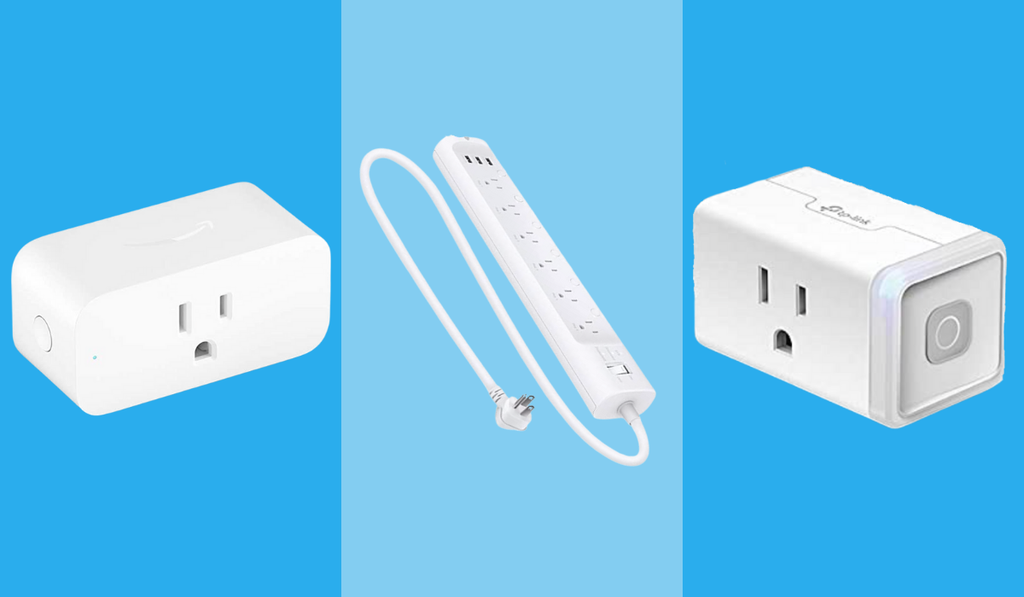
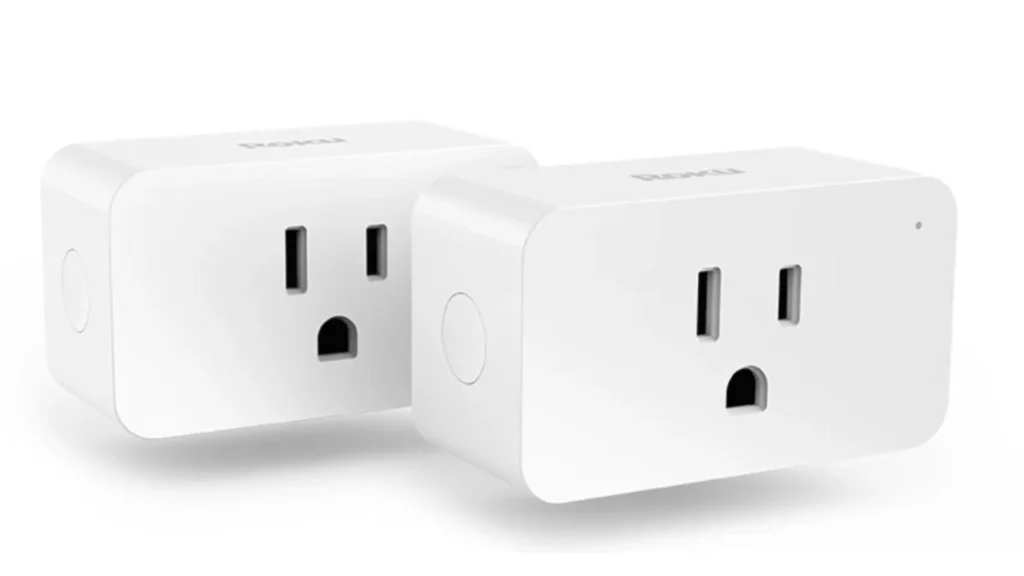
Smart plugs are small adapters that plug into the outlet and give an outlet for the second device. They enable users to control the current flow to that particular device either via the app or schedule. Smart plugs do not make the device completely intelligent but enable users to turn the device’s current supply on and off.
This difference is important since a switched-on light will easily connect with a smart plug while a device whose switch should be pushed after getting current may not connect properly with the plug since the latter only regulates the current but not all other settings of the device.
The first consideration that someone interested in smart plugs basics should make is regarding the plug as a remote-controlled switch between the outlet and the device. The advantage of such a switch becomes clear when placed at a convenient location like the app, schedule or home automation system.
How Does a Smart Plug Work?
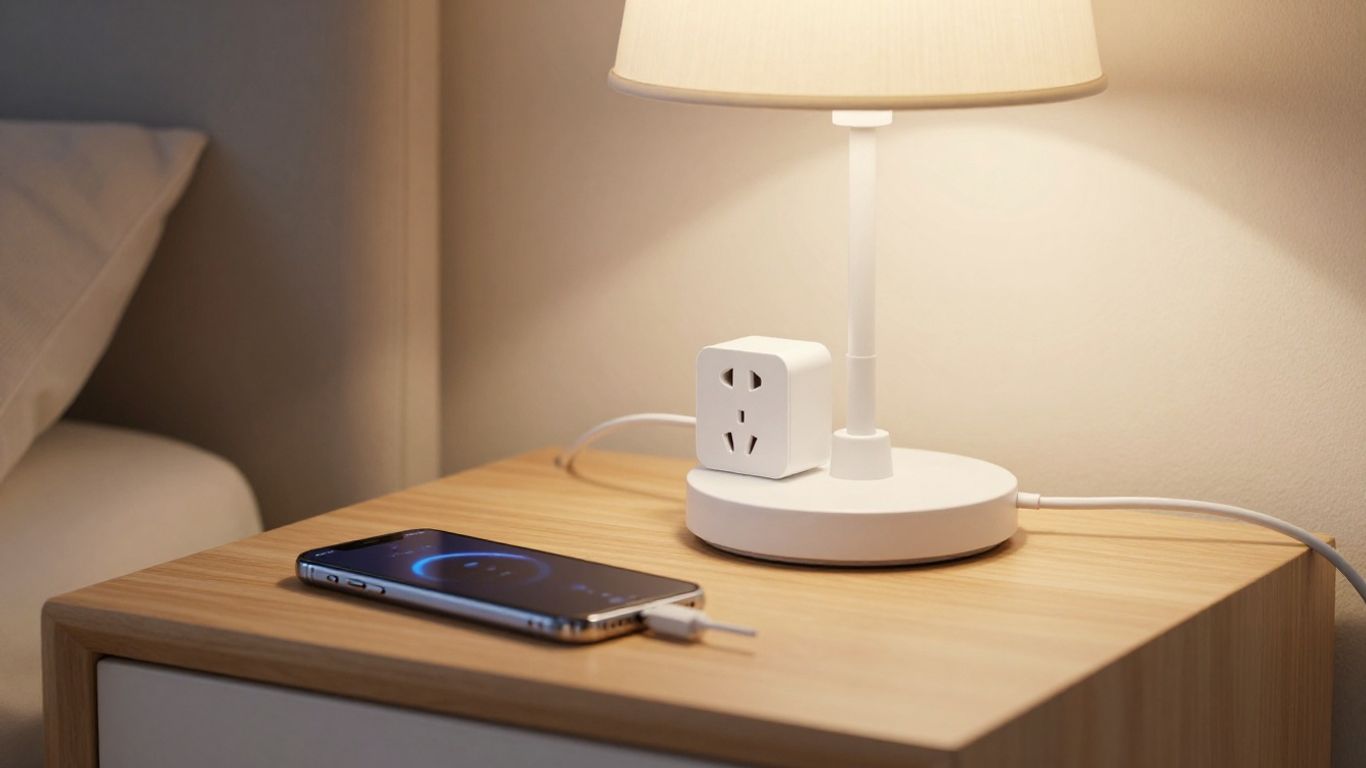
In a smart plug, there is a switch that has the ability to cut off or supply electricity to the appliance. The plug is wirelessly controlled by the software or even by another compatible control system in case it is supported. It all depends on which kind of smart plug it is; it could be controlled by Wi-Fi and others.
Once connected, hitting an on/off switch will transmit instructions to the plug. In addition, some of these plugs support scheduling or voice control using suitable service providers. For instance, the Indoor/Outdoor Smart Plugs from GE Lighting operate via the CYNC application and WiFi, and this is according to the source material which states that the product supports voice control and scheduling.
Smart plugs have different capabilities and not all of them share the same set of features. Subscription requirements can also vary across connected-home products. If avoiding recurring fees is important, comparing smart home devices without a subscription can help when building a more connected setup. The listed protocol and applications should be considered instead of making presumptions about all smart plugs.
What Can You Do With a Smart Plug?
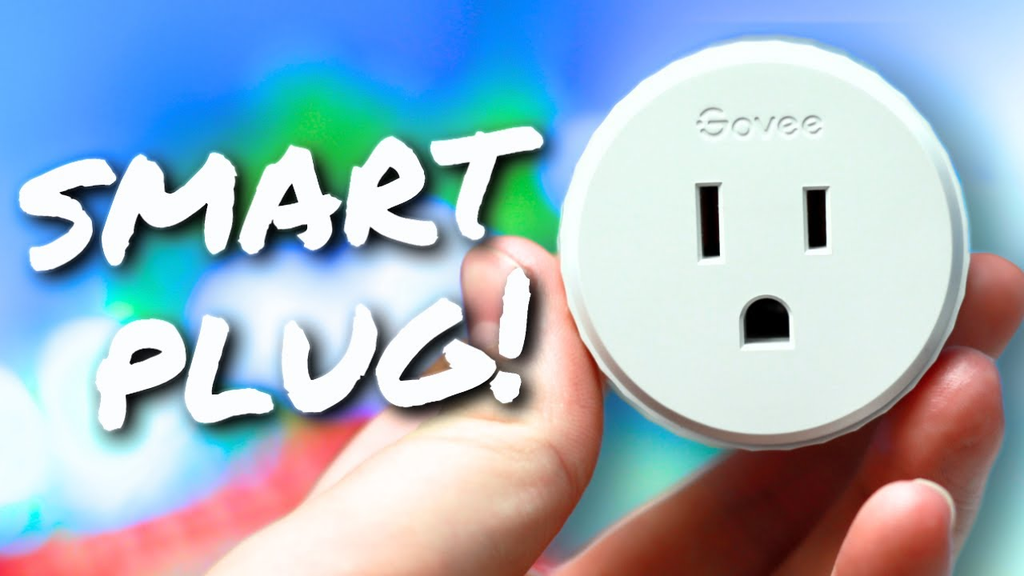
The smart plug would be more appropriate for devices that could function normally in response to having their power shut off and restored. This may increase ease of operation, but will not provide any additional features that are lacking in the appliance. Smart plugs are also useful as an entry point into smart home devices, alongside products such as smart locks and other connected equipment.
Turn Regular Lamps and Fans Into Smart Devices
One of the simplest appliances to try would be a lamp. You could keep its switch on at all times and simply control whether it gets power via the plug. Fans may also work in the same fashion if they remember their settings even after shutting down. It would depend on the particular appliance tested.
Schedule a Dehumidifier, Humidifier, or Air Purifier
A schedule might come in useful if the machine was designed to restart once the power supply is restored. For example, a bedroom dehumidifier may be suitable for this type of automation if its instructions confirm that it can resume operation after power is restored.
The smart plug can control the power schedule, but it cannot select the dehumidifier’s internal settings. Before trying this with your plug, however, you should read the instruction manual first and observe the effect once you turn off and then restore power at the plug level. The plug can handle timing; it cannot select any particular settings on its own.
Automate Coffee Makers, Holiday Lights, and Sprinklers
It is possible to schedule some of these coffee makers in this manner, particularly those that will start brewing when power is restored, while others require pressing a button before they will start up. A couple of ideas where the plug is used are holiday lights as long as they fall within the rating of the plug.
Here are a few real world uses for plugs that one can think of:
- Plug a lamp to be turned on regularly
- Plug holiday lights to be turned off during night times
- Plug the compatible coffee machine to make use of its built-in settings along with plug settings.
- Plug an appropriate outside device using the plug which is rated for outdoor use.
All of these applications are possible as long as the appliance has a set of settings and the plug has a particular rating.
Reboot a Frozen Router or Modem Remotely
If the router or modem has become unresponsive, then remotely switching off the power and back on can prevent a trip to the outlet. It is simply a reset, and does not constitute diagnosis or repair, but during this time the connection will be offline. I would use this method only if it was allowed by the instructions for the equipment involved.
Track Energy Use
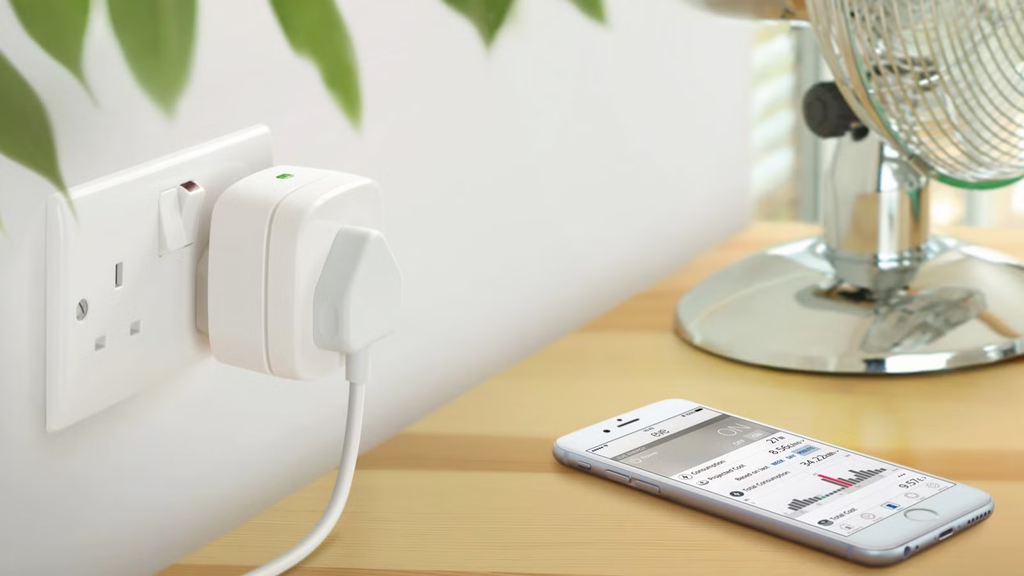
Smart plugs have some features that help monitor energy consumption, but not all smart plugs have this capability. If the plug has such an option, then it could assist in calculating how much energy the attached devices consume. The following table presents this monitoring function separately from the primary function of smart plugs.
If energy tracking is your main reason for buying one, confirm that the listing explicitly includes monitoring and check what measurements it provides. A plug that only switches power may still be useful, but it won’t answer questions about a device’s consumption.
What You Should Not Plug Into a Smart Plug
Smart plugs have their own limitations from the electrical point of view. One should never take for granted the ability of a small adapter to operate the device: always compare the electrical specifications of both the device and the plug, as well as the usage recommendations provided by their respective manufacturers. If there is any uncertainty, consider changing the control system of your choice, or consult a professional electrician.
Be especially careful about using the plugs for devices that emit heat, consume significant amounts of electricity, or contain motors, as in this case a plug that cannot handle a specific load may break down. Moreover, the starting of the motor will put the electric equipment to different tasks than just turning on the light.
Finally, I would refrain from connecting to a smart plug anything important that would either shut off unexpectedly or require manual reconnection after power recovery. Outdoor installations are possible only if the plug is explicitly designed to work in the environment where it will be placed.
Smart Plug vs. Regular Plug vs. Smart Power Strip vs. Smart Switch
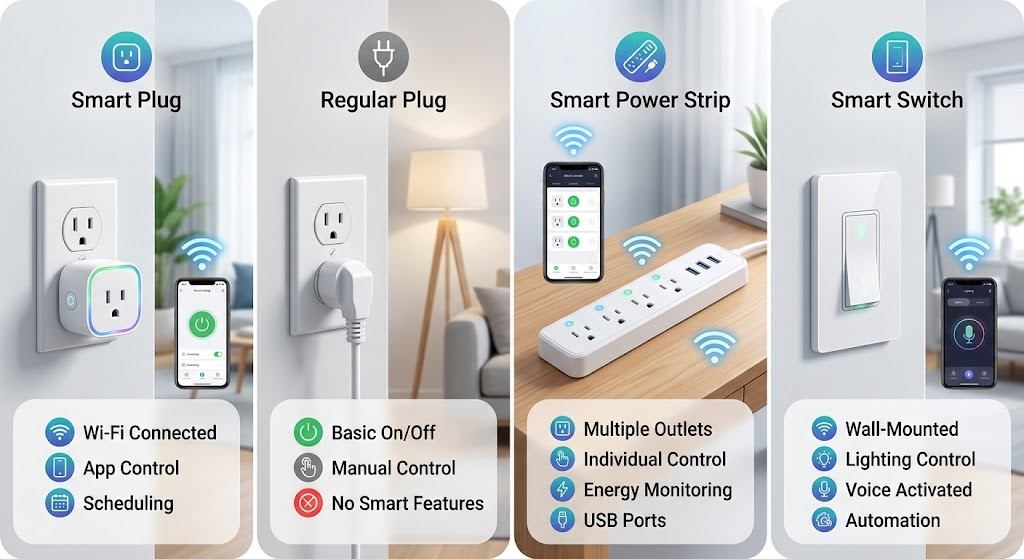
These solutions address similar challenges but apply to different scenarios. The standard plug enables you to establish a connection directly without any remote control; the smart plug allows you to connect a switch controlled remotely in one socket. In the case of a smart power strip, the switching capacity is applied to more sockets, whereas a smart switch becomes part of the electrical circuit permanently connected.
Smart plugs are only one part of a connected home. Other devices, such as smart home climate control systems, can automate different aspects of indoor comfort without relying on a plug to cut and restore power.
For a single lamp or appliance, a smart plug is usually the simplest style to try. A strip can suit a group of devices, and a fixed switch may make more sense when you want to control a wired light. The best fit depends on the setup, not just the word “smart” on the package.
Are Smart Plugs Safe?
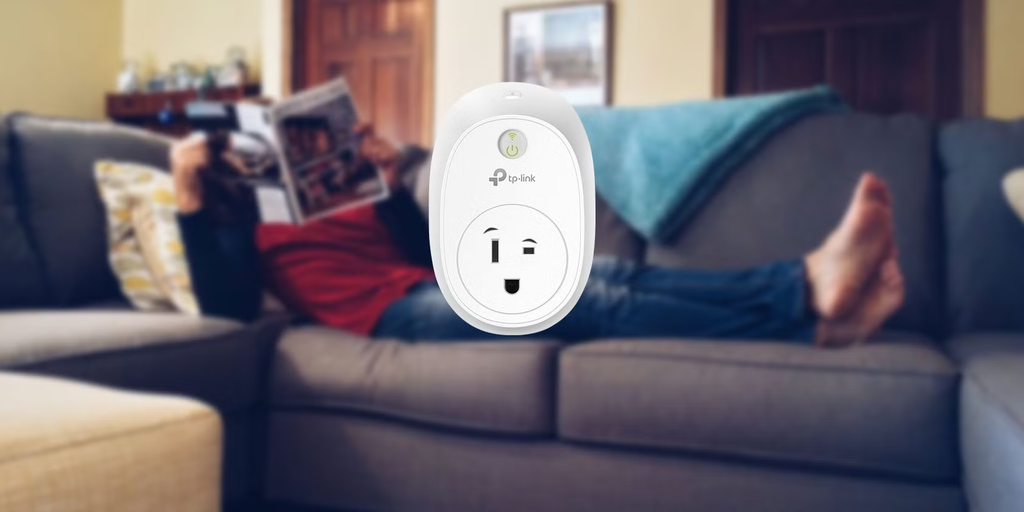
A smart plug may be used safely provided it is compatible with the device being used and properly installed following its instructions. The most critical factors include electrical rating of the plug, requirement of the appliance, and whether the device needs to be turned on/off by cutting electricity supply. Small size of the plug does not mean that it can accommodate all devices.
It is essential to keep plugs and outlets well-maintained, avoid overload and not to use indoor plug instead of outdoor one. In case if plug or outlet gets excessively heated, produces strange noise or appears damaged, it should not be used any further, following the recommendations of the manufacturer. I would not leave such an arrangement working unsupervised.
There are also practical aspects related to security and reliability. Properly follow the recommended setup procedure, protect your Wi-Fi network from intrusion and be aware of consequences of absence of Internet/wireless connection. It may happen that physical button will still be of some help.
How to Set Up a Smart Plug (Step by Step)
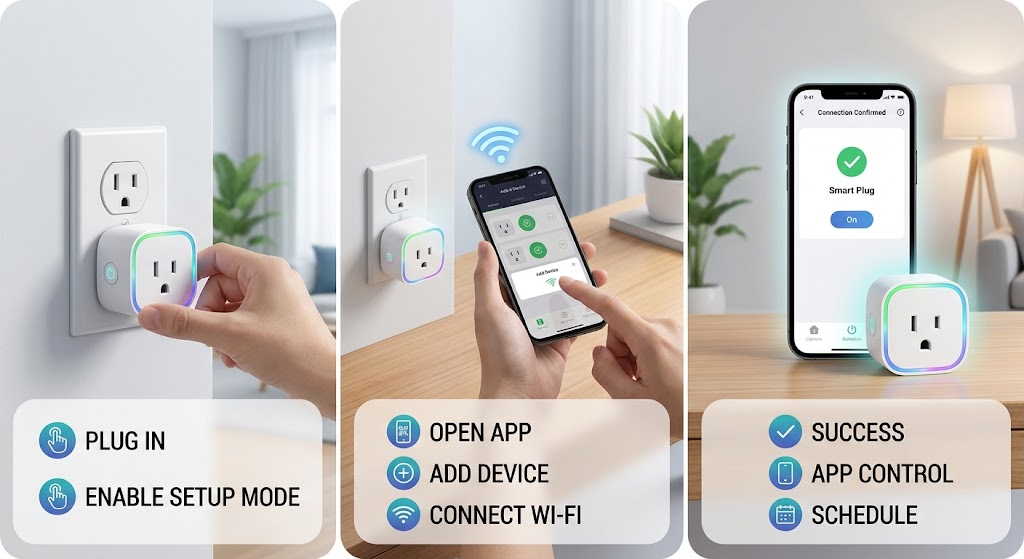
Smart plugs are among the simplest solutions to automation at home. There is nothing to connect to wiring; there is no need to find any tools and even to purchase a hub in most cases. You just plug it into an outlet, set up using your smartphone, and the lamp, fan, or dehumidifier connected to the plug is now ready to become controllable wherever you are.
Setting up is virtually always the same procedure for all brands. The app interfaces differ, but the procedure stays the same: check the plug rating, plug it into the wall socket, bind it to an application, give it a name, try whether everything works and set up the schedules. Just follow the steps below, and it will take you not more than five minutes.
Before starting, remember two facts. First, most smart plugs work only with a 2.4GHz Wi-Fi network. Second, the smart plug only switches the electrical power to the connected device on and off. It does not add any new capabilities to your devices.
Check the plug’s rating first
Look at the wattage or amperage printed on the plug or its box. Most US models are rated around 15 amps. Make sure the device you want to control stays under that limit. Lamps, fans, coffee makers, and humidifiers are usually fine, while high-draw appliances such as space heaters need extra care.
Plug it straight into a wall outlet
Use a wall outlet rather than a power strip or extension cord. The plug’s light should start blinking, which means it’s in pairing mode. If it doesn’t blink, hold the power button for 5 to 10 seconds to reset it.
Download the brand’s app
Install the app that matches your plug (for example Kasa, Aqara Home, or Smart Life) and create an account. If you’d rather skip the brand app, plugs that support Matter can often be added straight into Apple Home or Google Home.
Add the device and connect to Wi-Fi
Open the app, tap Add Device, and choose your plug from the list. When prompted, connect it to your home Wi-Fi. The app may also ask for Bluetooth and location permission so it can find the plug.
Give it a clear name
Name the plug something you’ll remember, like “Bedroom Dehumidifier” or “Living Room Lamp.” Clear names matter later, because voice commands such as “Alexa, turn on the bedroom lamp” depend on them.
Plug in your device and test it
Plug your device into the smart plug and set the device’s own power switch to ON. Then use the app to switch the smart plug off and on. If the device responds each time, your setup worked.
Set schedules and voice control
This is where a smart plug starts paying off. Create an on/off schedule in the app, such as running a dehumidifier overnight or switching a lamp on at sunset. Then link the plug to Alexa, Google Home, or Apple Home so you can control it by voice.
Are Smart Plugs Worth It? Final Verdict
A smart plug should be considered in cases where the device works correctly even after a power outage and remote controlling of such a device will give you any advantages. It may be a simple and inexpensive way of testing home automation technologies without replacing an existing device. However, not every smart plug will be useful in all situations, as each product differs in its features and capabilities.
I would not consider one in case if there are devices that require constant energy supply and do not need any control via an outlet, or if the device requires a higher power consumption than the plug provides.
Energy monitoring, voice control, hub connectivity, and scheduling will be available only in certain models, so you should consider which features matter for you. It is a very simple question – is it hard for you to control an ordinary plug?
If you are interested, try first with a lamp or with some other suitable device and see how it will work for you. More information on technology and purchasing decisions can be found on our website, GearVerdicts.
Frequently Asked Questions
What is a smart plug?
A smart plug is an adapter that sits between a wall outlet and a device, allowing you to control power to the connected device through supported controls such as an app or schedule.
Does a smart plug need Wi-Fi?
Not always. Connection requirements vary by model; some use Wi-Fi, while others may rely on a hub or a different supported wireless protocol.
Can a smart plug turn any appliance into a smart device?
No. It can control power, but it cannot operate every appliance setting or press a device’s physical buttons. The appliance must also behave appropriately when power is restored.
Can I use a smart plug to save electricity?
A smart plug may help you switch a device off instead of leaving it powered, but results depend on the device and how you use it. Only models with energy monitoring report usage.
Is it safe to use a smart plug with a space heater?
Check the heater’s instructions and the smart plug’s rating before considering it. If either manufacturer says not to use an external plug or the electrical requirements are unclear, don’t connect them.
Can a smart plug control a lamp when I’m away?
Many models support remote control when their required app and connection are available. Check the model’s instructions and test the lamp’s behavior before relying on it while away.
What is the difference between a smart plug and a smart switch?
A smart plug goes into an outlet and controls a device connected to it. A smart switch is installed in a fixed electrical circuit, so its installation and use differ.