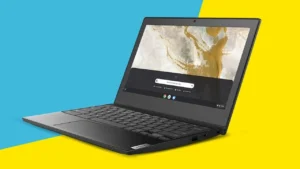
How Much Does a Laptop Cost in 2026? Full Price Guide by Type, Brand & Budget


Are you looking to purchase a new laptop for 2026? I’m sure you realize, and calculating the cost of a laptop can be a headache. The cost of things appears to be volatile and a dollar doesn’t always buy the same thing.
I’ve been researching it and I want to understand the real cost of various kinds of laptop computers, both high end and low end. But it’s not all about the price tag; there are other considerations to consider that can add up. Hence, I’ve compiled this guide in order to help both of us understand the elements of laptop prices for next year.
Key Takeaways
- As of 2026, budget laptops are expected to range from below $200 to over $2,000. However, the choice of laptop will vary depending on the user’s requirements.
- Laptops that range between $300 to $500 serve as the best option for simple activities such as internet browsing and emails. Meanwhile, users who want something that performs well in work and school would opt for those ranging from $500 to $1200.
- Premium laptops and ultrabooks, typically priced between $800 and $2,000, provide faster performance, better build quality, and more features.
- High-performance and gaming laptops will likely cost between $1,200 and $2,000, with professional workstations and flagship models exceeding $2,000.
- Considering refurbished or used laptops can significantly lower the cost, often providing similar performance to new models for a fraction of the price, especially if you buy from reputable sellers with warranties.
How Much Does a Laptop Cost in 2026?
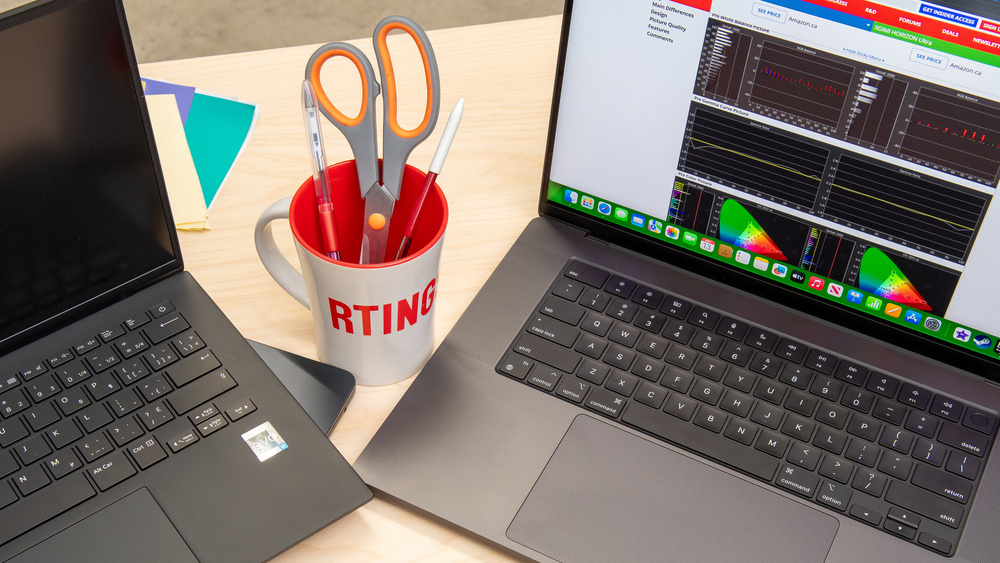
When I went laptop shopping this year, the price tags were all over the place. In 2026, the cost of a new laptop really depends on what you need it for. If you just want something simple for emails and light web browsing, you can get away with spending less than $200. But if you need a device for work or gaming, prices climb fast.
Here’s a quick table of what I found for common laptop price ranges this year:
| Price Range | Typical Use | What You Get |
|---|---|---|
| Under $200 | Basic tasks (browsing, email) | Chromebooks, small Windows machines |
| $200 – $500 | School, light work | Better build, more storage, faster CPUs |
| $500 – $800 | Serious school/work, light gaming | Reliable all-around performers |
| $800 – $1,200 | Premium productivity, creative work | Ultrabooks, long battery, quality build |
| $1,200 – $2,000 | Gaming, heavy duty tasks | Discrete GPUs, large screen options |
| $2,000+ | Pro workstations, flagship machines | Top-tier hardware and premium features |
From my experience:
- Brand matters—a high-end model from a big name (like Apple or Dell) will cost more, even if the specs look similar on paper.
- Premium build quality, lighter weight, and long battery life all push the price up.
- You can actually find some excellent budget laptops around eight hundred dollars, especially ultraportables.
Laptop prices in 2026 are all about trade-offs. If you just want something that works for the basics, you don’t have to spend much. But for better performance or style, expect to pay extra.
I always recommend thinking about what you really need in a laptop, then checking out options in your price range. It’s much easier to avoid overspending or buying something that can’t keep up if you lay out your must-haves and nice-to-haves before browsing.
Laptop Price Ranges Explained – What Does Each Budget Get You?

When I’m looking for a new laptop, figuring out how much I should spend is always the first hurdle. It feels like there’s a huge range out there, and honestly, it can be pretty overwhelming. I’ve broken down what I typically see in different price brackets, so hopefully, it makes things a bit clearer for you too.
Under $200 – Basic Chromebooks and Entry Level Laptops
When buying a laptop below $200, the choices are mostly limited to either a Chromebook or an inexpensive Windows machine.
These devices are meant for light-duty activities like surfing the Internet, email, working on some documents in Google Docs, watching videos, etc.
They come with low-performance processors and limited storage space, using an eMMC flash drive instead of an SSD. The displays will not be high quality, and the construction may lack premium materials.
⭐ Recommended Budget Chromebook
Samsung Chromebook 4 is one of the best laptops under $200 for web browsing, online classes, email, Google Docs, and streaming. It offers excellent battery life, lightweight portability, and reliable ChromeOS performance.
Pros
- Extremely cheap — ideal for people on a tight budget
- Portability — small enough to be carried around easily
- High battery life — Chromebooks offer battery life from 10 to 12 hours per charge
- Rapid boot-up speed — Chrome OS boots up almost instantly without any lag
- Virus-proof — Chrome OS is virus-proof with updates performed automatically
- Ideal for students — works best with Google Documents, Spreadsheets, and Classroom
Cons
- Storage is limited — just 32GB to 64GB of eMMC that gets full really fast
- No off-line usage capability — internet connectivity is required for the vast majority of functions
- Inability to run Windows programs — there is no Microsoft Office, Photoshop, or any PC games
- Poor processor performance — Intel Celeron does not cope with multitasking or having lots of open tabs
- Low-quality display — low brightness and sub-par color quality
- Not expandable — the RAM and internal storage are soldered down
Verdict
If everything that you want to do includes web browsing, emailing, YouTube streaming, and using Google Docs, then a laptop under $200 will serve your purpose just fine.
An example would be the Samsung Chromebook 4 which costs only $190 but works just perfectly for such basic functions. If on the other hand, you have more demanding requirements than simple browsing and email, then it would be a better idea to stretch your budget towards the $300-$500 price point.
$200 to $500 – Budget Laptops for Students and Everyday Use
However, once you reach a price point between $200 and $500, there is much more choice. Most of these are running on Windows OS and come with a slight improvement in their processor capabilities, namely Intel Core i3 or AMD Ryzen 3.
There will be a limitation in storage capacity too, but you may have an option of purchasing a device that features a small SSD drive, and that makes a huge difference in performance.
They may also boast somewhat higher build quality and slightly more vivid screens. These devices offer great functionality and can easily manage multitasking processes.
⭐ Recommended Budget Laptop ($200-$500)
Portable Expandable Laptop is a great choice for students, remote workers, and everyday users looking for a reliable laptop without spending too much. It offers smooth performance for web browsing, schoolwork, office tasks, streaming, and light multitasking.
✔ Lightweight and portable design
✔ Handles everyday multitasking with ease
✔ Ideal for web browsing, streaming, and office work
✔ Excellent value in the $200-$500 price range
Pros
- Money’s well spent on these laptops that are packed with power and capabilities
- Faster processors — these come with either Intel Core i3/i5 or AMD Ryzen 3/5 which will work fine for common tasks
- SSD drives are available — many of these laptops have between 128GB to 256GB SSD drives
- High-quality build — these laptops have superior build quality compared to under $200 laptops
- Windows OS included — these computers allow you to run Office, Zoom and any other windows apps
- Multitasking is no problem here — these can perform different tasks without lagging
- Large screen sizes — the majority have 14 to 15.6 inches FHD screens
Cons
- RAM can also be inadequate, with many coming with only 4GB to 8GB, becoming slow with heavy use.
- Memory capacity is still low, as many come with 128GB to 256GB of memory, which will run out quickly if you save pictures or any videos.
- Lacks dedicated graphics processor, meaning that they cannot be used for playing games or editing videos.
- Most are made from plastics rather than using premium materials like aluminum.
- Battery life differs; some may provide power for 5 to 7 hours after charging completely.
- Webcams are mostly low-quality 720p, providing poor quality when used in online meetings.
Verdict
$200-$500 is ideal for those looking for a proper Windows laptop that is affordable yet not cheap. One gets all the essentials – a good operating system, decent storage space, and enough horsepower to manage studying, watching videos online, making video calls and doing other things without struggling with performance.
$350-$450 is where I would recommend people to shop for a laptop. It is the right price range for getting one with at least 8GB RAM and 256GB SSD. These specifications alone will be a game changer when compared to lower-end laptops.
$500 to $800 – Mid Range Laptops for Work and School
This is where most people hit their comfort zone. In the range from $500-$800, I would say I can easily find laptops with an excellent combination of performance, features, and construction.
The hardware will be noticeably better (Intel Core i5/i7 or AMD Ryzen 5/7 processors, 8GB of RAM, at least), storage will be faster (SSD drives).
Screen resolutions are higher (often Full HD with proper color representation). Also, aluminum housing and features like backlighting of keys start to appear more frequently. Such laptops can perform any educational assignments or office duties flawlessly. There is also a possibility to buy MacBooks among other Windows laptops.
⭐ Recommended Mid-Range Laptop ($500-$800)
FUNYET Laptop is an excellent choice for students, professionals, and remote workers who need dependable performance for everyday productivity. With modern hardware, fast storage, and plenty of memory, it can easily handle multitasking, office applications, video conferencing, streaming, and light creative work.
✔ Smooth multitasking performance
✔ Fast SSD storage for quick load times
✔ Ideal for video meetings, research, and office tasks
✔ Excellent balance of performance and value
Pros
- Excellent daily performance — Core i5/i7 from Intel or Ryzen 5/7 from AMD is sufficient for work, studying and even some creative activities
- Up to 16GB RAM — provides more than enough memory for multitasking, multiple programs and intensive browser use
- Quick data access — most have at least 256GB or up to 512GB of NVMe SSD storage
- HD or higher resolution display — clear, bright displays with decent color accuracy for both work and entertainment
- Improved construction — many of these laptops begin featuring aluminum/magnesium alloy casings at this price point
- Backlit keyboard — great feature for working or studying late into the night
- Greater battery life — usually offer 8-10 hours of battery life on a full charge
- MacBook availability — this is the price range of some lower-end MacBook Airs
- Quality webcams — majority have 1080p webcam for professional video calls
Cons
- No dedicated GPU in most models — still not ideal for serious gaming or heavy video editing
- Premium feel costs more — truly slim and lightweight ultrabooks push toward the top of this range
- Upgrades still limited — RAM and storage are soldered on many thin models
- Fans can get loud — under heavy workloads some mid range laptops run warm and noisy
- Not future proof for AI tasks — models without NPU chips may struggle with upcoming AI features in Windows
- Limited port selection — thinner designs often drop full size USB and HDMI ports
Verdict
From $500 to $800, a laptop will start to feel like an actual laptop rather than something less than ideal. You will be able to find a lot of great choices within this price bracket, as this is where the majority of people who want to get laptops without spending extra on unnecessary functions can afford it.
Having between $600 to $700 means that you can find laptops which have either a Core i5 or Ryzen 5 processor, 16 GB RAM, 512 GB SSD, and Full HD screen, all of which will work great for up to four to six years without requiring any updates at all.
For those who wish to own MacBooks and go to schools, then this is your starting point since the basic version of the MacBook Air starts from here.
In this price band, gaming-capable machines exist if you shop smart, our gaming laptops under $500 guide shows exactly which ones are worth it.
$800 to $1,200 – Premium Laptops and Ultrabook
When it comes to more sophisticated machines, there are the laptops and Ultrabook that go for $800 to $1,200. These devices are normally slimmer and lighter and made of high quality materials such as aluminum or magnesium alloy.
They have very high processing power with lots of RAM (16GB) and super-fast SSD storage. Their displays are normally top-notch with high resolutions, very high brightness levels, and high color gamut.
The battery life is normally impressive as well. These devices will be good for professionals or for people who travel a lot since they are not only very good aesthetically but also provide excellent performance.
⭐ Recommended Premium Laptop ($800-$1,200)
GEEKOM GeekBook Laptop is an excellent choice for professionals, students, and frequent travelers looking for premium performance and portability. With powerful hardware, fast SSD storage, and a sleek modern design, it handles demanding workloads, multitasking, video conferencing, and everyday productivity with ease.
✔ Excellent for business and professional use
✔ Fast SSD storage and responsive performance
✔ Ideal for multitasking and productivity
✔ Great balance of power, portability, and battery life
Pros
- Premium build quality — full aluminum or magnesium alloy chassis that feels solid and professional
- Powerful processors — Intel Core i7 or AMD Ryzen 7 handles demanding workloads without breaking a sweat
- 16GB to 32GB RAM — serious multitasking power for running multiple heavy apps simultaneously
- Fast and large SSD — 512GB to 1TB NVMe SSD storage with blazing read and write speeds
- Stunning displays — QHD, 4K or OLED screens with high brightness and excellent color accuracy Ultrabook design — slim, lightweight and easy to carry making them perfect for travel and commuting
- Exceptional battery life — most premium ultrabooks deliver 10 to 14 hours of real world usage
- Thunderbolt 4 ports — fast data transfer, external display support and universal charging
- Superior webcam and microphone — 1080p or higher webcams with noise cancelling mics for crystal clear calls
- Premium keyboard and trackpad — comfortable typing experience with large glass trackpads
- AI features included — most 2026 models in this range include dedicated NPU chips for AI tasks
Cons
- Still no dedicated GPU in ultrabooks — thin and light designs prioritize battery over graphics power
- High price for entry — you need to spend closer to $900 to $1,000 to get the truly premium experience
- Not easily upgradeable — most ultrabooks have soldered RAM and storage with no upgrade path
- Runs hot under heavy load — slim chassis limits cooling which causes throttling during intense tasks
- Proprietary chargers on some models — especially Apple MacBooks which require their own accessories
- Overkill for basic users — if you only browse and stream this range is more than you will ever need
- Repair costs are high — premium materials and compact design make out of warranty repairs expensive
Verdict
It is from the $800-$1200 price range that one sees truly outstanding laptops. These are computers for people who need them on a daily basis for important tasks – designers, developers, writers, businessmen, and anyone who does not want anything less than fast and efficient.
In this case, you do not only pay more money for improved specifications, but you also pay for a generally superior experience of using this computer – a brighter screen, a good keyboard, a real all-day battery, and lightweight design.
The best deals in this price range are made for those who have to spend around $950-$1100. Here, one can find laptops like MacBook Air M3, Dell XPS 13, LG Gram, and ASUS ZenBook Pro, which offer flagship-level performance and design for at least five years’ use.
$1,200 to $2,000 – High Performance and Gaming Laptops
It is here where the hardcore users, gamers, and creatives live. Laptops in this range, usually between $1,200 and $2,000, will have dedicated graphics (NVIDIA GeForce RTX or AMD Radeon RX families), fast processors, and lots of RAM (16 GB or 32 GB).
These laptops are designed to take on heavy-duty jobs such as playing demanding games, doing video editing, running 3D renderings, and simulation software. In terms of cooling, they will be more capable than their cheaper counterparts because of the extra heat produced by these powerhouses.
High refresh rates are common in these laptops, making them great gaming computers, and color accuracy is usually exceptional.
- Best for: Gaming, video editing, graphic design, 3D rendering, CAD.
- Typical Specs: High-end Intel Core i7/i9 or AMD Ryzen 7/9 processors, 16GB-32GB RAM, 1TB+ SSD storage, dedicated high-end GPUs, high refresh rate displays.
- Consider if: Performance is your absolute top priority for demanding tasks or gaming.
$2,000 and Above – Professional Workstations and Flagship Models
When you move up to the range that starts from above $2,000, then what you see there is nothing but pure excellence.
These tend to be mobile workstations that are built for individuals needing maximum performance for scientific computing, video editing, development of applications or virtual machines.
Some examples include workstations with powerful CPUs (like Intel Xeon), immense RAM, and professional GPUs (such as NVIDIA Quadro). In addition to this, the build quality of such computers tends to be superb with advanced cooling mechanisms.
You will also get the newest consumer laptops available on the market, featuring the newest processor, screen technology and other advancements.
- Best for: Professional content creation, scientific computing, software development, high-end gaming.
- Typical Specs: Top-tier Intel Core i9/Xeon or AMD Ryzen 9 processors, 32GB+ RAM, 1TB+ SSD storage, professional GPUs (NVIDIA Quadro/RTX A-series), advanced cooling, often larger displays.
- Consider if: You need the absolute highest level of performance and reliability for professional-grade work, and budget is not a primary concern.
When I’m trying to decide how much to spend, I always think about what I’ll actually be doing with the laptop day-to-day. It’s easy to get tempted by fancy specs, but if all I’m doing is browsing and writing, spending $1500 feels like a waste.
On the flip side, trying to edit videos on a $300 machine is just going to be frustrating. Finding that balance between what I need and what I can afford is key.
Remember, these are general guidelines, and prices can fluctuate. It’s always a good idea to check out reviews and compare models within your chosen budget. You can often find great deals on laptops under $1,000 if you know where to look.
What Factors Affect How Much a Laptop Costs?
So, you’re wondering what makes one laptop cost a lot more than another? It’s not just random; there are several things that add up. I’ve found that understanding these can really help when I’m trying to figure out my budget.
Of primary importance is the internal system. This would be the Central Processing Unit (CPU), the Random Access Memory (RAM), and the storage unit – Solid State Drive (SSD) or Hard Disk Drive (HDD).
The faster CPU, RAM, and larger SSD will contribute to the increased cost of the computer. For example, if my needs are focused on video editing, then I will require more powerful CPU and greater RAM compared to email reading. Currently, the market has been experiencing a shortage of components such as RAM.
Then there’s the screen. A high-resolution display, one that’s super bright, or maybe even a touchscreen? Those all add to the cost. And don’t forget the build quality. Laptops made with premium materials like aluminum or magnesium tend to cost more than those made with plastic. Plus, things like a backlit keyboard or a really good webcam can also bump up the price tag.
Here’s a quick rundown of what I look for:
- Processor (CPU): The brain of the laptop. More cores and higher clock speeds mean more money.
- Memory (RAM): How many things the laptop can juggle at once. More RAM is better for multitasking.
- Storage: How much stuff you can save and how fast you can access it. SSDs are faster but pricier than HDDs.
- Graphics Card (GPU): Important for gaming and design work. Dedicated GPUs are expensive.
- Display: Size, resolution, touch capability, and brightness all play a role.
- Build Materials: Metal chassis vs. plastic.
- Extra Features: Backlit keyboard, fingerprint reader, good speakers, etc.
Sometimes, the brand itself plays a part. Well-known brands that have a reputation for reliability might charge a bit more. Also, the overall market conditions can really shake things up. Things like shortages of certain parts or global supply chain issues can make laptops more expensive.
When I’m looking at prices, I try to remember that the initial cost isn’t the whole story. I need to think about how long it’ll last, if I can upgrade it later, and if I’ll need to buy extra software. Sometimes a slightly more expensive laptop that’s built better or has more storage upfront can save me money in the long run.
Finally, consider if you’re buying new, refurbished, or used. A brand-new laptop will always be the most expensive. Refurbished options can offer great savings, and used ones can be even cheaper, though you might sacrifice some warranty or the latest features.
How Much Should You Spend on a Laptop?
Figuring out how much to spend on a laptop really boils down to what you plan to do with it. It’s not a one-size-fits-all answer, you know? I’ve found that thinking about my own needs first always helps me set a realistic budget.
If you need to do things such as check your emails, browse the Internet, and watch TV series, you do not really have to spend all your money on a laptop.
A $200-$500 one will cope well with that kind of task. There may be some pretty decent Chromebooks available that can suit your needs. It is likely that those won’t feature any unnecessary programs installed on them.
If you’re requirements begin to increase, and you require something that is suitable for studying or even work that is more complex than mere typing tasks, then opting for a laptop that costs between $500 to $800 dollars would be ideal, and this option suits many people.
However, if you want something that is more luxurious in nature and includes light-weight laptops that are suitable for traveling or perhaps a laptop that is capable of handling photo editing programs, then opting for one in the price range of $800 to $1,200 dollars would be best.
In addition, if you are an avid gamer and wish to play games with intense graphics on your computer, then the price range would be higher at over $1,200 dollars.
Here’s a quick breakdown of what I usually consider:
- Basic Use (Web browsing, email, streaming): $200 – $500. Look for Chromebooks or entry-level Windows laptops.
- Everyday Use & Schoolwork: $500 – $800. Better performance, build quality, and storage.
- Work & Portability: $800 – $1,200. Premium feel, better screens, and longer battery life.
- Gaming & Creative Work: $1,200+. High-end processors, dedicated graphics, and fast storage.
It’s also worth remembering that the initial price tag isn’t the whole story. You might need to factor in costs for software, potential repairs down the line, or upgrades like more RAM or storage. Sometimes, a slightly more expensive laptop that’s built better and easier to upgrade can save you money in the long run.
Don’t forget about refurbished models as well. I have come across several instances where I have managed to buy a refurbished laptop at a much lower price, and the model has been as good as new. This is a very efficient strategy to purchase a high-performing computer while saving plenty of money.
New vs Refurbished vs Used Laptop – How Much Can You Save?
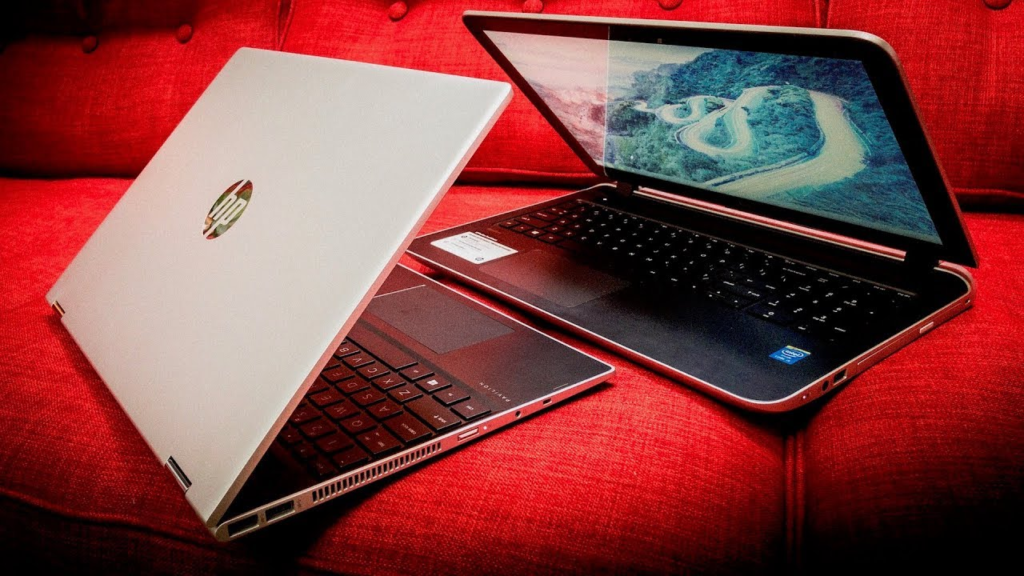
If I need to purchase a laptop, I usually consider its purchase as new, refurbished, or used. However, I am very attentive to prices since they are my main criterion when choosing. In my opinion, it is possible to buy a device at a much cheaper price in case I decide to choose a pre-owned product.
A refurbished laptop refers to those devices which have been returned, checked, and restored to working condition, i.e., they are second-hand machines.
They can be purchased along with a warranty. What else can I want if this warranty allows me not to fear the malfunctioning? The company named Computer Overhauls guarantees their clients that refurbished products will function properly during a year.
It is possible to get a more advanced model at an affordable price because there are certain differences between a newly-bought and refurbished product. If they cost the same, a refurbished computer usually has better components than a new one.
Here’s a quick rundown of what I look for:
- Warranty: Always, always check for a warranty. It’s my safety net.
- Condition: I inspect for any dings, scratches, or issues with the keyboard or screen. If it looks beat up, I usually pass.
- Battery Life: This is a big one. I ask about the battery’s health and how long it typically lasts.
- Cleanliness: Make sure the operating system is up-to-date and all old data is wiped.
Used laptops are a step further. They might not always have a warranty, and you have to be even more careful about checking their condition and battery. But, if you find a good one, the savings can be even bigger. It’s a bit more of a gamble, but sometimes it pays off big time.
Buying refurbished or used isn’t just about saving money; it’s also a more eco-friendly choice. It means one less piece of electronics ending up in a landfill, and it reduces the demand for new manufacturing. It feels good to make a purchase that’s kinder to the planet.
But, then how much could I save? Normally, it is safe to say that a refurbished laptop can go as low as 20% to 40% lower compared to its newly acquired equivalent.
Sometimes, used laptops are even more affordable based on their age and overall condition. Again, it all boils down to one’s intended use for the computer.
As long as the activity does not require too much power, such as surfing the internet and sending emails, the more affordable laptop will do. In cases wherein high processing power is needed, I would have to check out the more powerful but refurbished version.
Laptop Price Quick Reference Summary Table
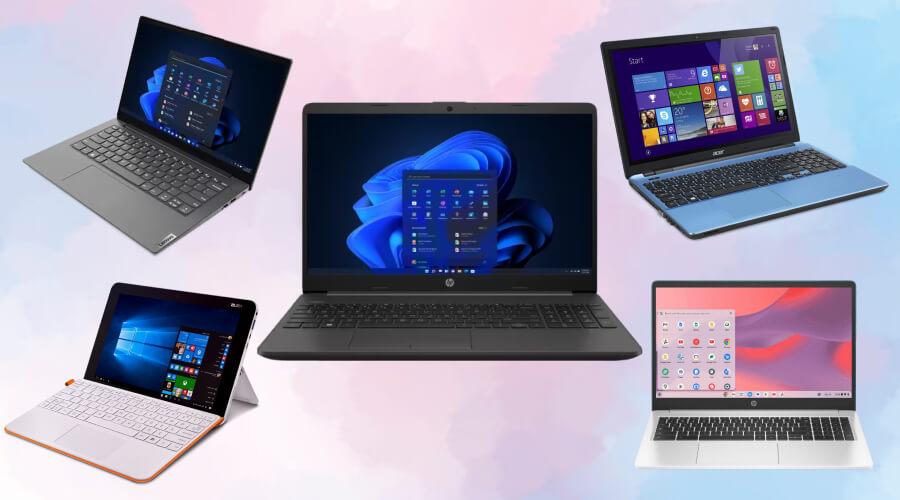
Alright, so you’re trying to figure out what kind of money you’ll need to shell out for a laptop in 2026. It really depends on what you’re looking to do with it, right? I’ve put together a quick rundown to make things a bit clearer.
Here’s a general idea of what you can expect to pay and what you’ll get for your cash:
- Under $200: Think basic Chromebooks or really entry-level Windows machines. These are mostly for web browsing, email, and maybe some light document work. Don’t expect much power or fancy features here.
- $200 to $500: This is the sweet spot for students or anyone needing a laptop for everyday tasks. You’ll find decent performance for browsing, streaming, and schoolwork. Some might even handle light photo editing. You’re looking at better build quality and more storage than the under-$200 options.
- $500 to $800: Now we’re getting into mid-range territory. These laptops are great for work and school, offering a good balance of performance and features. Expect faster processors, more RAM (like 16GB), and solid-state drives (SSDs) for quick boot times. For most students, a laptop costing between $500 and $800 is ideal. Key specifications to look for include 16 GB of RAM, a 512 GB SSD, and a battery life exceeding 10 hours.
- $800 to $1,200: This range gets you into premium laptops and ultrabooks. These are typically thinner, lighter, and have better build materials like aluminum. Performance is strong for demanding tasks, and battery life is usually excellent. You’ll see higher-resolution displays and more premium features.
- $1,200 to $2,000: If you’re into gaming or need serious power for creative work like video editing or graphic design, this is your zone. These laptops pack powerful processors, dedicated graphics cards, and plenty of RAM. They’re built for performance.
- $2,000 and Above: This is where you find the top-tier stuff – professional workstations and flagship models. Think high-end gaming rigs, powerful mobile workstations for engineers or 3D artists, and the absolute best of the best in terms of screens, build, and raw power.
It’s worth remembering that laptop prices can fluctuate. While things have been relatively stable, there’s a prediction that costs might creep up a bit in 2026. So, if you see a good deal, it might be worth jumping on it. Laptop prices are currently at an all-time low, defying economic concerns. However, this trend is predicted to reverse in 2026, potentially leading to higher costs for consumers.
Keep in mind that the initial price isn’t the whole story. You’ve also got to think about software, potential repairs, and if you plan on upgrading down the line. Sometimes, spending a little more upfront can save you headaches later.
Looking to compare laptop prices quickly? Our summary table makes it easy to find the right laptop without wasting time. We break down the costs so you can make a smart choice fast. Ready to see all the options? Visit our website for full details and helpful reviews.
So, What’s the Takeaway?
In any case, as far as my considerations are concerned, I have already got an idea of how much it will cost to buy a new laptop in 2026.
However, besides the issue of cost, there is the problem of purpose which should also be considered. For example, do I want to choose a laptop for studying or working from home, or do I need something simple to browse through some websites?
As far as my preferences are concerned, I would prefer buying a refurbished laptop rather than a completely new one. After all, as Computer Overhauls says, such a purchase can guarantee me more than just good quality products because I will get certain warranties and even a possibility to return the laptop within several months.
Frequently Asked Questions
How much does a laptop usually cost in 2026?
In 2026, laptop prices can start as low as $150 for basic Chromebooks and go up to over $2,000 for high-end gaming or professional models. Most people will find a good laptop for school or work between $400 and $1,200, depending on what features and performance they need.
Is it better to buy a new, refurbished, or used laptop?
It depends on your budget and needs. New laptops come with the latest features and full warranties, but they cost more. Refurbished laptops are tested and fixed up by professionals, so they work almost like new but cost less. Used laptops are the cheapest but may have more wear and fewer guarantees. I like refurbished laptops because they offer a good balance of price and reliability.
How do I know if a cheap laptop will last long enough?
To make sure a cheap laptop lasts, I check reviews and look for models with solid build quality. I also pay attention to the warranty and see if the laptop can be upgraded later. Refurbished laptops from trusted stores often come with a return window and warranty, which gives me peace of mind.
What extra costs should I think about besides the laptop price?
The price of the laptop is just the start. I also think about software costs, like paying for Microsoft Office or antivirus programs. Repairs, upgrades like adding more memory, and buying accessories such as a mouse or bag can add up. It’s smart to plan for these extra expenses.
Are there any tips for finding the best deal on a laptop?
Yes! I always set a budget before I start shopping. I look for student discounts or special sales, especially during back-to-school season. Reading reviews helps me avoid bad choices. I also consider refurbished or used laptops from trusted sellers, which can save a lot of money without losing out on quality.
What should I focus on when picking a laptop for school or work?
For school or work, I focus on battery life, weight, and performance. A laptop with at least 8GB of RAM and a modern processor works for most tasks. If I need to carry it around, I choose a lighter model with long battery life. I also check if it has all the ports I need, like USB and HDMI.