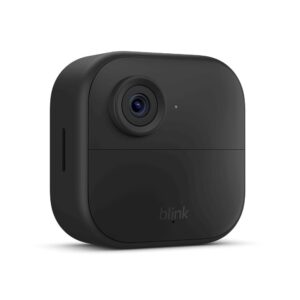
Does Ring Doorbell Require Subscription? Free vs Paid Honest Breakdown (2026)

So, you’re wondering if your does ring doorbell require subscription to actually do anything useful? I’ve been digging into this myself, and let me tell you, it’s not always a straightforward answer.
Ring offers some basic functions without a paid plan, but if you want the full experience, you’ll likely need to consider their Ring Protect plans. I’m going to break down exactly what you get for free and what you’re missing out on, so you can decide if a subscription is worth it for you.
Key Takeaways
- You can use a Ring Doorbell without a subscription for live viewing, motion alerts, two-way audio, and device health checks.
- Without a subscription, you won’t be able to record or review past video events, which is a pretty big limitation.
- Ring offers several subscription plans, including Ring Home Basic, Standard, and Premium, with increasing features and costs.
- The free trial period for Ring subscriptions gives you access to paid features, but you’ll need to decide whether to continue paying once it ends.
- Considering the long-term cost, it’s important to weigh the monthly subscription fees against the value you get from the advanced features over several years.
The Short Answer (Read This First)

So, does a Ring Doorbell actually need a subscription? The short, honest answer is: it depends on what you want it to do. If you’re specifically looking to avoid monthly fees, it’s worth checking out the best smart doorbells without a subscription before deciding.
You can definitely use a Ring Doorbell without paying a monthly fee, but you’ll be missing out on some pretty key features. Think of it like buying a smartphone – you can make calls and send texts without a data plan, but you won’t be browsing the web or using apps.
Here’s the breakdown of what you get for free:
- Live View: You can always check in on your front door in real-time through the Ring app. It’s like having a live video feed whenever you want.
- Motion Alerts: The doorbell will send a notification to your phone when it detects movement. This is super handy for knowing if someone’s approaching.
- Two-Way Audio: You can talk to whoever is at your door directly through the app, whether it’s a delivery person or an unexpected visitor.
- Device Health: The app will show you the battery level and Wi-Fi connection status for your Ring device.
But here’s the catch:
Without a subscription, you won’t be able to record and save video clips. If you miss a live event, like a package being delivered or someone lingering, you won’t have a recording of it later. This is the biggest limitation for most people.
Ring calls their subscription plans “Ring Protect Plans.” These plans are what unlock video recording and storage. The Ring Protect Plans used to be called Ring Home plans, but they’ve been updated.
You can get a plan for a single device, or cover all the devices at one location. There’s also a more advanced plan that includes professional monitoring, which is a whole different ballgame.
What You Get With Ring Doorbell No Subscription Required
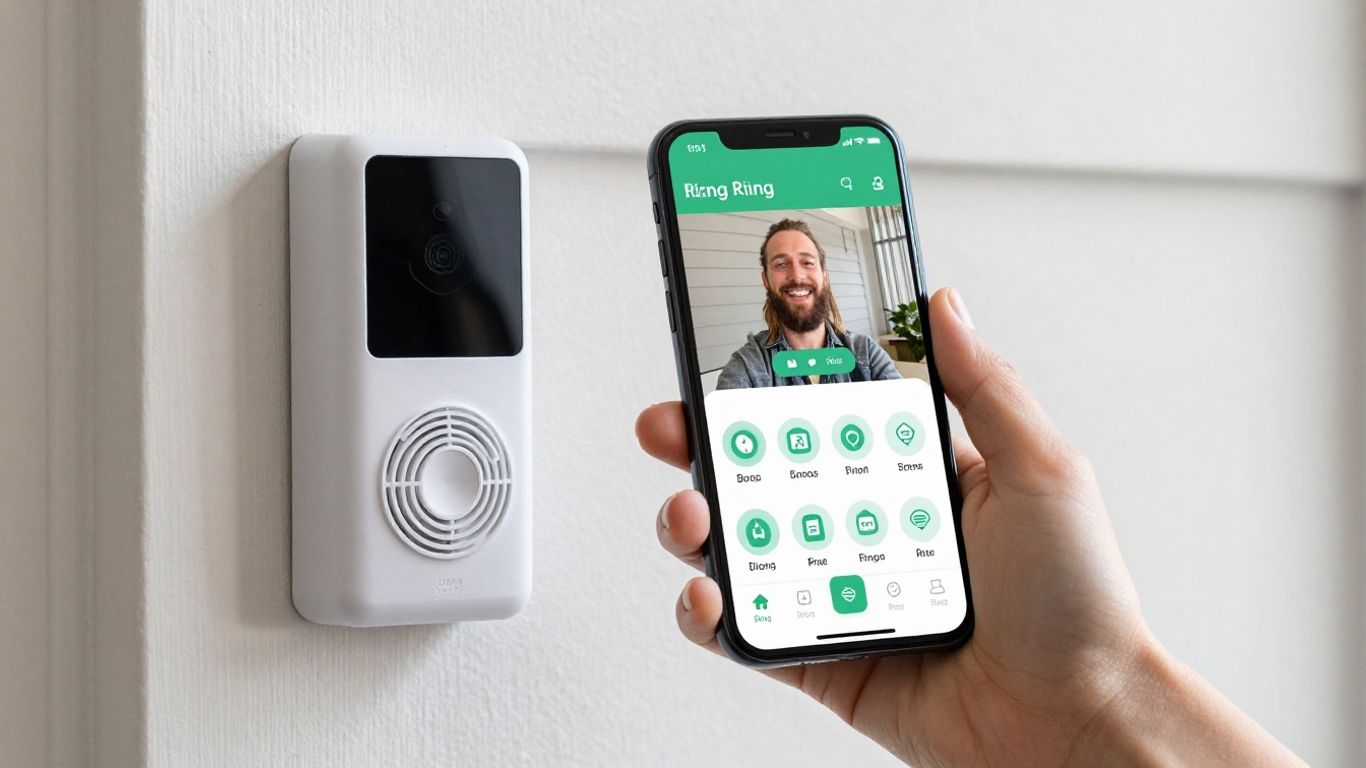
So, you’re wondering if you absolutely need to pay for a Ring subscription, right? I get it. It’s a common question, and the good news is, you can definitely use your Ring Doorbell without paying a monthly fee.
It’s not like they just brick the device if you don’t sign up for a plan. You still get some pretty useful features right out of the box, which is great for just keeping an eye on things.
Here’s what I found I could do without any extra cost:
- Live View: This is the big one. I can pull up the app anytime and see exactly what’s happening at my front door in real-time. It’s like having a live security camera feed, which is super handy if I hear a noise or just want to check if a package arrived. Of course, proper setup matters too here’s a full guide on how to install a smart doorbell correctly for best performance.
- Motion Alerts: My Ring Doorbell detects movement in its set zone and sends a notification straight to my phone. It’s not super fancy, but it definitely lets me know if someone’s approaching, even if I’m not looking at the live feed.
- Two-Way Audio: This is a lifesaver. If someone’s at the door – a delivery person, a neighbor, or maybe someone I don’t recognize – I can talk to them directly through the app. It’s pretty clear, and it means I don’t always have to physically go to the door.
- Device Health Monitoring: The app keeps me updated on the doorbell’s status. I can check the battery level (if it’s battery-powered) and make sure it’s connected to my Wi-Fi. It’s a simple thing, but it helps me know if everything’s working as it should.
While these free features are certainly functional for basic monitoring and communication, they don’t capture or store any video events. You’re essentially getting a live look-in and immediate alerts, but any recorded history is off the table without a plan. It’s a bit like having a peephole that you can see through from anywhere, but you can’t rewind or save what you saw.
It’s important to remember that without a subscription, you won’t have any video recordings saved. If you miss someone at the door or want to review an event later, you’re out of luck. This is the main limitation, and it’s why many people eventually opt for a Ring Protect plan to get the full benefit of their doorbell camera.
What You Lose Without a Subscription
So, you’ve got your Ring Doorbell all set up, and you’re thinking, ‘Do I really need to pay for a subscription?’ It’s a fair question.
While the doorbell still works for the basics without a plan, there are some pretty significant things you miss out on. It’s not just about storing videos; it’s about how you interact with your security system.
Without a Ring Protect plan, the biggest thing I noticed is the lack of recorded events. You can see what’s happening live, sure, and you’ll get alerts when motion is detected. But once that moment passes, poof! It’s gone.
If you wanted to go back and see who was at your door earlier in the day, or review a package delivery from yesterday, you’re out of luck. This means you can’t really build a history of activity around your home.
Here’s a quick rundown of what I found missing:
- No video history: This is the main one. You can’t review past events. If something happens, and you weren’t looking at the live feed, you won’t have a recording of it later. This is a pretty big deal for security.
- Limited motion detection: While you get basic motion alerts, you don’t get the smarter features. Things like person detection, package detection, or even defining specific motion zones are usually locked behind a subscription. So, you might get alerted to a car driving by or a tree branch moving, which can get annoying.
- No advanced features: Things like Rich Notifications (which show a snapshot of the event right in the alert) or the ability to share video clips with others are also off the table. It feels like you’re only getting a fraction of what the doorbell is capable of.
It’s kind of like having a really nice camera but no way to save the photos. You can see the moment, but you can’t keep it or share it. For me, that’s a pretty big drawback when I’m thinking about home security and wanting to have a record of what’s going on.
Honestly, the live view and two-way audio are still super useful, and I appreciate that Ring offers those for free. It means you can still answer the door remotely or check in on things.
But for any serious security monitoring or just wanting to have a record of events, the lack of video storage and smart alerts really makes you feel like you’re missing out on the core benefits of a smart doorbell.
Ring Protect Plans Explained Prices, Features, and Who Each Is For
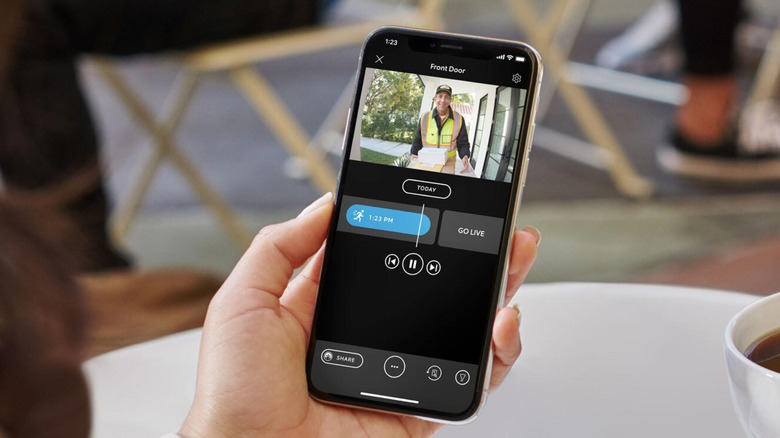
So, you’ve got a Ring doorbell, and you’re wondering about those “Protect Plans.” I get it, it can be a bit confusing trying to figure out what you actually need.
Ring offers a few different tiers, and each one comes with its own set of features and price points. If you’re using a newer model, this Ring Video Doorbell 4 review breaks down how these plans actually impact real-world usage.
Think of the Ring Protect plans as different levels of service for your Ring devices. Without a plan, you can still see what’s happening live and get motion alerts, which is pretty standard.
But if you want to actually save those video clips, review them later, or get more advanced detection features, you’ll need to sign up for one of their subscriptions. It’s kind of like having a smartphone – you can use it for basic calls without a plan, but to get the most out of it, you need a data package.
Here’s a quick rundown of what I’ve found:
- Ring Home Basic: This is the entry-level plan. For $5 a month, it covers one Ring device. It’s perfect if you only have a single doorbell or camera and just need basic recording capabilities. You get to store video clips for up to 180 days, which is usually plenty of time to review any events.
- Ring Home Standard: If you have multiple Ring devices at your home – maybe a doorbell and a couple of cameras – this plan is the way to go. For $10 a month, it covers all devices at one location. This is the plan I’ve seen recommended most often for homeowners because it offers a good balance of features and cost for a whole house setup. It also includes features like person and package detection, which can really cut down on unnecessary alerts. You can check out more details on plans like this.
- Ring Home Premium: This is the top-tier plan, costing $20 a month. What sets it apart is the 24/7 professional monitoring. This means if your Ring system detects a break-in or an emergency, trained professionals can be alerted and can even contact emergency services for you. It’s a significant step up in security, especially if you want that extra peace of mind.
It’s important to remember that while the hardware itself is a one-time purchase, the ongoing cost of a subscription can add up over time. You really need to weigh the features you’ll use against the monthly fee to decide if it’s worth it for your specific situation. For me, the ability to review past events is a big deal, so I lean towards a plan that includes recording.
Ultimately, the best plan for you depends on how many devices you have and what level of security and features you’re looking for.
If you’re just starting out, the Basic plan might be enough, but if you want full coverage for your home, the Standard or Premium plans are worth considering. And don’t forget about the free trial – it’s a great way to test things out before committing.
Ring Home Basic $5/month, one device
So, you’re looking at the Ring Home Basic plan, which is the most budget-friendly option Ring offers. For just five bucks a month, you get to cover one single device.
This is perfect if you’ve only got one Ring Doorbell, maybe at your front door, and you don’t plan on adding any more cameras or devices anytime soon. It’s a pretty straightforward deal.
What does this $5 get you, exactly? Well, it’s mainly about getting that video history. Without a subscription, you can see what’s happening live, but as soon as the event is over, poof, it’s gone. This plan changes that.
Here’s a quick rundown of what the Ring Home Basic plan gives you:
- Video Recording Storage: This is the big one. You get to store up to 180 days of video clips from your Ring device. So, if something happens, you can go back and check it out later. It’s nice knowing you have that history available.
- Person Alerts: You’ll get specific notifications when the camera detects a person, not just any motion. This helps cut down on those annoying “leaf fell down” alerts.
- Rich Notifications: This means you get more detailed alerts on your phone, like seeing a snapshot of who’s at the door right in the notification itself.
This plan is really about getting the core functionality of your Ring Doorbell without breaking the bank. It’s the entry point for saving your video history and getting more useful alerts. If you’re just starting out with Ring or only have one camera, this is likely the plan you’ll want to consider. It’s a solid step up from having no subscription at all.
Remember, this plan is for a single device. If you have more than one Ring camera or doorbell, you’ll need to look at a different plan, like the Home Standard, which covers all devices at one location.
But for that one camera, the Ring Home Basic plan is a pretty good deal. It’s also worth noting that Ring Home plans were renamed Ring Protect plans in 2026, so your Basic plan is now called Ring Solo. This change affects your subscription details.
Ring Home Standard $10/month, all devices at one location
So, you’ve got a few Ring devices scattered around your place, and you’re wondering about the next step up from the basic plan. The Ring Home Standard plan is where things start to get a bit more comprehensive for a single address.
For ten bucks a month, or a hundred dollars if you pay for the whole year upfront, I can cover all the Ring cameras and doorbells I have at my house. This means I don’t have to worry about individual device limits, which is a big plus.
What do I actually get with this? Well, the main thing is extended video history. Instead of just a few days, I get 30 days of recorded events stored in the cloud.
This is super helpful if something happens and I need to go back and check footage from a few weeks ago. It also means I can actually see what happened when a motion alert popped up on my phone earlier in the month.
Beyond just storage, this plan also brings in some smarter detection features. I get person detection, which cuts down on those annoying alerts when it’s just a squirrel running across the lawn. It also includes package detection, so I get a heads-up when a delivery actually arrives. This is a pretty neat feature for someone like me who gets a lot of online orders.
This plan is really aimed at homeowners who have more than one Ring device and want a unified way to manage them all without paying per device. It strikes a good balance between cost and functionality for a typical household.
It’s also worth noting that the Home Standard plan is changing a bit in 2026. It’s going to start including smoke and CO alarm monitoring, which is a nice added layer of safety.
So, if you’re looking to get more out of your Ring system without breaking the bank, this plan seems like a solid choice for multiple devices at one location.
Ring Home Premium $20/month, adds 24/7 professional monitoring
So, you’re looking at the top-tier Ring Protect plan, the Home Premium. This one’s a bit of a jump in price at $20 a month, or $199.99 if you pay for the whole year upfront. What’s the big deal? Well, it adds 24/7 professional monitoring to the mix.
This means if your Ring system detects a problem, like a break-in, trained professionals are alerted and can take action. They can even contact emergency services for you.
This plan bundles everything from the Home Standard plan, so you still get all those great features like extended video recording history and advanced detection capabilities.
But the real kicker here is that professional oversight. It’s like having a security guard on duty around the clock, without actually having one physically present.
Here’s what you’re really getting with this highest tier:
- 24/7 Professional Monitoring: This is the main draw. If an alarm is triggered, a monitoring center gets notified. They’ll verify the emergency and can dispatch police, fire, or medical services if needed. It’s a serious step up in home security.
- All the features of Home Standard: Don’t forget, you’re not losing anything from the lower tiers. This includes things like longer video storage and potentially more advanced alerts.
- Active Warnings: Some Ring devices can actively warn potential intruders. This means the system might verbally tell someone they’re being recorded or even sound a siren before a full emergency response is needed.
- Familiar Faces: This feature uses AI to recognize people who frequently visit your home, like family or friends. It helps cut down on unnecessary alerts and lets you know who’s at the door. It’s pretty neat, though it does require a bit of setup to tag people initially.
This plan is really for someone who wants that extra peace of mind. It’s not just about getting an alert on your phone; it’s about having a system that actively responds to potential threats. For me, that’s a big deal, especially when I’m away from home for extended periods. It feels like a more complete security solution.
Think about it this way: the lower plans are great for self-monitoring, but the Home Premium plan is for when you want a dedicated team watching your back. It’s definitely the most robust option Ring offers, and for that, you’re paying a premium.
It’s a significant investment, but if comprehensive home protection is your goal, this is the plan to consider. You can check out the Ring Protect plans for more details on how they stack up.
The 30-day free trial what it includes and what happens when it ends
When I first got my Ring Doorbell, I was pretty excited to try out all the features. Luckily, Ring gives you a 30-day free trial of their Ring Protect plan. It’s a nice way to get a feel for the subscription service without paying anything upfront.
During this trial period, I got to experience the full benefits, which mainly means being able to save, share, and replay any video clips captured by my doorbell. It’s pretty handy for reviewing who came to the door while I was out or just checking on deliveries.
So, what exactly do you get during those 30 days? It’s basically a taste of the paid plan, so you can see if it’s worth it for you. Here’s what I found:
- Video Recording Storage: This is the big one. Without a subscription, your Ring Doorbell only lets you see live video. The trial gives you access to cloud storage for recorded events. This means if motion is detected or someone rings the bell, it saves the video clip for you to watch later.
- Sharing and Reviewing Clips: Being able to save and share those recorded clips is a game-changer. I could easily download a video of a package being delivered to show my neighbor, or save a clip if I saw something suspicious.
- Access to Advanced Features (Sometimes): Depending on the specific Ring device and the trial you get, you might also get a peek at features like advanced motion detection or familiar face recognition. It’s a good way to see if those extras matter to you.
Once that 30-day window closes, though, things change. If you don’t sign up for a paid Ring Protect plan, all those saved video clips disappear. Poof! Gone. You’ll still get motion alerts and can see a live view, but you won’t be able to review any footage that happened before. It’s a bit of a wake-up call, honestly. I found myself wishing I’d downloaded a few key clips before the trial ended.
It’s a smart move by Ring, really. They let you try the full experience, and then you have to decide if you want to keep those recording capabilities. For me, the ability to review past events was definitely something I wanted to keep, so I ended up signing up for the basic plan.
It’s worth thinking about what features are most important to you before that trial runs out so you don’t lose any important footage.
The Real Cost of Ring Over 3 Years
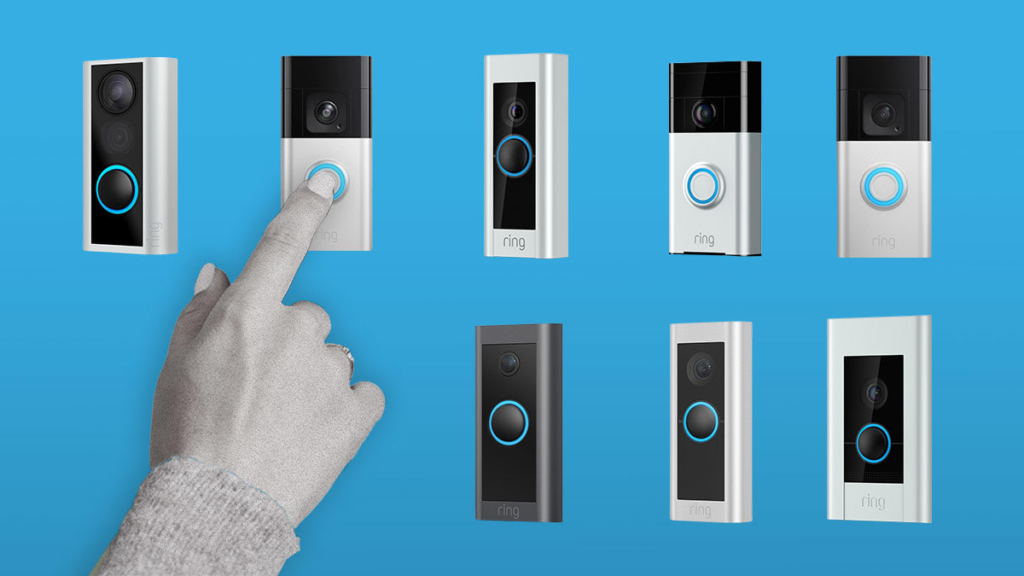
So, you’re thinking about getting a Ring doorbell, huh? It’s easy to get caught up in the shiny features, but I wanted to really look at what this thing costs over time. It’s not just the upfront price of the doorbell itself, you know? In fact, if you’re trying to avoid long-term costs, you might want to compare options from this list of smart doorbells without subscription fees.
Let’s break it down over three years. If you go with the basic Ring Home plan, which covers one device, that’s $5 a month. Over 36 months, that’s $180 right there. If you have multiple devices at one location and opt for the Ring Home Standard plan at $10 a month, you’re looking at $360 over three years.
And if you want that 24/7 professional monitoring with Ring Home Premium, that’s $20 a month, which comes out to a hefty $720 over three years. That’s a significant chunk of change.
It’s important to remember that the core functionality, like seeing a live view or getting motion alerts, works without a subscription. But if you want to actually save and review any video clips, you absolutely need a Ring Protect plan. Without it, you’re missing out on a lot of what makes a video doorbell useful.
Here’s a quick look at the potential costs:
- Ring Home Basic (1 device): $5/month x 36 months = $180
- Ring Home Standard (all devices at one location): $10/month x 36 months = $360
- Ring Home Premium (adds monitoring): $20/month x 36 months = $720
And that’s just for the subscription. You still have the initial cost of the doorbell itself, which can range from around $60 for a basic model to over $200 for the fancier ones. So, when I look at the total picture, it’s definitely more than just a one-time purchase.
It’s an ongoing expense to consider, especially if you’re on a budget. I found that the Ring Home Basic plan is the most common choice for people with just one doorbell, but even that adds up over time.
Thinking about getting a ring? You might be surprised by the total cost over three years. We break down all the hidden fees and ongoing expenses so you know exactly what you’re getting into. Don’t let unexpected charges catch you off guard. Visit our website to see the full breakdown and make an informed decision.
So, Do I Need a Subscription for My Ring Doorbell?
After digging into it, I can say pretty clearly that while Ring doorbells work without a subscription, you’re missing out on a lot if you go that route. For me, the ability to actually save and review video clips is kind of the whole point, and that definitely needs a paid plan.
The good news is, these plans aren’t crazy expensive, especially if you only have one doorbell. It really comes down to what you need. If you just want to see who’s at the door live, maybe the free option is fine.
But if you want to catch package thieves or see what happened while you were out, you’ll probably want to budget for a subscription. I’m leaning towards getting a plan myself, just for the peace of mind.
Frequently Asked Questions
Can I use my Ring doorbell without paying for a subscription?
Yes, you absolutely can use your Ring doorbell without a subscription! You’ll still be able to see live video whenever you want, get alerts when someone’s at your door, and even chat with visitors using the two-way talk feature. It’s like having a basic security camera that lets you see and talk, but you won’t be able to save any video clips.
What features do I miss out on if I don’t get a Ring subscription?
The biggest thing you miss is saving video recordings. If someone rings your doorbell or motion is detected, you can see it happen live, but once that moment passes, the video is gone forever unless you have a subscription. You also won’t get advanced features like package detection or rich notifications that tell you exactly what kind of motion was detected.
How much does a Ring subscription cost?
Ring offers a few different subscription plans, called Ring Protect Plans. The basic plan, Ring Home Basic, is about $5 a month and covers one doorbell. If you have multiple Ring devices at your home, the Ring Home Standard plan is around $10 a month and covers all of them. There’s also a Ring Home Premium plan for about $20 a month that adds 24/7 professional monitoring, which means someone is watching your cameras for you.
Is there a free trial for Ring subscriptions?
Yes, Ring usually includes a free trial when you first set up a new device. This trial lets you try out all the cool features that come with a paid subscription, like saving videos, for about 30 days. After the trial ends, if you haven’t signed up for a plan, you’ll lose access to those features and only have the basic live view and alerts.
Is it worth paying for a Ring subscription?
That really depends on what you need! If you just want to see who’s at your door in real-time and talk to them, the free features are fine. But if you want to have a record of who came and went, or if you want to be alerted to specific things like packages, then a subscription is definitely worth considering. I think it’s important to have recordings in case something happens.
Can I store my Ring videos somewhere else if I don’t want a subscription?
Unfortunately, no. Ring doorbells are designed to store video recordings in the cloud, and that requires a subscription to their Ring Protect Plans. There isn’t a way to save videos directly to a local storage device like an SD card or your computer without paying for their service.
Ready to Choose the Right Smart Doorbell?
Now that you know how to install a smart doorbell, the real question is — which one is actually worth your money? Don’t guess. We’ve tested the top options so you can pick the best one for your setup.
👉 Pro tip: If you want zero monthly fees, start with Eufy. If you prefer Alexa integration, Ring might suit you better.