Aqara G4 Doorbell Review: Is It Worth It?
I’ve been looking into smart doorbells for a while now, trying to find something that fits my setup without costing a fortune or making me sign up for a bunch of subscriptions.
The Aqara G4 doorbell caught my eye because it promised a lot for its price, especially with its HomeKit compatibility. So, I decided to give the Aqara G4 doorbell review a proper go to see if it actually lives up to the hype. Let’s break down what this thing is all about.
Key Takeaways
- The Aqara G4 doorbell offers good value, especially when on sale, with features like local storage and facial recognition that are usually found in pricier models.
- It plays nicely with major smart home platforms like HomeKit, Alexa, and Google Assistant, making it a flexible choice for most setups.
- You have the option to power it with batteries or hardwire it, which is a big plus for different installation needs.
- While the video quality is decent, it’s not the best out there, and its low weather resistance means it needs some protection from the elements.
- The included chime repeater is a handy addition, especially if you have a larger home and don’t always have your phone nearby.
How the Three Compare
Best For: Best overall, no subscription
Weakness: WiFi reliability, app clutter
Monthly Cost: $0
Best For: Apple HomeKit users
Weakness: IPX3 weather, AA batteries
Monthly Cost: $0
Best For: Alexa ecosystem
Weakness: Subscription required, 1080p
Monthly Cost: $3.99–$10
The 3-Year Cost Reality
| Setup | Hardware | Subscription | Total |
|---|---|---|---|
| Eufy E340 + Chime | $150 | $0 | $150 |
| Aqara G4 | $120 | $0 | $120 |
| Ring 4 + Basic | $200 | $120 | $320 |
| Ring 4 + Plus | $200 | $300 | $500 |
👉 Reality check: Subscription doorbells cost 2–3× more over time than no-fee options.
What is the Aqara G4 Doorbell?
It’s turned into a bit of a wormhole for me, because I’ve started to research smart doorbells, and this one—Aqara G4 Video Doorbell—keeps coming up. I guess that is a pretty cool option, if your already in the Apple ecosystem and want some smart home stuff as well but its not forced. And you get a chime repeater along with your doorbell camera – cool.
This is great because it means you won’t need to have your phone with you constantly in order to know when someone arrives at the door. And, importantly, it provides local storage using a microSD card, something that should be a boon for privacy and certainly avoids any monthly fees.
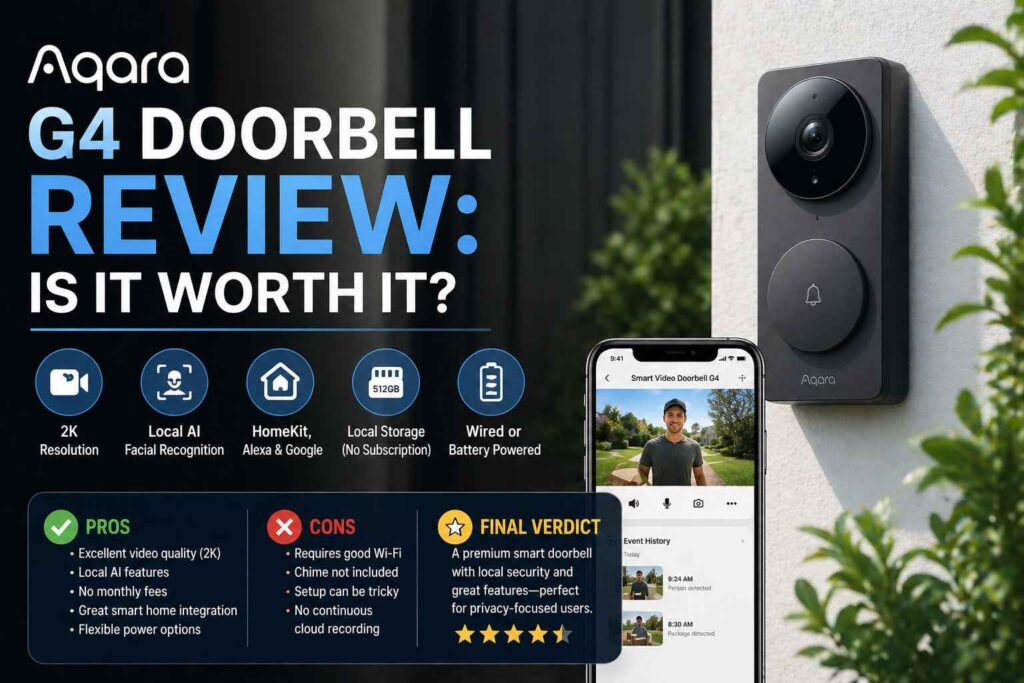
As for the actual camera itself, the Aqara G4 Video Doorbell includes a 2K (1600×1200) resolution and wide 175-degree field of view. That means it should pick up a good amount of detail, so you can identify visitors. Other features include facial recognition as well customizable motion detection zones.
If you’re curious about setting up the aqara g4 video doorbell, it is flexible. It also has the option to either be hardwired or use battery power which is a nice addition depending on how you plan to install it. Both options are usually covered in the aqarag4 installation guide.
Below are some of the main aqara g4 doorbell camera features, that I have noted:
- Video: 2K Recording at165°-degree perspective lens.
- Storage Alternatives: Easily use SD card storage, with NAS recording & no required cloud subscription.
- Smart Home Compatibility: Compatible with HomeKit (HomeKit Secure Video), Amazon Alexa, and Google Assistant
- Power Choice: Runs on batteries or is hardwired for installation flexibility.
- Chime Repeater: Comes with standalone chime unit that also serves as Wi-Fi hub.
It may be billed as a competitor to popular doorbells, but for now, it’s definitely pitched at those who want something easier on the pocket — and upfront subscription-free. We’ll have to wait and see how it performs now in day-to-day use.
Unboxing and First Impressions
I was pretty keen to get the Aqara G4 doorbell configured when it finally got here. HomeKit doorbell stand alone I’ve been searching for a good HomeKit door bell for some time considering my apartment complex doesn’t offer any wiring. Count me among those who were attracted by its promise of battery life as well as continued compatibility within Apple’s ecosystem.
What’s in the Box?
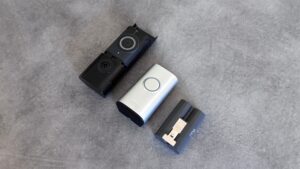
Inside the box are all of the usual suspects: doorbell, chime/repeater unit, brackets and screws for mounting it, batteries to power the button (the chime does not require power), and a bit of how-tos. It is good that they give you everything to get you going even the batteries which is a rarity. An angled mount that can be handy – if your placement isn’t right for a straight-on view One thing I liked was that they considered various mounting scenarios right out of the box.
Build Quality and Design
The doorbell unit itself feels rather robust, though some comments on the materials do look a little ‘cheap’. Honestly, it feels better made to the touch, and it’s pretty subtle in design. It doesn’t shout ‘Look at me,’ which I prefer. It is small enough that it should tuck in nicely next to the majority of doors.
The chime unit itself is just a square little speaker that also functions as a Wi-Fi extender, which is a nice and simple way to bundle functionality. Not the prettiest piece of tech I’ve ever seen, but it does what it’s supposed to do, and it doesn’t take up too much from your desk when plugged in. So, after a first glance, it seems okay – well-conceived, if not an award-winning design. It supports Apple HomeKit natively right out of the box — which is why I bought it.
Installation and Setup Process
So, hooking up the Aqara G4 doorbell was an unexpectedly simple process, something of a relief given how smart home tech can be. When installing it, I had two choices on how to power it, either use the existing doorbell wiring or a battery.
Wired vs. Battery Power Options
I opted to try the battery option first mainly due to my uncertainty of my existing wiring and I wanted a quicker test. The doorbell features rechargeable batteries too, which is a nice touch. Batteries have to be inserted before crafting if you choose batteries. Keep in mind however that the batteries are not eternal so accept to recharge or change them every now and then.
The G4 also supports a wired connection for those who want something longer lasting or don’t feel like changing batteries. You can either attach it to your already-functioning doorbell transformer or a separate one. This is usually the safest route if you aim to maintain a steady flow of power and would like to avoid any hassle with charging. If you’re familiar with low-voltage wiring, the setup guide has instructions on how to connect it. Full details on power options and installation videos can be found on the Aqara support page.
Bonding with Aqara Home App
Once I had mounted the doorbell (which was relatively easy, especially with the provided template and optional angled mount) it was time to wire it in to my network. This section is done through the Aqara Home app.
Here is a short overview of how I approached the challenge.
- Download the Aqara Home App: If you do not have the app installed, you can download it from your respective app store.
- Add Device: Open the app, tap + to start adding a new device. Select the G4 doorbell.
- Set up Wi-Fi Connect to your home Wi-Fi per the onscreen prompts. You will probably have to read a QR code in the app with the doorbell.
- Connect the Chime Repeater: The video doorbell chime doesn’t have sound on its own, but comes with a chime repeater/hub. You will need to insert this into a power outlet somewhere in your house (preferably within a reasonable distance from the doorbell) and connect it via the app as well.
- HomeKit Setup: The app will also guide you through adding the doorbell to Apple HomeKit if you use that ecosystem. This is a pretty standard process involving scanning another QR code.
The Aqara app itself can at times be a little clunky here and there, but the actual process of connecting up the doorbell and all of its accessories was quite seamless.
Within 30 minutes, I had it installed and configured, both recognized in the Aqara app and accessible in Apple HomeKit. Guides to get your old Chime working with the G4, in case you want to integrate them as well
Key Features and Performance of Aqara G4 Doorbell
Now, let’s get down to what the Aqara G4 doorbell can actually do and how well it does it. It’s been in my possession for a few, and it has some clear winners and also some headscratchers.
Field of View and Video Quality
First off, the video. It’s good, but I wouldn’t say last groundbreaking. Lives at 1600 x 1200, which is significantly higher resolution than older models we saw, hitting the 1080p mark. But this extra detail only comes really if you stay in the Aqara Home app.
When you link it with Apple HomeKit and other systems, it’s capped at 1080p, and even then, videos can appear a bit grainy at times ( not as crisp as some competitors), while the field of view is decent but not quite 170 degrees. Admittedly, it sports the more practical 4:3 aspect ratio that’s better for getting a look at packages on the ground.
Two-Way Audio and Night Vision
The two-way audio works fine. I hear people at the door, and they can hear me. Not as good as studio sound by any means, but it works for a brief conversation. The night vision isn’t bad, though.
Now this thing is using infrared, and even in perfect darkness, I can still see better than well! You hit the night vision light one way or another, which is also useful. The difference is not perfect, but after dark, you can count on it from time to time.
Smart home integration (HomeKit, Alexa, Google Assistant)
This is where it can get all muddled up. HomeKit, Alexa, and Google Assistant compatibility is also rumored for the G4. It does also integrate, and you can receive notifications and view video feeds. For HomeKit users, you’ll even receive live notifications on your Apple TV, a neat trick if you’re expecting something delivered. You can also configure activity zones to reduce false alarms.
But some features are platform-specific and limited. Face recognition, which is surprisingly effective when it gets it right — 50% of my contacts are tied to Apple Home. Plus, you cannot use the built-in chime sounds and have to import your own audio files, which is kind of a perverse limitation.
It also has a built-in Zigbee hub and Matter controller, excellent if you are building an Aqara ecosystem, but possibly overkill for most. Generally decent connectivity too, supporting both 2.4 and 5GHz Wi-Fi, which is a major upgrade over the older models. You can know the details of its connectivity features.
Let’s take a brief look at how it compares:
- Maximum Resolution: Up to 1600×1200 (Aqara Home) / 1080P in other platforms
- View: 175 degrees (Diagonal).
- Audio: Two-way communication.
- Night-vision: Infrared, with adjustable light
- Smart Home: HomeKit, Alexa, Google Assistant
- Hub Features: Onboard Zigbee Hub, Matter Controller
- Power Options: Battery or wired.
- Connectivity: Wi-Fi (2.4/5GHz), Bluetooth.
It is indeed a doorbell in a busy feature. It has a few quirks, too, and its integration with other smart home systems is hugely beneficial. Even the physical doorbell button itself isn’t half bad to press (much better than some of those I’ve tried, like Ring).
Aqara G4 vs Eufy E340:
The Eufy E340 was one of the first devices I considered when I began looking into video doorbells. It is easy to see why it is such a popular choice. So how does it compare against the Aqara G4? I compared them for a while and here is what I came up with.
Another key difference I noticed was the power supply. The Eufy E340 supports both battery AND wired power, whereas the Aqara G4 is available in both wired and battery-powered as well. This is a big plus in my book, particularly if you don’t currently have doorbell wiring. That means I could place myself almost anywhere.
In terms of video quality, both are not bad, but I made a special aqara g4 video quality test — the Aqara G4 is quite decent for its price. The Eufy E340 also provides decent video, although occasionally the colors felt a touch too punchy on the Aqara. That’s a small difference, however, and may simply come down to what you prefer on your sound.
Here are a few of the key differences summarized.
- Power: Eufy E340(Wired only) and Aqara G4 (Wired or Battery).
- Local Storage: Both have local storage that does not require a monthly fee. In the case of the Aqara G4, this is a microSD card in its chime unit, while the Eufy E340 records locally using its HomeBase.
- Smart Home Integration: Both compatible with Alexa, Google Assistant and other major platforms. HomeKit support exists on the Aqara G4 which is important if you are an Apple ecosystem person.
- Field of view — The Aqara G4 has a bigger field of view, and I liked being able to see more of what’s going on at my front door. But it can also feel a little too wide, making packages just at your feet harder to see.
If you are already deep into the Apple HomeKit world, I am honest: The Aqara G4 is made with strength. Avoiding subscription costs is also a big lure for both, but Aqara really goes all-in on that no-subscription route.
Buy if: Your smart home runs on Apple HomeKit. You want local storage with zero subscription fees. You need battery power because you lack doorbell wiring. Your mounting location is sheltered from direct rain.
Skip if: You need the best video quality (get the Eufy E340 with 2K). You live in a heavy-rain area with no covered porch. You want rechargeable batteries (the G4 uses disposable AAs). You are not in the Apple ecosystem (the Eufy E340 is better value for Alexa/Google users).
Aqara G4 vs Google Nest Doorbell (Wired, 3rd Gen)
As I researched video doorbells, the Google Nest Doorbell (Wired, 3rd Gen) was everywhere. It’s a strong entry, but I can see why. Having an excellent track record with its smart home gear, not unlike this doorbell. It gives you a rather crisp, 1600 x 1200 resolution with an appropriately tall (:large) aspect ratio. This means you can see more of what’s happening at your door, from head to toe, which is handy.
Now, if you compare this with the Aqara G4 then there are differences between them. It’s a wired doorbell (you can ignore battery life, but you will need existing doorbell wiring in place).
Unlike other cameras, however, the Aqara G4 gives you the flexibility of wired or battery power, which I thought was quite nice. HomeKit Secure Video support is also a bonus if you’re in Apple land. In terms of smart home platform compatibility, the Google Nest Doorbell (Wired, 3rd Gen) plays nicely with Google Assistant and Alexa but isn’t as HomeKit-friendly.
| Feature | Aqara G4 | Google Nest Doorbell (Wired, 3rd Gen) |
|---|---|---|
| Power | Wired or Battery | Wired only |
| HomeKit Support | Yes (Secure Video) | Limited |
| Video Resolution | Up to 2K (with Aqara Hub) | 1600 × 1200 |
| Local Storage | microSD Card | Cloud (3-hour history) |
| Price | ~$120 | ~$150 |
👉 Bottom line: Aqara G4 is the better choice for Apple users and those who want local storage with no ongoing fees, while the Nest Doorbell fits better into the Google ecosystem.
For me, it all came down to what I needed. If you have doorbell wiring already and our devoted to the Google or Alexa system, the Nest Doorbell is a great pick.
However, if you need that battery option or HomeKit is important to you, the Aqara G4 is where it really shines. Both is good, just different, so having multiple options is great.
I finally settled on the Aqara G4, partly because I liked not needing to be connected to whatever wiring was at apparently quite a distance from my front door, and also, an important one for me was that it had to have HomeKit support built in.
Besides, the Aqara G4 is also a little more affordable, which never hurts. For further information, visit the Google Nest Doorbell site.
Aqara G4 vs Eufy S330:
So when I got to spec up the Eufy S330 vs the Aqara G4, I figured they’re a bit of different leagues. To begin with, the S330 is a dual camera system. There is still one camera facing forward as you would expect, but then there’s a second one looking downwards. That second camera is for catching packages dropped off on your doorstep, something that the Aqara G4 simply cannot do. That’s a fairly sizeable difference if tracking deliveries is something that you really care about.
Always, the power situation is something that pops out as well. Since the Eufy S330 is meant to be hard-wired in, it is always on. Aqara G4, however, offers the ability to be powered with wire or battery.
The battery option on the G4 is handy, particularly relative to your absence of current doorbell wiring, that being said at some time you are going to be faced with recharging it. The S330 avoids that whole mess altogether. Setting up the S330 is relatively simple — provided you have the wiring run.
Both are pretty decent when it comes to video quality, but the S330’s dual cameras provide a fuller picture of what is going on in front of your doorstep. While the G4’s field of view is fine, at times I felt it was a touch higher than I’d prefer, losing some lower details.
The S330’s arrangement, with its separate suggestion camera, appears more planned for the purpose of watching a front entryway. Also, the S330 works with Eufy’s Home app, which was relatively easy to use but does promote cloud storage options.
If you want to capture a larger field of your entryway, particularly for deliveries, the Eufy S330 could be better. If you want to get started with this type of doorbell, you can learn more about dual-camera doorbells here.
Pros and Cons of Aqara Doorbell 4
What Real Buyers Say (Aqara G4)
“Setup was easy and the connection to Apple HomeKit was fast. Video quality, durability, and night vision are excellent. The chime is loud and reliable.”
— Verified Buyer, November 2024“Great HomeKit integration, fast live view, and strong video quality. Local storage with microSD works well and installation was smooth.”
— Verified Buyer, November 2024“Works great even in extreme heat and integrates perfectly with Apple Home. No subscription needed if you already use iCloud.”
— Verified Buyer, July 2025“Battery life is terrible — requires frequent replacement. Wired mode also had reliability issues in some setups.”
— Verified Buyer, March 2024“Motion detection can be unreliable on battery. Many events are missed or recorded too late.”
— Verified Buyer, April 2023“Connectivity issues and occasional disconnections from HomeKit reported. WiFi strength and placement matter a lot.”
— Verified BuyerOkay, let’s start with the things I did and didn’t like about the Aqara G4. Honestly, I would say it is a bit of hit-or-miss.
The good news is it supports lots of smart home platforms. So if you’re a true Apple HomeKit devotee, an Alexa user or Google Assistant person you can use the G4 with all of those. That’s a massive advantage when it comes to flexibility, particularly given the aqara doorbell camera comparison other brands.
Also, it is a great relief not to be tied into a monthly subscription for the most basic of features. Even the integrated chime repeater is more useful than I’d expected, particularly if I’m not glued to my phone all day. This means I do not miss visitors.
✔ Pros
- Full Apple HomeKit Secure Video support (rare in doorbells)
- No mandatory subscription (7-day cloud + local microSD)
- Flexible power (battery or wired)
- Local AI face recognition and smart alerts
- Strong privacy setup with local + encrypted storage
- Indoor chime repeater improves signal stability
- Easy installation for most users
✕ Cons
- Battery life is a major issue (frequent replacements)
- Performance drops significantly on battery vs wired
- Motion detection can be inconsistent or delayed
- Connectivity issues if WiFi or placement is weak
- Limited weather resistance (best for covered areas)
- Video resolution capped at 1080p in most setups
- Requires microSD for full features and recording control
👉 Bottom line: Aqara G4 is one of the best choices for Apple HomeKit users, but it only performs reliably when wired — battery mode is where most complaints come from.
At the end of the day, I feel like the aqara g4 smart doorbell’s pros and cons swing to an all-around strong value buy for a reasonably priced product if you can accept its shortcomings.
The Verdict — Should You buy Aqara G4 Doorbell
And with all that time spent with the Aqara G4, do I think it deserves your precious pennies? For me, the answer is a resounding yes, particularly if you want a feature-rich doorbell camera without being tied to subscriptions. All in all, it’s hard not to feel like this is one of the best smart doorbells 2024 has going for it right now when you factor in its price.
Now, here is a summary of why I am cautious to recommend:
Smart Home Flexibility: It works with HomeKit, Alexa and Google Assistant. This is nothing short of a major victory from my side, as I do not have to be worried about getting tied up with one ecosystem. It was easy to pair up with Apple HomeKit and integrates nicely into the Home app.
Offline Using MicroSD: One of the biggest advantages is using microSD for local storage. I hate more than anything the notion that my video is being held hostage by a subscription. This makes it even more cost effective overall than some competitors.
Dual Power Options: Its dual power options give you both the benefit of battery for easy setup and hardwired for 24/7 recording. Implementing the wired option means peace of mind, whilst I recognised reasonable battery life.
Above-Average Video and Audio: Good enough to identify visitors; night vision works as expected. The two-way audio is decent for snippits of conversation.
However, it’s not perfect. The IPX3 rating is the lowest weather resistance on this list, it only protects against light rain spray, not direct downpours. Mount it under a porch overhang or covered area.” And while its facial recognition is a fun party trick, it’s not quite as seamless as it can be, and the app works well but could use some fine-tuning. The field of view is excessive for me at times, but otherwise decently wide.
The Aqara G4 often enjoys a more attractive price tag than options such as the Eufy S330 or Google Nest Doorbell (Wired, 3rd Gen), when discounted. Provides most of the same core functionality without the recurring expenses.
The Aqara G4 is another best smart doorbell 2024 contender to add to your list if you’re looking for one that offers good value. This is a good option for anyone looking, also with a very capable smart doorbell and no Subscription issues. You can read more about its abilities on the Aqara website.
Ultimately, if you can live with its minor drawbacks and appreciate its subscription-free approach, the Aqara G4 is a smart doorbell that delivers on its promises and offers great bang for your buck. It’s a device that provides impressive smart home hub capabilities and excellent video quality at a very competitive price point.
So, Is the Aqara G4 Doorbell Worth Your Money?
Now, I will give it…after spending some time with the Aqara G4, I quite like it. What you get for the price (especially when on sale) is a series of features other brands charge extra for. HomeKit support is a big deals for me and not needing to pay monthly fees to store footage locally is a major bonus. It’s not perfect, mind you.
The field of view could be better, and I wish it had a higher weather resistance rating. But overall, if you’re looking for a smart doorbell that plays nice with Apple devices and doesn’t break the bank, the Aqara G4 is definitely worth considering. I’m glad I gave it a shot
Frequently Asked Questions
Do you need a subscription for the Aqara G4 Doorbell?
Yes, you can! One of the coolest things about the Aqara G4 is that it’s not trying to shoehorn you into some sort of monthly fee. You can also record locally to a microSD card, great for storing footage without added fees!
How do I power the Aqara G4 Doorbell.
It can take your options, I like that! You can run it with batteries, which is super easy if you don’t have current doorbell wires. Or, you may hardwire to always have power. It even features a chime repeater that amplifies the Wi-Fi signal, and which can also work as a loud indoor bell.
Are Aqara G4 Doorbell Compatible with Apple Homekit?
Absolutely! This is a big deal for the Apple fans like me. It pairs perfectly with HomeKit, though you can also use it with Alexa and Google Assistant to fit into most smart home scenarios.
How is the video quality on Aqara G4 Doorbell?
The video is quite good, with 1080p HD resolution across a wide angle. It includes night vision, too! So I can see who’s at the door when it’s dark outside. It’s fine for most situations, although slightly more expensive ones can provide video that’s a bit better.
Can the Aqara G4 Doorbell recognize faces?
Yes, it brings something like facial-recognition too! It has the ability to know faces you might frequently see, like family or friends, and let you know who’s home instead of simply saying, ‘motion detected. It’s a nice touch that makes it seem so much smarter.
Is the Aqara G4 Doorbell suitable for outdoor use in bad weather?
Things to watch out for. It bears a lower (IPX3) weather resistance rating, so it may be best to install it in a more protected area away from direct rain — such as under a porch roof. Now that’s not great for places that get a bit of harsher weather without some cover.