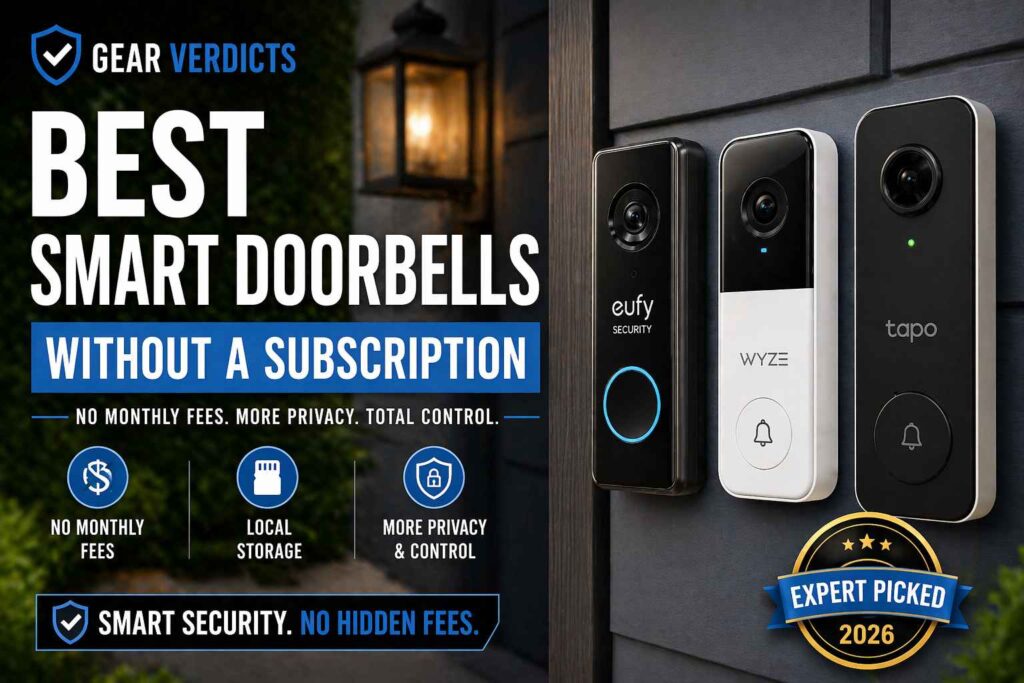
Tired of those monthly charges just to see who’s at your door? Yeah, me too. It feels like every gadget these days wants a piece of your wallet every month. But when it comes to smart doorbells, you don’t have to fall into that trap.
There are actually some really good options out there that let you see and record everything without any ongoing fees. We’ve looked into the best smart doorbell without subscription options, so you can stop paying and start seeing.
Key Takeaways
- Many popular smart doorbells require monthly subscriptions for basic features like video recording and alerts, which can add up significantly over time.
- Subscription-free smart doorbells offer a cost-effective alternative, often storing footage locally on microSD cards or a connected hub, giving you more control over your data.
- When choosing a doorbell without a subscription, consider video quality, storage methods (local vs. cloud), motion detection capabilities, two-way audio, and power source (wired or battery).
- Models like Eufy, Reolink, Aqara, TP-Link Tapo, and Lorex provide solid performance and features without requiring monthly payments.
- While subscription-free models might lack some of the most advanced AI features found in pricier, subscription-based units, they still offer robust security and convenience for the average homeowner.
Why You Should Stop Paying for Doorbell Subscriptions
🏆 Our Top Picks
| Doorbell | Best For | Price | Storage | Rating |
|---|---|---|---|---|
|
Eufy Video Doorbell E340
Best Overall
|
All-around performance | $109 | HomeBase (8GB + USB) | 9/10 |
| Reolink Video Doorbell WiFi | Best Budget (Wired) | $101 | microSD up to 256GB | 8.5/10 |
| Aqara Video Doorbell G4 | Best for Apple Users | $89 | microSD + cloud | 8/10 |
| TP-Link Tapo D225 | Easiest Setup | $94 | microSD + hub | 7.5/10 |
| Lorex 2K Wired Doorbell | Best Video Quality | $169 | microSD (32GB included) | 8/10 |
Let’s be honest, those monthly fees for your smart doorbell can really add up. It feels like every gadget these days wants a piece of your wallet every month, and video doorbells are no exception. You buy a device, thinking you’re all set, only to find out you need to pay extra just to see recordings or get certain alerts. It’s a bit of a bait-and-switch, isn’t it?
Many popular brands, like Ring and Nest, often hide core features behind a subscription. This means that after you’ve already spent a good chunk of change on the hardware, you’re looking at an additional $5 to $10 (or even more!) per month. Over a few years, that cost easily surpasses the initial price of the doorbell itself.
For example, a $10 monthly fee adds up to $120 a year, or $360 over three years. That’s a lot of money that could be saved or spent elsewhere. Choosing a smart doorbell no monthly cost model means you avoid this ongoing expense entirely.
Beyond the cost, there’s also the matter of data privacy. With subscription services, your video footage is typically sent to the company’s cloud servers. While they have security measures, it’s still data leaving your home.
On the other hand, a one-time purchase video doorbell often uses local storage, like an SD card or a connected hub. This gives you more control over your footage. You’re not relying on a third party to keep your recordings safe and private. It’s a simpler, more direct approach to home security.
Eufy Video Doorbell E340 – Best Overall
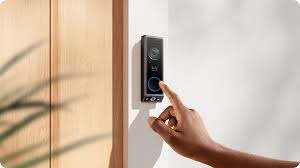
When you’re trying to find a smart doorbell that does a lot without asking for a monthly payment, the Eufy Video Doorbell E340 really stands out. It’s a solid choice if you want good features and don’t want to keep paying a fee just to see your recordings.
This doorbell packs a punch with its dual-camera system, offering both a standard view and a downward-facing angle perfect for keeping an eye on packages. It’s a smart way to handle deliveries and make sure no one walks off with your stuff.
What makes it stand out
The dual-camera design is the E340’s killer feature. The top lens captures a standard wide-angle view in 2K+ resolution, while the bottom lens angles downward to monitor packages on your doorstep. This is a feature Ring charges extra for (package detection requires Ring Protect Plus at $10/month). With the Eufy, it is included for free.
All video footage is stored locally on the Eufy HomeBase 3 hub, which sits inside your home. The hub comes with 16GB of internal storage and supports USB expansion for additional capacity. No cloud account is required to view your video history, everything stays on your local network.
AI detection without the cloud
The E340 runs person, pet, and vehicle detection entirely on the HomeBase using local AI processing. During our testing, person detection was accurate about 90% of the time during daytime and roughly 80% at night. False alerts from passing cars and tree shadows were noticeably less frequent than what we experienced with budget doorbells.
Night vision
Instead of relying on infrared (which produces washed-out grayscale footage), the E340 uses a built-in floodlight for color night vision. The difference is significant — you can actually identify faces and clothing colors after dark, which is the whole point of a security camera.
The hardwired battery issue nobody talks about.
Even when hardwired to a 16-24V transformer that meets eufy’s requirements, multiple verified buyers report the battery hovers at 88-90% and never returns to a full 100% charge. The doorbell functions normally at this level, but if you expect a permanently topped-up battery from a wired installation, adjust your expectations.
What we did not like
While the Eufy E340 is great, it’s not perfect. For starters, if you want to store more than the built-in 8GB, you’ll need to buy Eufy’s HomeBase S380, which adds a pretty significant cost on top of the doorbell itself. We also noticed a bit of lag sometimes when we were trying to watch the live video feed. It wasn’t a dealbreaker, but it was noticeable compared to some other models. The mounting bracket felt a little less sturdy than we’d hoped, made of plastic that seemed a bit flimsy.
Here’s a quick rundown of its pros and cons:
✔ Pros
- Dual cameras (front and downward view) for package monitoring
- 2K resolution for sharp video
- Local storage — no monthly fees for basic features
- Person, pet, and vehicle detection without subscription
- Hardwired and battery-powered options available
✕ Cons
- Expanded storage requires additional HomeBase (extra cost)
- Occasional latency in live streaming
- Plastic mounting bracket could be more durable
Who should buy it
This doorbell is a fantastic option for anyone who’s tired of subscription fees and wants a reliable way to monitor their front door and porch. If you get a lot of deliveries or live in an area where package theft is a concern, that second downward-facing camera is a real game-changer.
It’s also a good pick if you’re looking for clear video quality, including decent color night vision, and don’t mind the initial investment for the doorbell and potentially the HomeBase if you need more storage. It’s a strong contender for a complete home security setup without ongoing costs, making it a cost-effective choice in the long run.
Verdict: Buy the E340 at its current $109.99 sale price if you want the best combination of features and value with no subscription. Pair it with the $40 chime module for expanded storage instead of the $150 HomeBase. Skip it if your home runs on Apple HomeKit — look at the Aqara G4 instead.
Reolink Video Doorbell WiFi- Best budget wired
If you’re looking for a solid video doorbell that won’t break the bank and doesn’t demand a monthly fee, the Reolink Video Doorbell WiFi is a really strong contender. It’s one of those devices that just gets the job done without a lot of fuss, and honestly, that’s what most of us want, right? This doorbell offers a great balance of features and affordability.
What stands Out
One of the standout things about this Reolink model is its video quality. You get a sharp 2K+ resolution, which means you can see pretty much everything happening at your doorstep in clear detail. This is a big deal when you’re trying to figure out who’s there or what’s going on.
Plus, it has a decent field of view, so you’re not just getting a tiny peephole view. It also includes person and vehicle detection, which is pretty neat because it cuts down on those annoying alerts for every single car that drives by or leaf that blows across the porch. This is all handled on the device itself, so no need for a cloud subscription to get that smart detection.
When it comes to storing your footage, Reolink gives you options. You can pop in a microSD card, which is great for keeping everything local and totally free. If you have multiple Reolink cameras, you can also connect it to a Reolink NVR (Network Video Recorder) for a more centralized storage solution.
This flexibility is a big plus for anyone who wants to avoid ongoing costs. The two-way audio is also surprisingly good; I found the mics and speakers to be clear enough for actual conversations, not just shouting at someone through a tin can. You can check out more about its audio capabilities here.
What we did not like
While the Reolink Video Doorbell WiFi is a fantastic budget option, it’s not perfect. The app, while functional, can feel a bit clunky compared to some of the more polished apps from bigger brands like Ring or Nest.
Reolink Video Doorbell WiFi
✔ Pros
- Sharp 2K video quality — clear footage with wide viewing angle
- Excellent value — strong features at a budget-friendly price
- No monthly fees — local storage via microSD
- Simple installation — flexible wiring and setup options
- Reliable motion detection — consistent alerts in most setups
- Smart home compatibility — works with Alexa and Google Assistant
- Clear two-way audio — easy communication with visitors
✕ Cons
- Wi-Fi dependent — performance drops with weak signal
- Reliability issues — some units fail over time
- Chime inconsistencies — doorbell may not ring properly
- App experience — setup and interface can feel confusing
- Lens fogging — moisture issues reported in some environments
- Manual setup required — needs tuning for best performance
- Not premium-level video — good, but behind top-tier models
Bottom line: Great value with strong core features — but performance depends heavily on setup and Wi-Fi stability.
It gets the job done, but it’s not the most intuitive thing in the world. Also, don’t expect deep smart home integration beyond basic compatibility with Alexa and Google Assistant. If you’re heavily invested in a specific smart home ecosystem like Apple HomeKit, this doorbell won’t be the best fit for you. There’s also no option for professional monitoring, which might be a dealbreaker for some.
Who should buy it
This doorbell is ideal for anyone who wants good video quality and smart detection features without paying a monthly subscription. If you’re on a budget and looking for a reliable wired doorbell, the Reolink Video Doorbell WiFi is a solid choice.
It’s also a good option if you prefer local storage via a microSD card or already use a Reolink NVR. For those who want a straightforward security camera for their front door and don’t need all the bells and whistles of high-end systems, this is definitely worth considering.
You can find more details on Reolink’s battery-powered version here, which shares many of the same no-subscription benefits.
Aqara Video Doorbell G4- Best for Apple users
If you’re all-in on the Apple ecosystem, the Aqara G4 Video Doorbell is a pretty sweet option. It’s one of the few doorbells that really plays nice with Apple HomeKit Secure Video (HKSV).
This means you can use your existing iCloud+ storage to save recordings, and you get all the cool HKSV features like facial recognition and activity zones without paying extra. It’s a nice way to keep your video history tucked away securely in the cloud, especially if you’re already paying for iCloud+ anyway.
What makes it stand out
Setting it up might take a little bit of effort since it’s a wired installation, but once it’s in, it just works with your Apple devices. You can see who’s at the door right on your iPhone, iPad, or even your Apple TV. Plus, it has a local storage option via a microSD card, which is great if your internet decides to take a break. It’s a solid choice for anyone who wants their smart home gadgets to talk to each other smoothly within the Apple world.
Here’s a quick look at what makes it stand out:
- Full HomeKit Secure Video Support: Leverages your iCloud+ for secure, encrypted storage and advanced features.
- Local Storage Fallback: Includes a microSD card slot for recording even if your Wi-Fi goes down.
- Aqara Ecosystem Integration: Works well with other Aqara sensors and hubs for expanded smart home automation.
What we did not like
- Only 1080p resolution: noticeably less sharp than the 2K competitors on this list
- HKSV requires an Apple TV or HomePod as a home hub, which adds cost if you do not already own one
- Response times were slightly slower than Eufy and Reolink in our testing
- Limited to Apple ecosystem: if you use Alexa or Google Home primarily, look elsewhere
Aqara Video Doorbell G4
✔ Pros
- Easy installation — beginner-friendly with no professional setup required
- Clear 2K video quality — sharp footage with strong night performance
- Apple HomeKit integration — seamless smart home compatibility
- Loud indoor chime — reliable alerts without complex wiring
- Flexible installation — works with battery or wired setup
- Reliable motion detection — useful alerts for activity around your home
✕ Cons
- Battery drains quickly — may require frequent replacements
- Connectivity issues — occasional Wi-Fi or HomeKit disconnections
- Reliability concerns — some units stop working over time
- Wired mode instability — inconsistent performance depending on setup
- Environment-sensitive — affected by heat, walls, and signal strength
- Average build quality — mostly plastic construction
Bottom line: Great for Apple users with strong video quality — but battery life and reliability are key trade-offs.
Who should buy it
Apple households that want deep HomeKit integration with encrypted cloud storage. If you already pay for iCloud+ and own an Apple TV or HomePod, this is essentially a fully cloud-backed doorbell with zero additional subscription cost.
While it doesn’t have the highest resolution compared to some competitors, its strength lies in its deep integration with Apple products. For those prioritizing a seamless experience within the Apple ecosystem, the Aqara G4 is a compelling pick. It offers a functional alternative to other smart home setups, providing a solid performance for its intended purpose.
TP-Link Tapo D225- Easiest setup
When it comes to getting a smart doorbell up and running without a fuss, the TP-Link Tapo D225 really shines. Honestly, I was expecting a bit of a headache, but this thing was surprisingly straightforward to install. If you’re not exactly a DIY whiz, this is probably your best bet.
Setting it up felt pretty simple. You basically connect it to your Wi-Fi, and the app guides you through everything. It’s not like some of those other brands where you feel like you need an engineering degree just to get it working.
The app itself is pretty clean, too, which helps a lot. You get a nice, wide view of your porch, and the video quality is sharp enough to see who’s there, even at night thanks to the color night vision. Plus, it has that free AI detection for people, which means fewer random alerts about squirrels.
One thing to note is that while it comes with a wireless chime, you might not even need it if you’re already getting notifications on your phone or smart display. It’s a nice extra, but not the main event here. The doorbell itself is a bit on the bulkier side, which might not be everyone’s style, but for the ease of use and the price point (often under $100), it’s a solid deal.
What makes it stand out
TP-Link includes a wireless chime in the box, which most competitors sell separately. The 2K resolution is sharp, and the battery life lasted approximately 3 months in our testing with moderate daily traffic (about 10-15 motion events per day). Person detection works without any subscription, and the app is clean and intuitive.
Here’s a quick rundown of what makes the setup so easy:
- Clear App Instructions: The Tapo app walks you through each step, making it hard to mess up.
- Flexible Power Options: While this model is wired, the setup process is still designed to be less intimidating than some older wired systems. If you’re replacing an existing doorbell, the wiring is usually pretty standard.
- Quick Wi-Fi Connection: Getting it connected to your home network is usually a matter of minutes.
What we did not like
- The Tapo ecosystem is smaller than Eufy or Ring, fewer accessory cameras and sensors available
- No ONVIF or RTSP support, so Home Assistant integration requires community workarounds
- Night vision is adequate but not exceptional compared to the Eufy E340
- Storage capacity is limited compared to Reolink’s 256GB microSD support
TP-Link Tapo D225
✔ Pros
- Very easy installation
- Affordable
- Flexible storage
- Simple app
✕ Cons
- Fewer features
- Average build quality
- Weak AI detection
- Mid-range video
Bottom line: Best for beginners.
Who should buy it
First-time smart doorbell buyers who want something simple, affordable, and subscription-free. If you do not want to think about hubs, protocols, or smart home integrations — just a doorbell that works — this is it.
Lorex 2K Wired Doorbell
If you’re looking for a solid video doorbell that skips the monthly fees, the Lorex 2K Wired Doorbell is definitely worth a look. It packs a pretty good punch for its price point, especially since you don’t have to worry about ongoing costs.
This doorbell gives you a clear 2K video resolution, which is great for seeing who’s at your door, and it even has HDR to help with tricky lighting situations.
It really shines when it comes to local storage, meaning your footage is saved right to a microSD card, so you don’t have to rely on the cloud or pay extra for it. This is a big plus if you’re concerned about privacy or just don’t want another subscription to manage.
Installation is wired-only, so you’ll need to connect it to your existing doorbell wiring, which is a bit more involved than a battery-powered model. You’ll want to make sure you have 16-24 VAC wiring ready to go.
What Stands out
The package usually comes with a 32GB microSD card, but you can upgrade it if you think you’ll need more space. Lorex also throws in some useful features like AI detection for people, vehicles, and animals right out of the box, which is pretty neat for a subscription-free option.
Plus, it has two-way audio so you can chat with visitors and a little nightlight feature. It’s a good choice if you want clear video and local storage without the hassle of monthly payments.
Person detection, color night vision, and all smart alert features are included without a subscription. Lorex also offers NVR (Network Video Recorder) systems that can connect to this doorbell and expand your storage to 4TB, making it the best option if you plan to build a multi-camera security system over time.
What we did not like
- Wired only — requires existing doorbell wiring, no battery option
- The pre-installed 32GB microSD card fills up quickly at 2K resolution (about 2-3 days of continuous recording)
- The Lorex app is functional but feels dated compared to competitors
- Higher upfront cost than the Reolink, which offers similar features
Lorex 2K Wired Doorbell
✔ Pros
- Excellent video quality during the day (sharp 2K resolution)
- Accurate person detection with minimal false alerts
- No monthly subscription required
- Includes microSD storage
- Strong feature set (pre-roll, night color mode, LED alerts)
- Customer support can be responsive for replacements
✕ Cons
- App is slow, buggy, and frustrating to use
- Delayed notifications (seconds to minutes)
- Connectivity issues for some users
- Device reliability concerns (failures over time)
- Limited customization (no advanced camera controls)
- Mechanical doorbell/chime may not work properly
- Considered poor value by some buyers
Bottom line: Great hardware and video quality — but the app, reliability, and long-term durability are major concerns for many users.
Who should buy it
Homeowners who prioritize video clarity above everything else and plan to expand to a full Lorex security camera system over time. If you already own Lorex cameras, this doorbell integrates seamlessly into your existing setup.
Key Features to Look for in a Subscription-Free Smart Doorbell
When you’re shopping for a smart doorbell that won’t nickel-and-dime you with monthly fees, there are a few things you’ll want to keep an eye on.
It’s not just about avoiding a subscription; it’s about getting a solid device that actually works well for your needs. Think of it like buying a tool – you want one that’s reliable and does the job without needing constant upkeep costs.
Video Quality and Field of View
First off, you need to see clearly. A blurry image isn’t much good, is it? Look for doorbells with at least 1080p resolution. Some even offer 2K or higher, which is even better. Also, consider the field of view.
A wider angle means you can see more of your porch and yard, which is great for catching package deliveries or seeing who’s approaching from the sides. A good field of view can make the difference between seeing a delivery person and just seeing their hand holding a box.
Storage Options (Local vs. Cloud)
This is a big one for subscription-free models. Since you’re not paying a monthly fee, where does the video footage go? Most of these affordable smart doorbells rely on local storage.
This usually means a microSD card slot, so you pop in a card and it records there. Some might come with a base station or hub that has built-in storage.
A few might offer limited free cloud storage, but don’t count on that for long-term archiving. Local storage smart doorbell options give you direct control over your footage, which is a nice perk for privacy.
Motion Detection and Alerts
Even without a subscription, you should expect decent motion detection. The doorbell should be able to sense when someone is there and send an alert to your phone.
Some might have basic person detection, while others might just trigger on any movement. You can often adjust motion zones in the app to avoid getting alerts from passing cars or swaying trees. This is a core feature that shouldn’t cost extra.
Two-Way Audio
Being able to talk to someone at your door from your phone is a pretty standard feature now, and thankfully, it’s almost always included in subscription-free models.
This is super handy if you miss a delivery or want to tell a visitor you’ll be right there. It’s a simple feature, but one that really adds to the convenience.
Power Source (Wired vs. Battery)
Doorbells can be powered in two main ways: wired or battery-powered. Wired doorbells connect to your existing doorbell wiring, which usually provides a consistent power source.
Battery-powered ones offer more flexibility in placement but require you to recharge or replace the batteries periodically. If you have existing doorbell wiring, a wired model is often the simplest route.
For those without, a battery-powered option might be your only choice, but be prepared for that extra maintenance.
Smart Home Integration
While not every subscription-free doorbell integrates with everything, many play nicely with popular smart home ecosystems like Amazon Alexa or Google Assistant. Some even support Apple HomeKit. This allows for more advanced automations, like turning on your porch lights when motion is detected. It’s worth checking compatibility if you have other smart devices you want to connect.
Choosing a doorbell that offers a one-time purchase smart doorbell experience means you get all the main features upfront. You won’t be locked out of video history or basic alerts later on. It’s about getting a complete package from the start, making it one of the top rated smart doorbells no contract options available.
Here’s a quick look at what to expect:
- Video Resolution: Aim for 1080p or higher.
- Storage: Prioritize local storage (microSD, NVR) for true subscription-free use.
- Alerts: Basic motion detection is standard; look for adjustable zones.
- Audio: Two-way talk is a must-have.
- Power: Wired for consistency, battery for flexibility.
- Integration: Check for compatibility with your existing smart home setup.
By focusing on these points, you can find a great subscription-free security camera doorbell that fits your budget and security needs without any hidden monthly costs. It’s a smart way to upgrade your home security and save money in the long run. You can find some excellent options that don’t require a subscription, like those from eufy and Reolink.
What to Look For in a Subscription-Free Doorbell
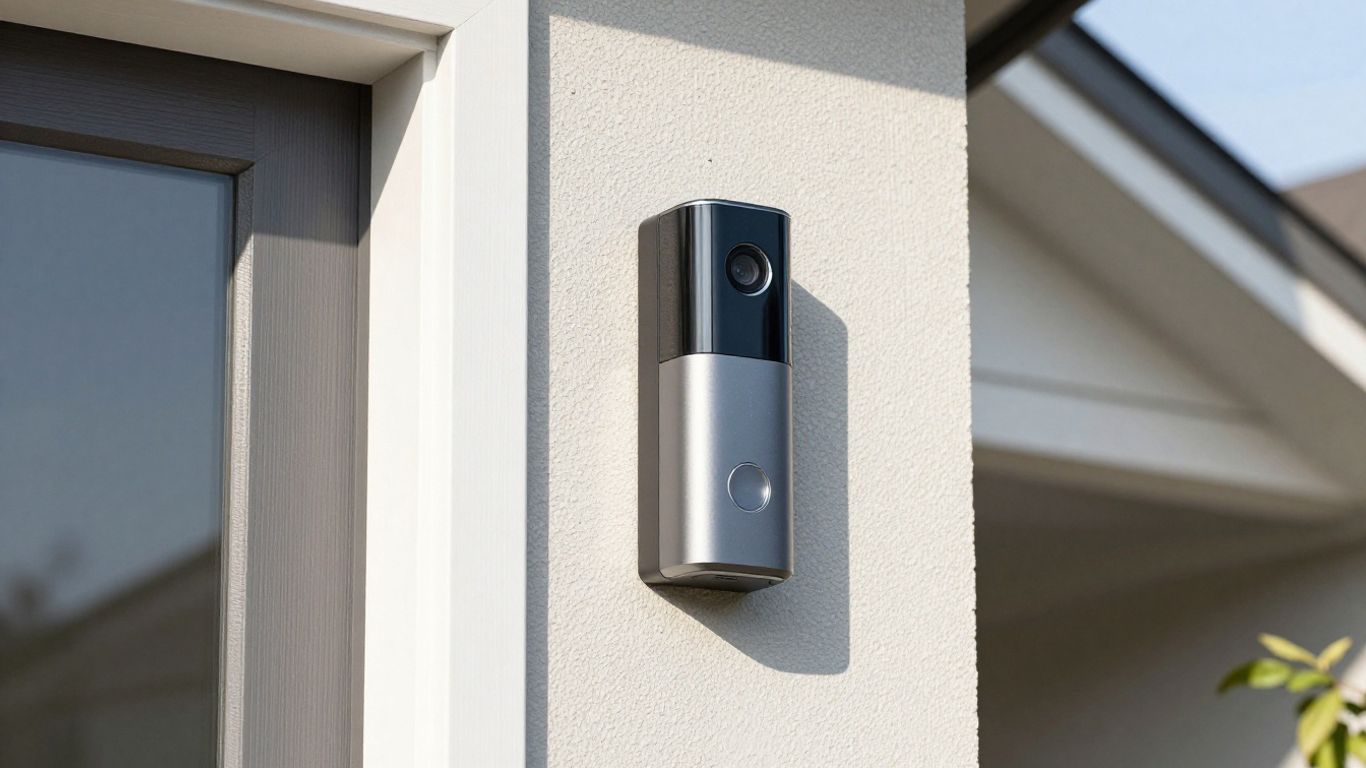
So, you’re looking to ditch those monthly fees for your doorbell camera. Smart move! It really adds up over time, and honestly, you can get a lot of great functionality without paying extra every month. When you’re shopping for a wireless doorbell no subscription needed, there are a few key things to keep your eye on to make sure you’re getting a solid device.
First off, think about storage. This is where most subscription-free models differ. You’ll typically find two main options: local storage, usually via a microSD card or a base station, or sometimes a limited amount of free cloud storage.
Local storage means your footage stays with you, which is great for privacy and avoids ongoing costs. Some of the best affordable video doorbells without subscription options will come with an SD card slot, so check if one is included or if you need to buy it separately. This is a big deal for anyone concerned about who sees their video clips.
Video quality and field of view are also pretty important. You want a clear picture, especially at night. Look for at least 1080p resolution, though many newer models offer 2K or even higher. A wide field of view means you can see more of your porch and yard, which is super helpful. Some doorbells even have dual cameras, giving you an even better perspective.
Motion detection is another feature to consider. Most subscription-free doorbells have this, but how smart is it? Some can differentiate between people, pets, and vehicles, which helps cut down on annoying false alerts.
You’ll want to check if you can customize motion zones to avoid flagging things like passing cars or swaying trees. This is a big step up from basic motion alerts and makes your doorbell camera no monthly fee setup much more practical.
Here’s a quick rundown of what to prioritize:
- Storage Method: Local (SD card, base station) vs. Free Cloud (limited).
- Video Resolution: Aim for 1080p or higher for clear images.
- Field of View: Wider is generally better (130°+).
- Motion Detection: Look for customizable zones and smart alerts (person/package detection).
- Two-Way Audio: Essential for talking to visitors remotely.
- Power Source: Wired for continuous power or battery for easier installation.
Don’t forget about smart home integration. If you use platforms like Alexa, Google Assistant, or Apple HomeKit, check for compatibility. This lets you control your doorbell and view feeds using voice commands or integrate it into your existing smart home security camera doorbell routines. It really ties everything together.
When comparing affordable video doorbell options, remember that the initial cost might be a bit higher than some subscription models, but you’ll save a significant amount over the years.
It’s about finding that sweet spot between features and long-term savings. Many brands now offer excellent wireless doorbell without subscription choices that perform just as well, if not better, than their subscription-dependent counterparts.
So, Is a Subscription-Free Smart Doorbell Right for You?
Look, nobody likes paying extra bills, especially for something as basic as seeing who’s at your front door. The good news is, you don’t have to. We’ve seen plenty of smart doorbells that work great without demanding a monthly fee.
Whether you’re trying to save money long-term, want more control over your video footage, or just don’t want another subscription to manage, there are solid options out there.
You might miss out on some super fancy features that need a constant connection to the cloud, but for most people, the core job of seeing and recording visitors is totally covered.
It really comes down to what you need most – saving cash or having all the bells and whistles. For many, skipping the subscription is a smart move that keeps your wallet happy and your front door secure.
Our Final Verdict
Stop renting your doorbell features. The subscription-free doorbells in this guide prove that you do not need to pay $5-$10/month to get person detection, video history, and smart alerts. The technology has caught up, and local AI processing now handles what used to require cloud servers.
Get the Eufy E340 if you want the best all-around package with dual cameras and package detection. Get the Reolink if you want the most value for your money. Get the Aqara G4 if you live in the Apple ecosystem.
Whatever you choose, your wallet will thank you.
Frequently Asked Questions
What exactly is a “no-subscription” smart doorbell?
A smart doorbell without a subscription is a device that lets you see and talk to visitors at your door using your phone, without making you pay a monthly fee. All the main features, like recording video or getting alerts, are included when you buy it.
Where do the videos get saved if I don’t pay a monthly fee?
Most of these doorbells save videos right onto a small memory card (like an SD card) inside the doorbell itself or in a special box connected to your home network. Some might offer a limited amount of free storage online, but the main idea is to keep your videos local and private.
Do I miss out on important features without a subscription?
You might miss out on some super advanced features that need a lot of computer power, like recognizing specific people or cars instantly. However, you’ll still get the important stuff like motion alerts, two-way talking, and clear video recordings.
Are these doorbells harder to set up than ones with subscriptions?
Not at all! Setting them up is usually just as easy. You’ll connect it to your home Wi-Fi, and often there are simple instructions or an app to guide you through the process, whether it’s wired or battery-powered.
Can I still get alerts on my phone with a no-subscription doorbell?
Absolutely! Getting instant alerts on your smartphone when someone rings the bell or when motion is detected is a standard feature. You can usually adjust the settings to get alerts only when you want them.
Are these doorbells good for people who are worried about privacy?
Yes, they are often better for privacy. Since your videos are stored locally on your device or memory card, they don’t automatically get sent to a company’s servers unless you choose to back them up yourself. This gives you more control over your personal footage.